
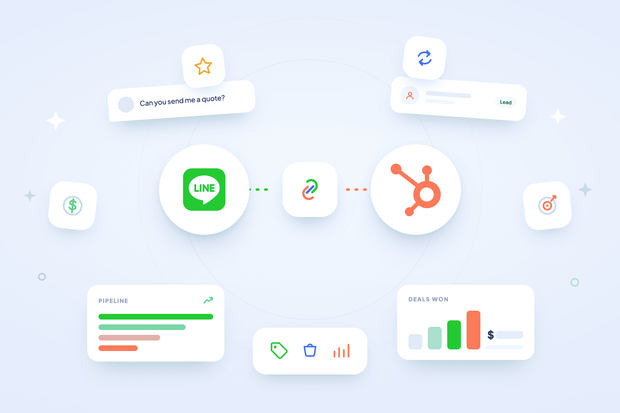
Sales teams need a LINE HubSpot integration because LINE isn't just where support conversations happen anymore.
In LINE-heavy markets like Japan, Thailand, and Taiwan, prospects negotiate real deals over chat, not email, which means some of your most important sales context lives inside a channel your CRM can't see into on its own.
Without a LINE HubSpot integration for sales teams, that context stays trapped. A rep can be mid-negotiation with a prospect on LINE, and unless someone manually cross-references that conversation inside HubSpot, the rest of the deal team has no idea it's even happening.
That's exactly what changes here.
Octopods is the integration tool that connects LINE to HubSpot, and once you connect LINE to HubSpot and turn this feature on, you associate LINE conversations with HubSpot deals automatically.
In this guide, we show you how a sales team uses LINE HubSpot integration to keep LINE messages associated with HubSpot deals.
What a sales rep sees with LINE HubSpot deals and companies
Suppose a customer messages you on LINE, and a sales rep replies right there in the conversation. Then the rep opens that conversation in HubSpot.
Can LINE chats automatically create HubSpot contacts and show their existing deals?
Yes, and here's what they find on the thread itself:
- The deal and company tied to that customer, with no separate tab to open and no digging through a different part of HubSpot.
- No need to copy conversation details into deal notes separately, since the association already exists.
This is what tracking LINE conversations in HubSpot CRM looks like day to day. The context is already there the moment a rep needs it, sitting in the same place as the rest of the pipeline.
Can you associate a LINE conversation with an existing HubSpot deal?
Yes, you can associate a LINE conversation with an existing HubSpot deal. In Octopods, this is a feature called Associate HubSpot Conversation.
Associate HubSpot Conversation connects a LINE conversation to the deals and companies already tied to that contact in HubSpot.
It doesn't create new deals from a chat. If a contact doesn't have a deal linked to them yet in HubSpot, the LINE conversation won’t create a new deal automatically.
So what does that require on your end?
- The deal still needs to exist in HubSpot first.
- The deal needs to be linked to the contact, through your normal sales process.
- Once that link exists, the LINE conversation finds it automatically.
None of this replaces the sales process you already run. It just makes sure that once a deal exists, the LINE conversation tied to that contact surfaces it.
Why does the contact have to exist first?
Because the whole chain depends on it. If you're not already familiar with it, LINE contacts get created automatically the moment someone messages your LINE Official Account.
That's what makes the rest of this possible: a contact exists, a deal gets linked to that contact through your normal process, and the LINE conversation then surfaces that link on its own.
How to turn on LINE HubSpot conversation-to-deal associations
You turn on Associate HubSpot Conversation in Octopods. It shows up as a status panel on your LINE channel connection.
Here's what that looks like in practice:
- If your workspace hasn't granted the extra permissions yet, the panel shows "Additional Permissions Required," along with a "Reconnect HubSpot" button.
- Clicking that button takes you through HubSpot's authorization screen, where you approve the additional permissions needed for deals and companies.
- Once you approve them, the panel automatically switches to "Association Syncing Enabled," confirming your LINE conversations are now syncing with your HubSpot records.
Why LINE HubSpot deals and companies needs extra permissions
This feature is opt-in because company and deal read-write access is a deliberately separate permission grant during setup.
That's a good thing, not a limitation. It respects the HubSpot permission boundaries you've already set up. If your team doesn't want LINE conversations touching deal data, you simply don't enable it, and nothing about your existing setup changes.
What LINE HubSpot deals and companies mean for your sales workflow
LINE HubSpot deals and companies change your sales workflow by turning pipeline visibility into something automatic instead of something someone has to track by hand..
That shows up in 4 specific ways.
Deal handoffs
A conversation that starts as support and turns into a sales opportunity stays connected to the right deal automatically. Nobody has to go back and manually tag or reassign it once the conversation shifts from one team to the other.
If a conversation starts in support and turns into a sales opportunity, the same visibility that lets your team manage LINE messages in HubSpot also means that handoff doesn't lose context along the way.
Account context in ABM and enterprise sales
Multiple stakeholders messaging in on LINE for the same account all resolve back to the same company record.
This is what it means to link LINE messages to HubSpot company records at the account level: nobody on your team has to manually piece together that three different people messaging in are actually all part of the same deal.
Pipeline visibility for leadership
Sales leadership can see chat activity against deals without asking reps to log it separately.
That means visibility into LINE-driven deal activity doesn't depend on someone remembering to write it down.
Less manual admin across the whole team
This isn't just one rep saving a few minutes. Multiply that across every rep handling LINE conversations, and the hours saved on manual cross-referencing add up fast, time your team gets back for actual selling instead of record-keeping.
A real-life example: LINE HubSpot deals and companies in action
Picture a sales rep mid-negotiation with a prospect over LINE, in a market like Japan or Thailand where that's how business gets done. The prospect asks a pricing question mid-conversation.
The rep opens HubSpot and sees this conversation is already tied to the "Acme Corp — Q3 Expansion" deal.
The rep just replies, with full context already sitting right there on the thread.
That's the entire value of this feature in one moment. In a market where choosing between LINE and WhatsApp already reflects how your customers reach you, that context has to be immediate, or it's not useful at all.
Give your sales team full context on every LINE conversation
Once a deal exists in HubSpot, there's no reason your sales team should have to go looking for it every time a prospect messages in on LINE.
With LINE HubSpot deals and companies turned on, that context surfaces automatically, right on the conversation thread, whether it's a rep replying mid-negotiation or a handoff moving from support to sales.
Want to know more about how to connect LINE to HubSpot through Octopods? Our team can show you how it works in 15 minutes.
FAQs
Does this create deals automatically from LINE messages?
No, it doesn't. This feature surfaces existing associations only. A deal still needs to exist and be linked to the contact in HubSpot before a LINE conversation can show it.
Can a LINE contact be associated with multiple deals in HubSpot?
Yes. If a contact has more than one linked deal, all of them show on the conversation thread, not just the most recent one.
Does a LINE conversation automatically link to a company record in HubSpot?
Yes, the same way it links to deals. If the contact is already associated with a company in HubSpot, that company shows up on the conversation too.
Why isn't my LINE conversation showing up on the deal record?
A couple of things could explain this. The association might not be enabled yet in your LINE channel settings, or the deal link is recent enough that it hasn't synced through. This data syncs periodically rather than instantly on every message, so expect a short delay right after a deal gets linked in HubSpot.
Can LINE chats automatically create HubSpot contacts and show their existing deals?
Yes, though the two parts work differently. Octopods creates or matches a HubSpot contact automatically from an incoming LINE chat, the same way it does for every other connected channel. Once that contact is linked, HubSpot's own conversation view shows any deals already associated with them in the sidebar; that's standard HubSpot behavior for any contact tied to a conversation.