
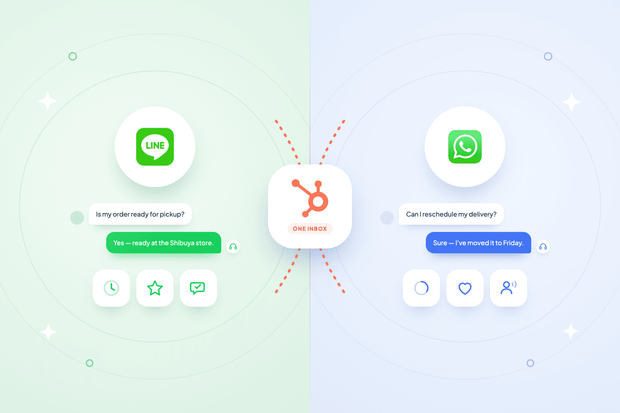
Your choice between LINE and WhatsApp for customer support comes down to where your customers are. If you serve customers in Japan, Thailand, or Taiwan, they already default to LINE. Almost everywhere else, they default to WhatsApp.
That means the real question isn't LINE vs. WhatsApp for business at all. It's how you support both without doubling your tooling or piling more load onto your agents.
Octopods is what makes that possible: it's an integration tool that connects both LINE and WhatsApp to HubSpot's inbox, so every conversation from either channel lands in the same place your team already works. If you've already worked through connecting LINE to HubSpot, you already know channel work best when it doesn't force your team to think differently depending on where a message came from.
In this guide, we break down LINE vs. WhatsApp for customer support in HubSpot, so you can either pick the right one for your market or run both side by side without compromise.
How LINE and WhatsApp identify a customer in HubSpot
LINE and WhatsApp identify a customer in HubSpot in two completely different ways.
| LINE | ||
|---|---|---|
| Customer identifier | Phone number | Opaque platform ID |
| Contact matching basis | Phone-number-native | LINE user ID and display name |
| Phone number guaranteed? | Yes | No |
WhatsApp contacts arrive in HubSpot already pre-qualified with a phone number, since that's how WhatsApp identifies every customer from the start. Even the channel-account setup itself is built around phone numbers, which makes matching and deduplication straightforward.
LINE works differently. A LINE contact starts as a name and profile, not a phone number, since LINE never guarantees a phone number is available at all. When one does show up, it's a bonus HubSpot captures along the way.
What customers experience on LINE vs. WhatsApp
Customers experience LINE and WhatsApp differently based on the ecosystem each one lives inside, even though both end up in the same HubSpot inbox.
- On WhatsApp, customers interact with rich business messaging features like templates, a business profile, and the broad reach that comes with a platform used across nearly every region in the world.
- On LINE, customers experience something closer to a super-app: stickers, rich profile photos, and a deep integration with services they already trust across Japan, Thailand, and Taiwan.
- In HubSpot, none of that difference reaches your agents. Both channels funnel into the exact same inbox experience, so a message from LINE and a message from WhatsApp show up looking and behaving the same way once they land in front of your team.
The customer-facing difference stays exactly that: customer-facing. It never turns into an agent-facing one.
Where LINE and WhatsApp behave differently behind the scenes
Behind the scenes, LINE and WhatsApp fail differently and sync contacts differently.
WhatsApp failures tend to come from business rules, like messaging outside the 24-hour reply window or a rejected template.
LINE failures tend to come from account-level limits, like a blocked bot or a monthly send cap. Octopods translates both into one plain sentence for your agent instead of a raw error code.
Contact sync works the same way under the hood but differs in depth. Both channels match existing contacts before creating new ones, but WhatsApp also supports a bulk sync for businesses migrating an existing customer base, since it can search by phone number.
LINE can't do this, since it has no phone number to search by, so LINE contacts only ever get created message by message.
Either way, your agent only sees a normal HubSpot contact and, if something goes wrong, one clear explanation. This is part of what makes it possible to manage LINE messages in HubSpot without chasing a raw error code.
Choosing between LINE and WhatsApp based on your market
Choosing between LINE and WhatsApp based on your market comes down to one question: where do your customers already expect to reach you, not which platform your team prefers.
This is a LINE Official Account vs. WhatsApp Business for support teams decision, and answering which messaging channel to choose for customer support by region starts with the table below.
| Your customers are in | They expect | Business messaging needs | Recommended channel |
|---|---|---|---|
| Japan, Thailand, Taiwan | LINE | Rich media, sticker-based engagement, deep ecosystem trust | LINE |
| North America, Europe, Latin America, most of the rest of the world | Templates for proactive outbound, broad reach, structured business messaging | ||
| A mix of both | Whichever platform matches their region | Both sets of needs, depending on the customer | Both, run side by side |
Can you run both LINE and WhatsApp in HubSpot?
Yes, you can run both LINE and WhatsApp in HubSpot, and it works because both channels land in the same inbox, with the same conversation, contact, and reporting model.
Running LINE for your APAC support line and WhatsApp for everywhere else isn't two tools bolted together. It's one workflow with two doors in.
- Running LINE and WhatsApp on the same support team means your agents don't retrain, since every conversation looks and behaves the same regardless of which channel it came from.
- Your reporting doesn't split, since every conversation rolls up into the same system instead of two separate ones.
- Your contact records don't duplicate across systems, since both channels feed the same HubSpot contact base rather than living in separate silos.
Ready to support LINE and WhatsApp from one inbox?
You've seen how LINE and WhatsApp identify customers differently, fail differently, and sync contacts differently, and how none of that complexity has to reach your agents. Whether your customers sit entirely in one region or you're serving multiple markets at once, the decision isn't really LINE or WhatsApp. It's whether your team works from one system or two.
Not sure which channel your customers actually use? Talk to us. We support both from day one, so you don't have to guess right the first time.
FAQs
Can one customer reach me on both LINE and WhatsApp and stay one contact?
It depends on the identity signals available. If the same phone number shows up on both channels, HubSpot's contact matching keeps them unified as a single contact rather than splitting them into two.
Do I need separate teams for LINE and WhatsApp support?
No, you don't. Both channels land in the same HubSpot inbox, so the same agents can handle either one without needing separate teams or separate training.
Which is better for business, LINE or WhatsApp?
Neither is better on its own. It depends entirely on where your customers are. LINE wins in Japan, Thailand, and Taiwan, while WhatsApp wins across most of the rest of the world.
Which messaging channel should I launch first, LINE or WhatsApp?
That depends on where your customers already are. If they're concentrated in Japan, Thailand, or Taiwan, start with LINE. If they're spread across most other regions, start with WhatsApp.
Can I use both LINE and WhatsApp for customer support at the same time?
Yes, and plenty of businesses do exactly that. Since both channels feed the same HubSpot inbox and contact base, running both isn't more complicated than running one.