
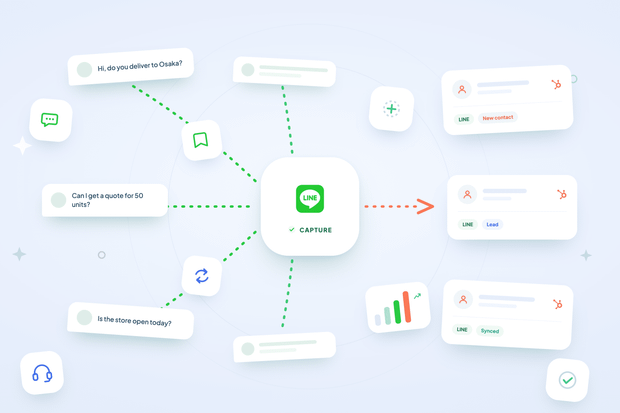
Every message your LINE Official Account receives comes from someone real, and your CRM should know that from the very first message.
Without automatic contact creation for LINE, that's not what happens: every new person who messages you is either invisible to your CRM or means an agent manually copying their details into HubSpot.
So can LINE chats automatically create HubSpot contacts and show their existing deals?
Yes, when you connect LINE to HubSpot through Octopods, an integration tool that connects LINE and other messaging channels to HubSpot. The instant someone messages your LINE Official Account, they exist as a real, named HubSpot contact, with zero manual entry required from your team.
In this article, we’ll show you how to automatically create HubSpot contacts from LINE messages.
What does automatic contact creation for LINE actually mean?
Automatic contact creation for LINE means HubSpot turns a new LINE sender into a real contact before your agent even opens the conversation.
Here's what happens behind that first message:
- The moment someone messages your LINE Official Account, HubSpot checks whether that person already exists as a contact.
- If they match an existing conversation, a known identifier, a prior mapping, or a phone number on file, HubSpot connects the message to that same contact instead of creating a new one.
- Only when none of those signals match does HubSpot create a brand new contact.
This is how LINE contact matching works in HubSpot, and it's exactly what lets you avoid duplicate contacts piling up for the same person. Rather than creating a new record every time someone sends a message, the system checks multiple signals first and only creates a fresh contact when nothing lines up.
What information gets added to the new HubSpot contact?
The new HubSpot contact gets populated with all the details LINE shares about that sender:
- First and last name comes from splitting the customer's real LINE display name.
- Phone number gets added automatically whenever LINE provides one.
- A channel identifier property gets attached to the contact.
- If the contact already exists, HubSpot enriches it gently. A missing identifier or phone number gets filled in, but a phone number that's already set never gets overwritten.
This is what LINE Official Account contact sync HubSpot relies on in practice, and it's exactly what lets your team manage LINE messages in HubSpot without stopping to check whether a contact record is complete first.
Where does the name come from in LINE HubSpot contact creation?
The name comes straight from LINE. HubSpot fetches it live from LINE's own profile API for that sender, rather than guessing or leaving a blank field.
That lookup happens the moment the first message comes in, as part of how the broader LINE HubSpot integration handles every new conversation.
If the lookup fails, or the person hasn't shared a profile with your LINE Official Account, HubSpot still creates the contact. It just labels them generically instead of blocking creation altogether.
This is why your new contacts show up with real names instead of anonymous LINE IDs, and why an agent opening a fresh conversation already knows who they're talking to.
How to turn on automatic contact creation for LINE HubSpot
You turn on automatic contact creation for LINE HubSpot from your LINE channel settings inside Octopods, and the whole process takes just a few clicks.
- Go to your LINE channel's settings in your HubSpot workspace.
- Find the setting labeled "Create HubSpot Contact for Channel Users."
- Toggle it on.
- If prompted, re-authorize HubSpot to grant contact read and write permissions. This only happens once.
- From this point on, every new LINE sender generates or matches a HubSpot contact automatically, starting with their next message.
For the full technical walkthrough alongside this setting, see Setting Up LINE for HubSpot in our help center.
Why LINE HubSpot contact creation matters for your business
LINE HubSpot contact creation matters because it turns every LINE conversation into a usable CRM record from message one. That single change affects reporting, workflows, and how much manual work your team carries.
- Every LINE conversation is attached to a new LINE contact HubSpot creates without manual entry, making it reportable, searchable, and usable in workflows and segmentation the same way any other HubSpot messaging integration already is.
- Your agents stop creating contacts by hand, since the record already exists by the time they open the conversation.
- The matching logic stays conservative by design, so you don't end up with a fragmented mess of duplicate contacts for the same customer.
Put together, this means your LINE data behaves like the rest of your CRM instead of sitting off to the side as an afterthought.
Turn on automatic contact creation for LINE
A LINE HubSpot integration only pays off fully when every conversation ties back to a real contact, and that's exactly what automatic contact creation for LINE takes care of.
Octopods handles this the moment someone messages your LINE Official Account: it checks for an existing match, pulls their real name from LINE's own profile, and creates or updates a contact without your team lifting a finger.
That means every customer who reaches out on LINE becomes part of the same system you already use for deals, tickets, and every other channel, right from their first message.
Turn on automatic contact creation for LINE today, and every new conversation starts with a real contact record instead of a blank one.
Need more info first about the LINE HubSpot integration?
FAQs
What if the same person messages twice? Do they get two contacts?
No, they don't. HubSpot matches the sender through an existing identifier or phone number, so a returning customer connects to their original contact instead of creating a duplicate.
How does HubSpot avoid creating duplicate contacts from LINE?
HubSpot checks for an existing conversation match, a known identifier, a prior mapping, or a phone number before ever creating a new contact, and only creates one fresh when none of those signals match.
What happens if a LINE customer hasn't shared their profile?
The contact still gets created. HubSpot just labels them generically until a name becomes available, rather than blocking contact creation altogether.
Will HubSpot overwrite existing contact information from LINE?
No, it only enriches missing fields, like a blank phone number or a missing identifier. It never overwrites data that's already there.
Does HubSpot automatically create contacts from LINE messages?
Yes, HubSpot creates a contact automatically from the very first message a LINE sender sends, before an agent even opens the conversation.
How do you turn on automatic contact creation for LINE in HubSpot?
You turn it on from your LINE channel settings inside Octopods, by toggling on "Create HubSpot Contact for Channel Users.”