
WhatsApp moves fast, and customers expect answers at the same speed they'd get texting a friend. However, for businesses it’s different. Support teams struggle to handle high volumes quickly, which is the gap an AI agent like Fin is built to close.
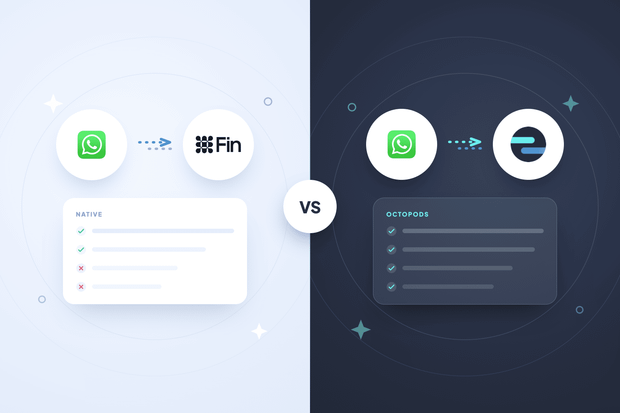
But how do you connect Fin to WhatsApp? You have two options: Intercom's native WhatsApp integration, or a third-party integration like Octopods that connects on top of it.
The native integration is the right option for teams with moderate WhatsApp volume and mostly inbound conversations. Octopods becomes the better option once you need proactive messaging triggered by your own product events, richer message templates, or centralized management across multiple numbers.
In this article, we walk you through using Intercom Fin on WhatsApp, and which is better, native integration or Octopods?
Does Intercom Fin support WhatsApp natively?
Yes, Intercom Fin supports WhatsApp natively, and Intercom includes WhatsApp in Fin's documented list of supported channels alongside Messenger, email, and your other connected inboxes.
Once you connect a WhatsApp Business number through Intercom's native integration, Fin starts handling conversations on that channel the same way it already handles your Messenger and email traffic, using the same knowledge base, the same answers, and the same handoff rules to your team.
How Fin's native WhatsApp integration works
Fin's native WhatsApp integration connects directly inside Intercom, with no third-party tool sitting in between.
How to setup:
- Connect a WhatsApp Business number from Intercom's Settings
- Verify your Meta Business Account
- Link the verified number to your workspace
This Fin Whatsapp setup takes minutes once Meta verification clears
What Fin does on WhatsApp:
- Answers from the same knowledge base powering your other channels
- Works as your WhatsApp AI agent the moment the number connects
- Hands off to your team when a conversation needs a human
- Runs the same AI chatbot WhatsApp experience customers get on Messenger
How conversations appear:
- Land in your Intercom inbox like any other channel
- Thread under the same customer record automatically
- Show a WhatsApp icon so your team can spot the channel at a glance
- Follow your existing assignment, tagging, and reporting rules
Limitations of Intercom's native WhatsApp integration
Fin's native WhatsApp integration works well for standard support conversations, and 3 specific gaps show up once your usage moves past that baseline.
- Proactive messaging runs through templates only.
WhatsApp requires pre-approved templates for any message sent outside the 24-hour reply window, and Intercom's REST API can't start a new WhatsApp conversation at all.
Your team can only send proactive messages manually through Intercom's Outbound tool or a Series workflow, since your product can't trigger a WhatsApp send directly from a signup, purchase, or usage event.
- Message templates support text headers only.
Intercom's template builder lets you add a header, but rich media in that header, or anywhere in an outbound template, isn't supported.
A template announcing a new feature or sending a receipt reaches customers as plain text, even when an image or short video would explain the update faster.
- Connecting multiple numbers means managing each one separately.
Intercom supports linking more than one WhatsApp Business number to a workspace. Each additional number needs its own separate WhatsApp Business Account, and templates, campaigns, and reporting get built and approved per number rather than through one shared library.
A team running WhatsApp across several regions or brands ends up repeating the same template approval process for every single number.
How to run Fin on WhatsApp through Octopods
Octopods connects to Intercom in 4 steps, and the whole setup runs inside a single afternoon.
1. Connect your Intercom workspace: You sign up for Octopods and authorize it against your Intercom account, giving it the access it needs to create and route conversations on your behalf.
2. Connect your WhatsApp Business number or numbers: You link each WhatsApp number through Octopods, including numbers across different regions or brands, all inside the same Octopods account.
3. Conversations sync into Intercom automatically: Octopods matches every incoming WhatsApp message to the customer's existing profile and history, and the conversation lands in your Intercom inbox exactly like a Messenger or email conversation would.
4. Set the Workflow that decides how it gets handled: You build an Intercom Workflow using a trigger such as "customer sends their first message," then answer the one question that shapes everything downstream: does this conversation route straight to Fin, to a specific team, or through a rule tied to which WhatsApp number it came in on.
Connecting WhatsApp to Intercom is discussed in more detail in this WhatsApp Intercom guide.
Intercom Fin WhatsApp comparison: Native vs Octopods
| Capability | Native | Via Octopods |
|---|---|---|
| Setup effort | Connect a number in Intercom Settings, verify your Meta Business Account, and you're live within minutes | Connect Intercom, connect your WhatsApp number(s) through Octopods, then build an Intercom Workflow to route conversations |
| Number of WhatsApp numbers | Supports multiple numbers, each in a different account | Connects multiple numbers inside one Octopods account |
| Proactive messaging | Pre-approved templates manually through Outbound or Series | Adds a Templates API you can trigger from Intercom Series, tags, or tools like Zapier |
| Message templates | Utility, marketing, and authentication templates | Same WhatsApp-mandated template types and approval process |
| Template headers | Text headers only; no image, video, or document headers | Supports headers carrying media, including PDFs and videos |
| Rich media | Sends and receives images, videos, documents, and voice notes natively, with automatic transcription that also feeds Fin | Same media support |
| Fin configuration | Fin works on WhatsApp the moment the number connects, using the same knowledge base as your other channels | Identical |
When to use the native WhatsApp integration
The native WhatsApp integration works best when your setup matches a specific profile, and Fin as your WhatsApp AI agent covers everything you need without added tooling.
You're a good fit if:
- You run a single WhatsApp Business Account, with no need for multiple numbers across regions or brands
- WhatsApp is your only messaging channel outside Messenger and email, with no Telegram, Viber, or SMS to route through the same workflow
- Your volume is mostly inbound, and Fin handles first responses without you needing to trigger messages from signups, purchases, or other product events
If that matches your setup, connect the native integration and stop there. You get a working AI chatbot WhatsApp experience through Fin, a simple setup process, and one vendor to manage instead of two.
When to route WhatsApp through Octopods
Octopods becomes the better fit once your WhatsApp usage outgrows what Fin's native integration handles on its own, and a few specific signals make that clear.
You're a good fit if:
- You run WhatsApp across multiple numbers for different regions or brands, and managing separate WhatsApp Business Accounts per number has become its own workload
- You need proactive messaging triggered by product events like signups, purchases, or lifecycle milestones, not just manual sends through Outbound or Series
- You're already routing other channels like Telegram, Viber, or SMS through Octopods, and want WhatsApp handled under that same Workflow instead of managed separately
- You need template headers with attached media, like a PDF or video, which native templates don't support
If any of that matches how you operate, Octopods removes the native integration's ceiling without asking you to rebuild anything already working in Intercom. Fin keeps running exactly as it does today, on every channel you route through it.
How to switch between WhatsApp setups
Switching between the native integration and Octopods happens at the WhatsApp Business API level.
A number connected to Intercom stays exclusive to that connection, regardless of which setup delivers it. The number can't run on the regular WhatsApp or WhatsApp Business mobile app while it's connected to Intercom, whether that connection runs through the native integration or through Octopods.
Moving a number from one setup to the other runs through Meta's phone number migration process, and the mechanics stay the same in both directions:
- Match the source and destination Facebook Business Manager IDs first. A direct migration only works when those match, so you register the number as new if they don't.
- Turn off Two-Factor Authentication on the number before starting the migration.
- The number keeps its display name, quality rating, messaging limits, Official Business Account status, and previously approved high-quality templates once the migration completes.
Intercom conversation history already logged for that number stays where it is, since those records belong to Intercom rather than to the connection that delivered the message.
Registering the number as new resets that progress. Expect to run Meta's verification again and resubmit templates for approval before you're back to full sending limits.
Intercom Fin WhatsApp FAQs
Does Intercom Fin work on WhatsApp?
Yes, Intercom Fin works on WhatsApp natively, and Intercom lists WhatsApp among Fin's documented supported channels, alongside Messenger and email. You connect a WhatsApp Business number through Intercom's own settings, and Fin starts answering on that channel using the same knowledge base it already uses everywhere else.
Can I connect multiple WhatsApp numbers to Intercom?
Yes, Intercom supports multiple WhatsApp numbers on one workspace. A temporary cap of 2 numbers applies while your Meta business verification is pending, and that cap lifts once verification completes, though each number still needs its own separate WhatsApp Business Account.
Can Fin send WhatsApp template messages?
Fin replies with free text inside WhatsApp's 24-hour conversation window, drawing on your knowledge base the same way it does on every other channel. Template messages work differently: you send those manually through Intercom's Outbound tool, or trigger them through a Workflow, and that path runs separate from Fin's own reply logic.
Does Fin respect the WhatsApp 24-hour window?
Yes, Fin respects the WhatsApp 24-hour window like every other reply path in Intercom. Intercom checks whether that window is still open before any message goes out, and once it closes, only a pre-approved template reaches the customer, regardless of whether Fin or a teammate is handling the conversation.
Should I use Intercom's native WhatsApp integration or a third-party one?
Choose the native integration if you run a single WhatsApp number, WhatsApp is your only channel outside Messenger and email, and your volume stays mostly inbound. Choose Octopods once you need multiple numbers, proactive messaging triggered by product events, several channels under one Workflow, or template headers carrying media.