
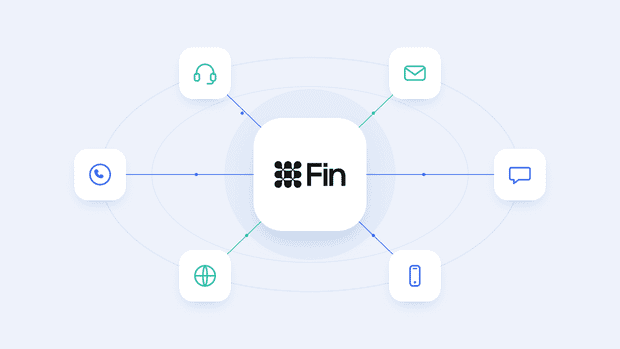
Intercom Fin, now called Fin, is Intercom's AI agent that resolves customer support questions on its own. It handles support across channels like chat, email, WhatsApp, and phone without a human agent needing to step in first.
Fin reads a customer's question, pulls the answer from your existing support content, and either resolves the conversation or hands it off to your team when it can't.
In this guide, we walk you through what Fin is, how it works, what it costs, and where it fits. We also cover Fin’s channels, pricing, and setup.
And in case you haven’t been following the news: Intercom rebranded to Fin in May 2026, and in June 2026, Salesforce signed a definitive agreement to acquire Fin for about $3.6 billion.
We checked and validated everything in this guide on October, 2026.
What is Intercom Fin?
Intercom Fin is an AI agent that answers customer questions by pulling directly from your support content, like your help center articles, documents, and past conversations, rather than following a fixed script.
It reads what the customer is asking, searches your knowledge base for the relevant answer, and replies in a natural, conversational way, resolving the conversation on its own when it can and handing off to a human agent when it can't.
This is where Fin differs from a traditional chatbot:
- A traditional chatbot follows pre-built decision trees. It shows you a set of buttons or asks you to pick from a menu, and it can only answer questions its flows were specifically built to handle. Ask it something outside that script, and it gets stuck or loops back to the same options.
- Fin doesn't rely on pre-set flows at all. It reads your support content and generates an answer based on what it finds there, so it can handle questions nobody programmed it to answer, as long as the answer exists somewhere in your content.
Is Intercom now called Fin?
Yes. Intercom renamed its parent company to Fin on May 12, 2026, taking the name of its AI agent product and applying it to the whole business.
This means "Intercom" and "Fin" now refer to the same company, and "Fin" is both the company name and the name of the AI agent product itself.
How Intercom Fin works
Fin works in 4 steps:
- Content ingestion. Fin pulls from your Intercom Help Center articles, uploaded documents, snippets, and public URLs you've connected.
- Retrieval. When a customer asks a question, Fin searches across your connected content to find what's actually relevant to that question.
- Grounded answer. Fin generates its reply based only on what it finds in your content. Intercom states that Fin's engine is built to refine each query, optimize each response, and validate the quality of each answer. Intercom reports a hallucination rate under 1%.
- Escalation. When Fin doesn't find a clear or confident answer, it gives the customer a disambiguation response that shares what it did find, expresses uncertainty, and asks a clarifying question, or hands the conversation off to a human agent if it still can't resolve things.
Because every answer comes directly from your content, Fin's performance is capped by how good that content actually is.
Thin, outdated, or poorly organized support articles produce weaker answers no matter how well the underlying model performs, which is why teams that get the most out of Fin tend to invest in their knowledge base first.
What content Intercom Fin trains on
Fin pulls from 5 main types of content: Help Center articles, internal articles, snippets, PDFs and documents, and public URLs you've synced. All of these live in one place, Intercom's Knowledge Hub, and you manage which ones Fin can actually use from there.
Here's what each source looks like in practice:
- Help Center articles. Your existing public articles, already imported and ready to use the moment you enable Fin.
- Internal articles. Content created specifically for Fin and Copilot rather than your public Help Center, which can also be synced in from tools like Confluence, Guru, or Notion.
- Snippets. Short, reusable pieces of content built inside the Knowledge Hub, often used to phrase the same answer in a few different ways.
- PDFs and documents. Files you upload directly into the Knowledge Hub.
- Public URLs. Pages from your own website, like pricing pages or blog posts, synced in and kept up to date automatically about once a week.
You can connect up to 100 external sources in total, and importing a new one usually takes about 10 minutes, though it can stretch to 10 hours depending on what you're syncing.
One more thing worth knowing: Fin and Copilot don't use the exact same sources. Past conversations and customer ticket history are built for Copilot, not for Fin. Your agents can pull from that history through Copilot when drafting replies, but Fin doesn't use it to answer customers on its own.
Which channels does Intercom Fin support?
Fin's confirmed native channels are Intercom Messenger, email, WhatsApp, SMS, Facebook Messenger, Telegram, and Instagram, with phone through Fin Voice, Slack, and Discord also documented alongside them.
Other messaging apps that Intercom doesn’t support natively are Viber, TikTok, LINE, and WeChat.
For these channels, a third-party integration like Octopods can connect them to Intercom as standard conversations, which lets Fin respond there the same way it does on any other channel.
For the full breakdown of every channel, native and non-native, see our complete guide to which channels Intercom Fin supports.
Intercom Fin pricing explained
Fin is priced at $0.99 per outcome, with a base plan starting at $49 per month that includes 50 resolutions.
An outcome is only counted when Fin resolves something, and it's billed at most once per conversation, no matter how many questions Fin answers or steps it takes along the way.
There are 4 types of billable outcomes for Fin:
- Resolution: the customer confirms Fin's answer helped, or exits the conversation without asking for further help. Priced at $0.99.
- Procedure handoff: Fin completes a configured Procedure that ends in a handoff to a human agent. Priced at $0.99.
- Disqualification: Fin determines a sales prospect doesn't match your qualification criteria and routes them accordingly. Priced at $0.99. This only applies if you're using Fin for Sales.
- Qualification: Fin matches a prospect to your qualification criteria and routes them to your sales team. Priced at $9.99, since it reflects the higher value of a qualified lead compared to a resolved support query.
If Fin can't resolve a conversation and simply hands it off to your team without completing one of the outcomes above, you're not charged at all.
How to set up Intercom Fin
To set up Intercom Fin, you should prepare the following.
Prerequisites:
- An active Intercom plan with at least one seat, since Fin runs inside your Intercom workspace rather than as a standalone signup.
- Workflows access if you want more than one live version of Fin at a time. Essential doesn't include Workflows, so on that plan you're limited to a single live configuration.
Fin setup steps:
- Audit your content first. Before touching any deploy settings, review what's actually in your Knowledge Hub. Check that your help center articles are current, fill in any documentation gaps, and update or remove anything outdated.
- Configure and test, without starting the trial. Train and test Fin using the interactive preview before it goes live. This doesn't start your trial period or cost you anything.
- Set Fin live. This step starts your 14-day trial. Once live, Fin starts responding to real customer conversations and outcomes begin counting toward your billing.
Intercom Fin Guidance, Attributes & Procedures
Fin has 3 main configuration surfaces: Guidance for tone and policy, Attributes for classification and personalization, and Procedures for multi-step tasks.
- Guidance: It shapes how Fin speaks, when it escalates, and which content it prioritizes in a given situation. It works best for simple requests that Fin can handle in a single turn, meaning one customer message and one Fin reply.
- Attributes: Custom Data Attributes let Fin personalize its answers using information it already has about a customer. Fin can access a small set of these attributes by default, and any others need to be explicitly connected through Guidance, data connectors, or Procedures before Fin can use them.
- Procedures: Procedures handle multi-step, structured work, like walking a customer through a damaged order claim or an account troubleshooting flow. You build them with Steps, Tools, and Guidance. Procedures also support branching logic.
Here's a quick way to decide which one you need:
| Use this | When you need |
|---|---|
| Guidance | To adjust tone, apply a policy, or handle a simple, single-turn request |
| Attributes | To personalize a response based on data you already have about the customer |
| Procedures | To run a structured, multi-step process, especially one that touches external systems |
They're not mutually exclusive, either. A Procedure can reference Attributes for personalization and use Guidance to shape its tone at the same time, so the three work together rather than as separate, standalone choices.
How Intercom Fin hands over to human agents
Fin escalates to a human teammate in 3 ways: through default behavior it applies automatically, through rules and guidance you configure yourself, and through the disambiguation flow that kicks in when Fin doesn't have an answer.
Default escalation triggers. Out of the box, Fin is already built to hand off in a few key situations, without you needing to configure anything:
- A customer directly asks to speak to a person.
- Fin detects strong frustration or anger in the conversation.
- The customer is stuck in a repetitive loop.
Configured escalation rules and guidance. On top of that default behavior, you can add your own conditions using two methods:
- Escalation Rules trigger a handoff based on defined data attributes, like a negative sentiment score, a specific issue type, an order total over a certain value, or a VIP customer flag.
- Escalation Guidance works off natural language scenarios instead of hard data points, so you can escalate based on things like a customer repeatedly visiting your cancellation page or using language that signals frustration.
When a rule or guidance condition matches, Fin doesn't attempt to answer at all. It hands the conversation off directly, typically with a short message like "Let me connect you with a teammate" before routing.
What context transfers: Because the conversation stays inside Intercom the entire time, your team doesn't have to work from scratch when they pick it up. The full conversation history moves over with the handoff, so your agents can see exactly what the customer asked and what Fin already said before they get involved.
The disambiguation behavior. When Fin doesn't find an answer, it gives the customer a disambiguation response that shares the context of what it did find, expresses uncertainty, and asks a clarifying question to try to narrow things down, escalating to a human if it still can't resolve things from there.
LLM outages. If there's an LLM outage and Fin can't generate a response, it sends a short message letting the customer know something went wrong and asking them to repeat their question. If the retry fails a second time, Fin automatically hands the conversation over to your team rather than leaving the customer stuck.
How to measure Intercom Fin performance
To measure Fin’s performance, you need to monitor 4 metrics:
- Resolution rate is the percentage of conversations where Fin gave an answer and fully resolved the issue, calculated out of the conversations Fin was involved in.
- Involvement rate is the percentage of your total conversations where Fin participated at all, giving you a sense of how broadly it's being used across your support volume.
- Automation rate is Intercom's headline efficiency metric, calculated as Involvement Rate multiplied by Resolution Rate, and it tells you what portion of your entire support volume Fin handled end-to-end without a human stepping in.
- CSAT is still available as a Fin-specific chart in Reports, but Intercom's newer metric, CX Score, is designed to replace it by scoring every conversation with AI rather than relying on customer surveys, giving you roughly five times more coverage than traditional CSAT.
Intercom Fin limitations
Every AI agent has real constraints. Here’s a roundup of Fin’s limitations:
- It can't reliably do date math. Fin AI Agent can't consistently calculate what day of the week a date falls on or work out business days between two dates. If your support flows depend on date logic, you'll need to build that into a Procedure rather than trust Fin to handle it conversationally.
- It can't book, schedule, or confirm meetings. There's no meeting tool available to Fin, so if a customer asks it to set up a call, it can't do that.
- It doesn't read ALT text in images, even though it can process and respond to actual image content like screenshots, error messages, and UI elements shared in a conversation.
- It struggles with short or ambiguous input. One-word replies don't give Fin enough context to work with, and if a customer fires off several quick messages in a row without waiting for a response, Fin only answers the most recent one.
- It can't guarantee consistent hyperlink formatting. Getting Fin to reliably turn a URL into a clean hyperlink rather than a plain-text link isn't fully within your control, even with Guidance nudging it in that direction.
Can you use Fin without Intercom?
Yes, Fin doesn't require you to be on Intercom's helpdesk. Through what Intercom calls "Fin for platforms," Fin can run directly on top of a helpdesk you already use, connecting to your existing content, ticketing, and messaging channels rather than asking you to migrate anything over.
Here's how access works for different platforms:
- Salesforce (Service Cloud) and HubSpot. Access goes through Intercom's sales team. There's no self-serve sign-up for either.
- Freshdesk and Freshchat. Access is self-serve, so you can sign up and start a free trial without talking to sales first.
- Zendesk. Intercom ships a separate, dedicated Fin for Zendesk integration, working across both Zendesk Messenger and Zendesk tickets.
If you're on a platform not named above, like Zoho Desk, Front, Dixa, or Sprinklr, it's worth asking Intercom's sales team directly rather than assuming support, since those platforms aren't named in Intercom's documentation.
Intercom Fin vs other AI agents
Fin competes with a growing field of AI customer service agents, including Zendesk AI, Ada, Sierra, and Decagon. The differences between them mostly come down to three things:
- Pricing model. Fin's $0.99-per-outcome pricing is one of the more transparent models on the market, since you only pay when it actually resolves something.
- Channel reach. Fin's native channel coverage, including voice through Fin Voice, is broader than a lot of competitors currently offer.
- How tied it is to its own helpdesk. Fin was built inside Intercom's own helpdesk first and extended to other platforms afterward. Purpose-built layers like Decagon or Sierra were designed from the start to sit neutrally on top of any support stack.
Which agent actually fits best depends on your specific setup: which helpdesk you're already on, how complex your support volume is, and whether you need enterprise-scale action-taking or a simpler resolution layer for straightforward queries.
FAQs
What is Intercom Fin?
Intercom Fin is an AI agent that resolves customer support questions on its own, using your existing support content rather than a fixed script. It works across channels like chat, email, WhatsApp, and phone, and hands off to a human agent when it can't confidently answer.
How much does Intercom Fin cost?
Fin is priced at $0.99 per outcome, with a base plan starting at $49 per month that includes 50 resolutions. Outcomes include resolutions, procedure handoffs, and disqualifications at $0.99 each, while lead qualifications are billed at $9.99.
What counts as a Fin resolution?
A resolution counts when, after Fin's last answer, the customer either confirms it helped or exits the conversation without asking for further help. Both a confirmed resolution and this kind of "assumed resolution" are billed the same way, at $0.99 each.
Which channels does Fin support?
Fin's native channels include Intercom Messenger, email, WhatsApp, SMS, Facebook Messenger, Telegram, and Instagram, along with phone through Fin Voice, Slack, and Discord. For the full breakdown, see our complete guide to Fin's supported channels.
Does Fin work on Telegram?
Yes, Fin works on Telegram through Intercom's native bot-only integration and Octopods integration that allows both bots and personal accounts. See our full breakdown of Fin and Telegram for how that works.
Can Fin transfer to a human agent?
Yes, Fin escalates automatically in certain default scenarios, like when a customer asks for a human or shows strong frustration, and you can add your own escalation rules and guidance on top of that. The full conversation history transfers with the handoff, so your team doesn't start from scratch.
What languages does Fin support?
Fin is documented to work in 45 languages, from Arabic to Vietnamese. Outside that list, its behavior generating AI answers becomes unpredictable, regardless of what language your support content is written in.
Can Fin work without Intercom?
Yes, through "Fin for platforms." Fin can run on Zendesk, Salesforce, HubSpot, and Freshdesk, though Salesforce and HubSpot access go through Intercom's sales team, while Freshdesk access is self-serve.
How accurate is Fin?
Intercom reports a hallucination rate under 1%, based on its own testing rather than an independent audit. Fin's accuracy is also directly tied to the quality of the content it's pulling from, since it only answers using what's in your connected knowledge sources.
Is Intercom now called Fin?
Yes. Intercom renamed itself Fin in May 2026, so the company and the AI agent product now share the same name. In June 2026, Salesforce signed a definitive agreement to acquire Fin, a deal that's signed but not yet closed.