
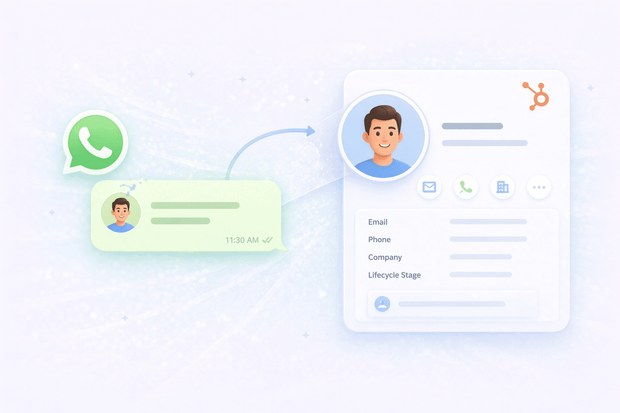
Every time a customer messages your business on WhatsApp, the interaction exists only on WhatsApp. There’s no contact record or deal in HubSpot, or you have to log it manually.
When WhatsApp is connected to HubSpot, every incoming message is used to create a new HubSpot contact from WhatsApp. Unless the customer has messaged you before, then the contact matches automatically. Your CRM reflects every interaction, not just the ones that came through email or a form.
In this article, we'll show you how automatic HubSpot contact creation on WhatsApp works, and why it matters for sales and support teams.
Why WhatsApp leads go missing in HubSpot
A lot of teams using HubSpot CRM with WhatsApp are managing the two separately.
WhatsApp conversations happen on a phone or in the WhatsApp Business app, and unless someone manually copies that information into HubSpot, it never gets there.
The consequences of that WhatsApp HubSpot gap stack up quickly:
- Leads that come in through WhatsApp never enter the HubSpot sales pipeline
- Sales reps have no contact history when they follow up
- Support agents have no context when replying to customers
- Managers can't see WhatsApp as a lead source in reporting
- Duplicate contacts pile up
The only logical solution is a complete WhatsApp HubSpot integration that makes the process automatic.
How automatic WhatsApp contact creation works in HubSpot
When WhatsApp connects to HubSpot, every incoming message is automatically matched to an existing contact or triggers the creation of a new one.
There are a couple of ways to connect the two platforms. HubSpot offers a native WhatsApp integration, but it's limited in what it can do around contact creation and conversation management.
Most teams that want full WhatsApp to HubSpot contact sync end up using a third-party integration tool to bridge the gap properly. Octopods is one of those tools, and here's exactly how the process works inside it:
1. Match incoming messages to existing contacts
When a WhatsApp message comes in, the Octopods HubSpot integration checks the sender's phone number against your existing HubSpot contact records. If it finds a match, the conversation is linked to that contact automatically. The same goes for all key HubSpot messaging integrations.
The contact timeline updates and the new conversation appears right alongside every previous interaction your team has had with them.
2. Create new contacts automatically
If no match is found, Octopods goes ahead and creates a new HubSpot contact from the WhatsApp conversation using the sender's phone number.
3. Toggle contact creation on or off
You can toggle automatic contact creation on or off inside your Octopods workspace if your team prefers to handle contact creation manually.
4. Associate conversations with companies and deals
Depending on how your account is configured, incoming WhatsApp conversations in HubSpot can also be associated with existing company and deal records, not just contacts.
Why sales teams need automatic contact creation in HubSpot
For sales teams, automatic WhatsApp lead capture in HubSpot means every lead that messages you on WhatsApp ends up in your CRM.
Here's why that matters in practice:
- Every WhatsApp lead gets captured, automatically. When contact creation is running in the background, leads don't drop.
- WhatsApp leads look exactly like every other lead in HubSpot. Sales reps don't need to go hunting in a separate app or phone to find out who messaged them.
- WhatsApp becomes a real lead source in your reporting. Your managers can see how many leads are coming in through the channel & track conversion rates.
- You get phone numbers you'd never have gotten from a form. WhatsApp contact records come with a phone number attached, which teams can use for phone outreach in follow-up sequences.
- New WhatsApp contacts can go straight into your existing workflows. As soon as a contact is created from a WhatsApp conversation, they can be enrolled in HubSpot sequences and automations just like any other lead.
All of these are important for WhatsApp sales teams on HubSpot, and they’re easy to achieve with a simple WhatsApp CRM integration.
Why service teams need automatic contact creation in HubSpot
For support teams, automatic WhatsApp HubSpot contact matching means your agents always know who they're talking to and have the full context to help them properly.
Here's what that looks like in practice for WhatsApp support teams using HubSpot:
- Every customer who reaches out on WhatsApp is matched to their record automatically. When a message comes in, Octopods checks the phone number against your existing HubSpot contacts and links the conversation to the right record instantly.
- Agents see the full picture before they type a single word. When a support ticket opens from a WhatsApp conversation, the agent can immediately see that customer's history.
- Duplicate contacts stop being a problem. When a customer reaches out through WhatsApp and also through email or a form, Octopods matches them to the same existing record if enough data is available.
- Support volume from WhatsApp becomes measurable. Your team can report on how many support interactions are coming through the channel.
What happens to WhatsApp conversations after a HubSpot contact is created
Once Octopods creates or matches a contact in HubSpot, every future WhatsApp interaction with that person flows straight into the CRM.
1. The conversation lands on the contact timeline immediately. As soon as the contact is created, the conversation that triggered it is already attached to their record. Anyone on your team who opens that contact can see exactly how the relationship started and what was said.
2. Every message that follows links to the same record automatically. When that same number messages you again, Octopods recognizes it and routes the conversation to the existing contact.
3. The contact gets associated with the right deal, company, or ticket. Once the record exists, your team can tie it to whatever is relevant in HubSpot, so the WhatsApp conversation sits in the right context rather than floating in isolation.
4. Your team takes action directly from the contact record. From that same record, reps and agents can add notes, set follow-up tasks, trigger workflows, or enroll the contact in a sequence.
Once WhatsApp contact sync with HubSpot is running, it stops being a one-time data entry task and becomes an ongoing, automated part of how your team manages every customer relationship.
Examples of how to use WhatsApp lead capture
Here's what creating HubSpot contacts from WhatsApp looks like end to end for a sales team:
A customer sees a Facebook ad and messages the company's WhatsApp number. Octopods picks up the incoming message, finds no matching contact in HubSpot, and creates a new one using the customer's phone number and display name.
The conversation appears in the HubSpot inbox before the sales rep has even picked up their coffee.
The rep opens the contact record, sees it's a fresh lead with no prior history, qualifies them over WhatsApp, and creates a deal linked to the contact. Every message that follows is automatically logged on both the contact and deal timeline.
When the deal closes, the full conversation history is sitting right there on the customer record, visible to anyone on the team who works with that customer in the future.
Set up automatic WhatsApp contact creation in HubSpot today
If your team is handling WhatsApp conversations but those interactions aren't showing up in HubSpot, you're working with an incomplete picture.
The good news is that fixing it doesn't require a complicated setup. Octopods connects WhatsApp to HubSpot in minutes, and automatic WhatsApp contact creation is enabled by default the moment you connect your account.
Ready to stop losing WhatsApp leads?
Connect WhatsApp to HubSpot in minutes and let Octopods handle contact creation automatically.
FAQs
Does WhatsApp automatically create contacts in HubSpot?
Yes, WhatsApp can automatically create HubSpot contacts if both tools are connected. You can connect them using HubSpot's native WhatsApp integration or an integration like Octopods.
How do new WhatsApp inquiries become HubSpot contacts with their conversation history attached?
When a message comes in through Octopods, it checks the sender's phone number against your existing HubSpot CRM WhatsApp contact records. If it finds a match, the conversation is linked to that contact automatically. If it doesn't, it creates a new contact.
Can I turn off automatic contact creation from WhatsApp in HubSpot?
Yes, you can configure WhatsApp HubSpot contact sync settings inside your Octopods workspace. If your team prefers to create contacts manually, you can disable automatic creation and fall back to HubSpot's unknown visitor model instead.
Are WhatsApp contacts associated with deals and companies in HubSpot?
Yes, depending on how your account is configured. Octopods can associate incoming WhatsApp conversations in HubSpot with existing deal and company records.