
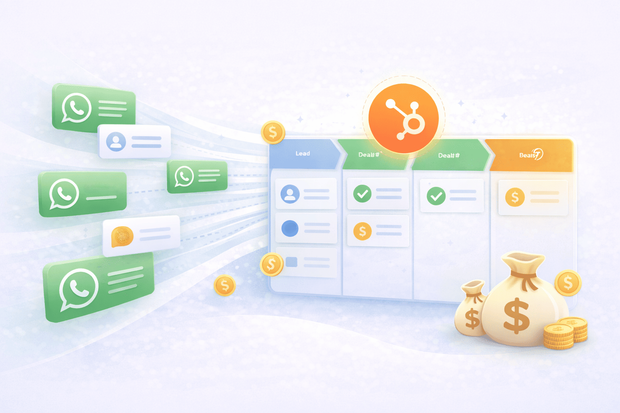
Most sales teams using HubSpot have the pipeline, the contacts, and the automation all in one place. But they're missing one thing, WhatsApp connected to any of it.
Leads arrive through WhatsApp, conversations happen on personal phones, deals get discussed in chat threads, and none of it flows back into the CRM. The result is a pipeline that does not reflect reality and a sales team working from memory instead of data.
This guide covers everything a sales team needs to use WhatsApp as a fully connected sales channel inside HubSpot - from capturing the first inbound message to closing the deal, all without leaving the CRM.
To understand how WhatsApp connects to HubSpot, start with our WhatsApp HubSpot integration overview.
Why WhatsApp is so important to the sales process
Customers today respond to WhatsApp messages faster and more consistently than email. In markets across LATAM, the Middle East, Southeast Asia, and much of Europe, it is the default channel for business communication.
- For B2B sales teams, the gap between first contact and first reply nearly disappears when outreach happens over WhatsApp instead of a crowded inbox.
- For B2C teams, it creates a direct, personal connection that email simply cannot replicate. The conversation feels immediate. The lead feels like a priority. And the close rate reflects it.
The challenge is that WhatsApp on its own isn't a sales tool. There is no deal tracking, no pipeline visibility, no automation, and no way for managers to see what is being said.
When a rep leaves, their conversations go with them. When a lead messages twice through different channels, they are treated as two different people. Connecting WhatsApp to HubSpot solves all of this.
What it means to use WhatsApp as a CRM-connected sales channel
When connected to HubSpot through Octopods, every WhatsApp conversation becomes part of the CRM workflow:
- Every incoming message is linked to the matching HubSpot contact automatically
- Deals are created and updated as conversations progress
- The full WhatsApp thread appears on the contact and deal timeline alongside emails, calls, and notes
- Sales reps reply from HubSpot, not a personal phone or the WhatsApp app
- Managers see WhatsApp activity in the pipeline without asking reps for updates
This is what WhatsApp as a CRM channel looks like in practice. A a channel that feeds data into the CRM and benefits from everything HubSpot offers in return.
For a broader look at how WhatsApp CRM integrations work across different platforms, read the WhatsApp CRM guide, which covers the basics well.
Ways sales teams use WhatsApp in HubSpot daily
The practical day-to-day experience for a sales rep changes entirely once WhatsApp is connected to HubSpot. The same goes for all important HubSpot messaging integrations. Every stage of the sales process gets faster and more organized.
Here's an overview of what that looks like.
1. Capture and qualify inbound WhatsApp leads
When a new lead messages your WhatsApp Business number, the conversation appears in the HubSpot inbox immediately and a contact is created automatically using the phone number as the matching field.
- The rep sees a new conversation in their queue
- Opens the contact record
- Has everything they need to qualify and respond.
From the same view, the rep qualifies the lead, creates a deal, and links it to the conversation. Everything is connected from the first message.
2. Send follow-ups and re-engage cold leads
When you connect WhatsApp to HubSpot, you can send follow-ups directly from HubSpot.
Within WhatsApp's 24-hour messaging window, reps can send free-form messages. Once the window closes, approved WhatsApp message templates are the only way to re-initiate contact, and these can be sent from HubSpot too.
Reps don't need to track who needs a follow-up manually. Tasks and HubSpot workflows handle the reminder and, in many cases, the follow-up itself.
3. Automate WhatsApp outreach through HubSpot workflows
HubSpot workflows can trigger WhatsApp messages automatically based on:
- Deal stage changes
- Contact property updates
- Form submissions
- Time-based triggers.
This is where the combination of WhatsApp and HubSpot becomes truly powerful for sales teams. The automation capabilities that HubSpot already has for email now apply to WhatsApp - a channel with higher engagement rates.
For a deeper look at WhatsApp sales automation strategies, read more about it in this guide on WhatsApp automation for sales.
4. Track deals and manage pipeline visibility
Every WhatsApp message you send or receive updates the contact and deal timeline in HubSpot automatically. Sales managers can:
- Review deal progress
- Check conversation history
- See which leads are active from the HubSpot pipeline, without asking reps for status updates or chasing down information from personal phones.
When a deal is handed off between reps, the full WhatsApp conversation history is available to whoever takes it over. Nothing is lost. The new rep opens the contact record, reads the thread, and picks up where the last person left off.
WhatsApp sales use cases in HubSpot
The practical applications of WhatsApp inside HubSpot cover the full sales cycle.
Here are some common ways sales teams use WhatsApp with HubSpot:
Inbound lead capture from social and paid channels
A customer clicks a Facebook ad and messages your WhatsApp Business number. The conversation lands in HubSpot, a contact is created, and the lead enters the pipeline.
You don't need to manually enter any info, and you don't lose any leads.. This is one of the most valuable WhatsApp use cases for sales teams running paid campaigns, especially in markets where messaging apps have higher engagement than landing pages.
Outbound B2B sales outreach over WhatsApp
For B2B teams selling into markets where WhatsApp is the norm, outbound prospecting through WhatsApp is much better than cold email.
- A HubSpot workflow enrolls a contact
- Sends a WhatsApp template as the first touchpoint
- Follows up automatically if there is no reply after a set number of days.
All activity is logged on the contact record. The team gets the benefits of a structured outreach sequence without the low open rates of email.
For teams building out WhatsApp sales collaboration, the guide on sales team collaboration on WhatsApp covers how to structure team workflows effectively.
Re-engage cold leads through HubSpot workflows
A deal has been inactive for 14 days. A workflow triggers a WhatsApp template, a short, direct message asking if the lead is still interested or has questions. The message arrives in WhatsApp, not an email inbox where it will sit unread.
Reply rates on re-engagement messages over WhatsApp are significantly higher than the equivalent email. The conversation restarts, and the deal moves forward again.
Post-demo follow-up and deal progression
After a demo, timing matters. A workflow sends an automatic WhatsApp message within a few hours, acknowledging the call, sharing next steps, and keeping momentum while the lead is still thinking about the product.
The lead replies on WhatsApp. The conversation continues in the HubSpot inbox. The deal progresses without a gap in the follow-up.
Proposal and negotiation conversations in HubSpot
Proposals, contract questions, and pricing negotiations often happen in back-and-forth messaging. When these conversations happen over WhatsApp connected to HubSpot, every message is logged on the deal record.
Nothing is lost if a rep is unavailable, and the full negotiation thread is available to anyone who needs context, including leadership and legal if needed.
Why sales managers need WhatsApp in HubSpot
Managing WhatsApp inside HubSpot is straightforward. Everything that was previously invisible becomes visible:
- WhatsApp conversation volume and response times are measurable in HubSpot reporting
- Deal stages update based on WhatsApp activity, not manual rep input
- Team performance across WhatsApp is trackable alongside email and call data
- No deals are lost when a rep leaves because their WhatsApp conversations are logged in HubSpot, not on a personal device
- Managers can review any conversation without requesting it from the rep
This kind of visibility changes how sales managers coach and how they forecast. When WhatsApp is part of the CRM, it becomes a data source, not a blind spot.
Examples on how to close sales deals from WhatsApp
If you’re using WhatsApp for sales, you main goal is moving deals forward without losing context. Here’s what that looks like in practice:
- Capture and qualify the lead instantly
A lead clicks your Facebook ad and messages your WhatsApp number asking about pricing. The message lands in HubSpot within seconds, a contact is created automatically, and the sales rep replies from the inbox, qualifies the lead, and creates a deal tied to the conversation. - Follow up automatically when the lead goes quiet
If the lead stops responding, you don’t have to chase manually. A HubSpot workflow sends a WhatsApp template follow-up after 48 hours, bringing the conversation back to life when the lead replies with new questions. - Move the deal forward inside the conversation
As the discussion progresses, the rep updates the deal stage (for example, “Proposal Sent”) directly in HubSpot while continuing the conversation on WhatsApp. No switching tools, no lost context. - Close the deal with full visibility
When the deal is won, the entire WhatsApp conversation, from first message to final agreement, is already logged on the contact record. Everything stays in one place without manual work. - Handle post-sale conversations without losing context
If the customer comes back weeks later, the support team can see the full history instantly. Sales and support stay aligned because the entire journey is already there.
Getting started with WhatsApp and HubSpot for sales
Bringing WhatsApp into HubSpot helps you close deals faster without breaking your workflow. When conversations, deals, and customer history live in one place, your team can respond faster, follow up consistently, and move every opportunity forward with full context.
With Octopods, you can connect WhatsApp to HubSpot in minutes and start using it right away from the same inbox your team already works in. Without a new platform or any disruption, you get a cleaner, more effective sales process.
Ready to start closing deals from WhatsApp inside HubSpot but need to learn more about the integration?
Frequently asked questions
Can sales teams manage WhatsApp leads directly inside HubSpot?
Yes. When WhatsApp is connected to HubSpot through Octopods, all incoming WhatsApp messages appear in the HubSpot inbox. Contacts are created automatically, deals can be linked from the same view, and every conversation is logged on the contact timeline.
How does WhatsApp connect to the HubSpot deal pipeline?
Every WhatsApp conversation is linked to the relevant HubSpot contact and deal record automatically. As conversations progress, reps can update deal stages from the HubSpot inbox. The full message history appears on the deal timeline alongside emails and calls.
Can HubSpot automate WhatsApp follow-ups for sales teams?
Yes. HubSpot workflows can trigger outbound WhatsApp messages automatically based on deal stage changes, contact activity, or time-based triggers. WhatsApp and Twilio SMS are the two channels that support workflow-triggered outbound messaging through Octopods.
Can multiple sales reps manage WhatsApp conversations from the same HubSpot inbox?
Yes. Conversations are managed through the shared HubSpot inbox and can be assigned to specific reps, tracked, and handed off without losing conversation history or context.
What is the difference between using WhatsApp as a standalone app vs connecting it to HubSpot?
Using WhatsApp as a standalone app means conversations are invisible to the CRM, deals are tracked manually, and when a rep leaves their conversations go with them. Connecting it to HubSpot means every conversation is logged automatically, deals are linked, managers have full visibility, and the team works from a single source of truth.
How can sales reps follow up on HubSpot deals over WhatsApp from inside the CRM?
Reps use the Octopods Proactive Card to send a WhatsApp template message to a contact directly from HubSpot, without switching tools. It's built for exactly this kind of outreach, following up on an open deal, a stalled conversation, or any contact where the rep needs to send the first message rather than wait for one to come in.