
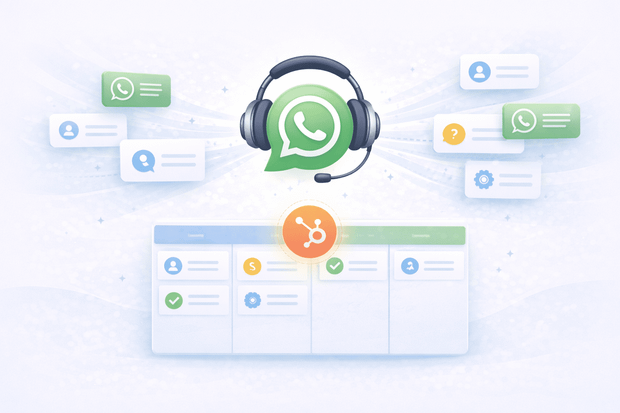
Support teams using HubSpot Service Hub already have the ticketing system, the contact records, the SLA rules, and the help desk they need.
What most of them are missing is WhatsApp connected to any of it. Customers send messages, agents reply from their phones, tickets are never created, and when the same customer comes back next week, the agent starts from scratch with no history and no context.
This guide covers everything a support team needs to use WhatsApp as a fully connected support channel inside HubSpot.
To understand how WhatsApp connects to HubSpot, start with our WhatsApp HubSpot integration overview.
Why customers prefer WhatsApp for customer service
Customers reach out on WhatsApp because it's fast, familiar, and doesn't require them to navigate a support portal, compose a formal email, or wait on hold.
For many businesses, particularly those serving customers across LATAM, the Middle East, Southeast Asia, and Southern Europe, WhatsApp is the default channel customers use for everything, including support.
The challenge for support teams is that WhatsApp without a proper system behind it doesn't scale.
- No ticket trail
- No SLA tracking
- No way to assign conversations to the right agent
- No way for managers to see what is happening.
When you connect WhatsApp to HubSpot, all of that changes. WhatsApp becomes a structured support channel with tickets, assignment rules, response time tracking, and full CRM visibility, the same as email or live chat.
You can connect WhatsApp to HubSpot through HubSpot's native integration or third-party integration tools like Octopods, which has multiple key HubSpot messaging integrations for businesses.
For a broader look at best practices for using WhatsApp as a customer service channel, this WhatsApp for customer service guide covers the fundamentals well.
What WhatsApp customer support looks like inside HubSpot
Once WhatsApp is connected to HubSpot through Octopods, the support experience changes for both agents and managers:
- Incoming WhatsApp messages appear directly in the HubSpot help desk or inbox
- A support ticket is created automatically for each new conversation
- The message is linked to the matching HubSpot contact record
- The agent replies from HubSpot and the customer receives the reply on WhatsApp
- Every message is logged on the contact timeline
- Tickets are assigned, tracked, and resolved inside HubSpot
This is WhatsApp as a CRM help desk channel, not a personal messaging app managed from someone's phone.
What support teams can do with WhatsApp inside HubSpot
There are countless ways customer service teams can use WhatsApp HubSpot integration by Octopods to run better customer experiences.
Here are some of the most common.
Automatic ticket creation from incoming WhatsApp messages
Every incoming WhatsApp message creates a support ticket in HubSpot automatically. Support teams get a proper ticketing system for WhatsApp interactions, with timestamps, agent assignment, status tracking and resolution logging.
The same structure that applies to email tickets applies here. Nothing is informal, nothing is lost, and every interaction is part of the customer's permanent record.
Full customer history before every reply
When an agent opens a WhatsApp ticket in HubSpot, they see the customer's full history:
- Previous support tickets
- Prior conversations across every connected channel
- Purchase history
- Deal status
- Contact details.
Agents never need to ask customers to repeat themselves or explain their situation from the beginning.
This is the core value of a WhatsApp ticketing system built inside a CRM rather than a standalone tool. The conversation isn't isolated, but it becomes a part of the customer's entire relationship with the business.
Team assignment and conversation routing
WhatsApp tickets are assigned to the right agent or team automatically based on HubSpot routing rules. Conversations don't sit unassigned in a shared inbox waiting for someone to notice them.
The right person gets the right conversation from the moment it arrives, and the team always knows who is responsible for what.
Response time tracking and SLA compliance
Because WhatsApp conversations are handled inside HubSpot, response times are measurable and SLA rules apply to WhatsApp the same way they apply to email.
With a WhatsApp CRM integration, managers can:
- Track response times
- Identify bottlenecks
- See where the team needs support
For teams that have struggled to measure WhatsApp support performance, this is one of the most important changes. WhatsApp support response time becomes a real metric, not a guess.
Proactive customer notifications via WhatsApp
When a ticket is updated, escalated, or resolved, an automated WhatsApp message can notify the customer directly. No need for the customer to log into a portal or check their email.
The update arrives where they already are, in the same conversation thread. This kind of proactive communication reduces inbound follow-up volume, customers stop asking "any update?" because they are already informed.
WhatsApp with HubSpot Breeze AI
Once Octopods connects WhatsApp to HubSpot, HubSpot's Breeze AI Customer Agent can be deployed on WhatsApp to handle incoming support messages automatically.
Breeze AI answers common questions, routes conversations to the right agent, and reduces the load on human agents during high-volume periods.
For a deeper look at automating WhatsApp customer support workflows, this customer support automation guide is a strong reference.
WhatsApp customer support use cases in HubSpot
Here are some ways your team can use the WhatsApp HubSpot integration to scale correctly.
1. Manage high-volume product and order inquiries
Customers send product questions, sizing queries, availability requests, and order status inquiries via WhatsApp every day. Each message creates a ticket in HubSpot.
Agents handle them from the help desk with the customer's full purchase history visible before they type a single word.
2. Handle complaints and escalations with full context
A customer sends a complaint via WhatsApp. The ticket is created, assigned based on routing rules, and resolved with full visibility into the conversation history.
The agent handling the complaint can see every prior interaction that customer has had, not just over WhatsApp, but across every channel connected to HubSpot.
3- Post-purchase support and order follow-up
After a purchase, customers follow up via WhatsApp with order questions and delivery inquiries.
The support agent opens the ticket in HubSpot and sees the customer's complete purchase and conversation history.
4. Proactive re-engagement after ticket resolution
A HubSpot workflow sends a WhatsApp message a few days after a ticket is resolved, asking if the customer is satisfied.
- If they respond, the conversation flows back into HubSpot.
- If they have a new issue, a new ticket is created automatically.
This kind of proactive follow-up reduces churn and catches problems before they escalate into public complaints.
For teams looking to improve template-based WhatsApp customer service communication, check out this WhatsApp customer service templates guide.
5. Support customers across multiple WhatsApp numbers
Businesses with different WhatsApp numbers for different regions, languages, or product lines connect all of them to HubSpot through Octopods. Each number routes to the correct team.
All conversations are visible in one place, measurable in one reporting dashboard, and manageable by managers without logging into multiple tools.
What support managers gain from WhatsApp in HubSpot
The management case for connecting WhatsApp to HubSpot as a CRM help desk channel is straightforward. Everything that was previously untraceable becomes measurable:
- WhatsApp ticket volume, response times, and resolution rates visible in HubSpot reporting
- Team performance trackable across WhatsApp alongside every other support channel
- SLA compliance measurable for WhatsApp the same way it is for email
- No tickets lost because they arrived on a personal phone or in an unofficial chat
- Full audit trail for every WhatsApp customer interaction, accessible to the whole team
This visibility changes how managers run support operations. WhatsApp stops being a blind spot and becomes a channel with data, accountability, and room for continuous improvement.
Examples of how service teams use WhatsApp inside HubSpot
If your support team handles WhatsApp messages, the goal is simple: resolve issues fast without losing context.
Here’s what managing WhatsApp support in HubSpot looks like:
- Capture and route issues instantly
A customer messages about a delayed delivery. The message appears in HubSpot within seconds, a ticket is created automatically, and it’s routed to the right team. - Respond with full customer context
The agent opens the ticket and sees the customer’s order, past conversations, and history. They reply from HubSpot, and the customer receives it مباشرة on WhatsApp. - Follow up automatically after resolution
Once the ticket is closed, a HubSpot workflow sends a WhatsApp follow-up a few days later to confirm everything is resolved. - Track performance without manual work
Support managers can see WhatsApp response times, ticket volume, and resolution rates directly in HubSpot reporting alongside other channels.
Getting started with WhatsApp support in HubSpot
If you’re already handling support across channels, bringing WhatsApp into HubSpot is really about consistency. Every message becomes a ticket, every interaction is tied to a contact, and your team can manage everything from one place without switching tools.
With Octopods, the setup is straightforward and works directly inside HubSpot, so your team can start handling WhatsApp conversations within the same workflows they already use.
Want to see how WhatsApp would fit into your current HubSpot setup?
We’ll walk you through how Octopods connects WhatsApp to HubSpot and what it would look like for your team.
Frequently asked questions
Can support teams manage WhatsApp tickets directly inside HubSpot?
Yes. When WhatsApp is connected to HubSpot through Octopods, every incoming WhatsApp message creates a support ticket automatically. Agents manage them from the HubSpot help desk alongside email and live chat, with full customer history visible before every reply.
Does WhatsApp automatically create support tickets in HubSpot?
Yes. Every new WhatsApp conversation creates a ticket in HubSpot automatically. The ticket is linked to the matching contact record and assigned based on HubSpot routing rules. No manual ticket creation is needed.
Can HubSpot track WhatsApp response times and SLA compliance?
Yes. Because WhatsApp conversations are handled inside HubSpot, all response time data is measurable in HubSpot reporting. SLA rules apply to WhatsApp tickets the same way they apply to email, so managers can track compliance and team performance from one dashboard.
Can multiple support agents handle WhatsApp conversations from the same HubSpot inbox?
Yes. Conversations are managed through the shared HubSpot inbox and assigned to specific agents or teams based on routing rules. Conversations can be handed off between agents without losing any conversation history or context.
Can HubSpot Breeze AI respond to WhatsApp support messages automatically?
Yes. Once Octopods connects WhatsApp to HubSpot, HubSpot's Breeze AI Customer Agent can be deployed on WhatsApp to handle incoming messages automatically. Configuration is done inside HubSpot with no extra setup required on the Octopods side.
What is the best WhatsApp integration for a support team that wants to reply from the HubSpot inbox?
Octopods connects WhatsApp directly to HubSpot's own inbox and help desk, so agents reply to customers without ever leaving HubSpot. Incoming messages are matched automatically to existing contacts or create new ones, the full conversation history logs to the contact timeline, and agents can send approved templates to reopen a conversation once WhatsApp's 24-hour messaging window closes.