
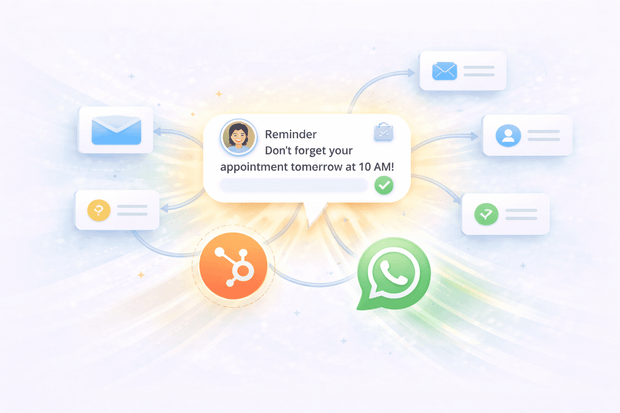
Most HubSpot users have email workflows figured out, but open rates are dropping and response times are slower than ever. What very few teams realise is that you can do the exact same thing with WhatsApp.
When WhatsApp is connected to HubSpot, you can send WhatsApp messages from HubSpot workflows automatically, triggered by:
- Deal stage changes
- Contact property updates
- Form submissions
- Ticket status changes
- Any other enrollment trigger HubSpot supports
That means your team can reach leads and customers on the channel they actually respond to, without anyone having to manually send a single message.
This article covers exactly how HubSpot WhatsApp automation works, which workflows are worth building first, and why proactive WhatsApp messaging consistently outperforms email for follow-ups and customer communication.
If you're new to the integration itself, start with our WhatsApp HubSpot integration guide before diving in here.
Why WhatsApp is better than Email for automated follow-ups
For automated follow-ups, WhatsApp is the better channel, as proven by numbers. Here’s a quick comparison of WhatsApp vs. Email for automatic follow-ups.
| Average open rate | 90%+ | 20–30% |
| Typical read time | Within minutes | Hours or days |
| Response rate | Significantly higher | Lower |
| Spam risk | Low | High |
| Feel | Personal, conversational | Formal, easy to ignore |
Here are the scenarios where automated WhatsApp outreach makes the biggest difference:
- A demo went cold — a timely WhatsApp follow-up feels personal and gets a response where a fourth follow-up email gets ignored
- A lead went silent — re-engaging through WhatsApp cuts through in a way that email simply doesn't at that stage of the conversation
- A time-sensitive offer or reminder — WhatsApp delivers urgency that email can't match when messages are read within minutes
- Confirming an appointment or next step — a quick WhatsApp confirmation after a meeting keeps momentum going and reduces no-shows
What is proactive WhatsApp messaging in HubSpot?
Proactive WhatsApp messaging means sending a WhatsApp message to a contact who hasn't messaged you first. Instead of waiting for a customer or lead to reach out, you want a HubSpot workflow that automates proactive WhatsApp messages in HubSpot
To make this work, you need a tool that connects WhatsApp to HubSpot and supports outbound messaging from workflows, like Octopods.
Octopods is a messaging integration platform that connects WhatsApp and other channels like Telegram, Instagram, Facebook, TikTok, and Slack to HubSpot. Your team can use it to send, receive, and automate conversations without leaving the CRM.
There's one important thing to understand about how WhatsApp handles outbound messaging.
WhatsApp has a 24-hour messaging window. Once a conversation goes quiet for 24 hours, you can no longer send a free-form message to that contact.
To restart the conversation or to initiate one from scratch, you have to use a pre-approved message template, called a WABA template (WhatsApp Business Account template).
These are templates submitted to and approved by WhatsApp in advance, and they're the only way to proactively reach a contact on WhatsApp.
How proactive WhatsApp messaging works with Octopods in HubSpot
Setting up automated WhatsApp outreach from HubSpot is straightforward once Octopods is connected.
Here's how to automate WhatsApp messages in HubSpot.
Step 1: Trigger the HubSpot workflow
Any standard HubSpot workflow trigger can kick off a WhatsApp message from HubSpot.
- Deal moves to a new stage
- Contact fills out a form
- Date-based trigger fires
- Ticket gets resolved
- You manually enroll a contact.
You set this up inside HubSpot workflows exactly the same way you would for an automated email, nothing new to learn.
Step 2: Send the WhatsApp message from HubSpot
Once Octopods is connected, a WhatsApp message action becomes available inside your HubSpot workflows. You select the approved WABA template you want to send, map the dynamic fields and that's it.
When the trigger fires, Octopods handles the HubSpot WhatsApp workflow automatically.
Step 3: Customer receives the message and can reply
The contact receives a standard WhatsApp message from your business number; it looks like your team reached out directly.
- If they reply, that response flows straight back into the HubSpot inbox and is linked to their contact record.
- From there, your team picks up the conversation, or Breeze AI handles it depending on how your HubSpot workflow automation for WhatsApp is configured.
5 HubSpot workflows worth building for WhatsApp
These are the HubSpot WhatsApp workflows that deliver the most immediate value for sales and support teams.
- Lead follow-up after a demo or call is one of the highest-impact uses of proactive WhatsApp messaging from HubSpot. When a meeting is logged or a deal moves to a new pipeline stage, a workflow automatically sends a WhatsApp message thanking the lead and confirming next steps.
- Re-engaging cold leads is where HubSpot WhatsApp automation quietly saves deals that would otherwise disappear. When a deal has been inactive for a set number of days, a workflow sends a short, personal check-in message.
- Post-form submission outreach is the simplest workflow to build and one of the fastest to show results. The moment a contact submits a HubSpot form, a WhatsApp message goes out acknowledging their inquiry and sharing a clear next step.
- Appointment and meeting reminders means sending a message a few hours or a day before a scheduled meeting confirms the appointment and gives the contact an easy way to reschedule if needed.
- Post-resolution follow-ups work wen a ticket is marked resolved. A workflow automatically checks in with the customer to confirm they're satisfied and invite feedback. It's a small touch that meaningfully improves customer satisfaction scores.
If you want to map each workflow to your team's priorities before building, here's a quick reference:
| Workflow | Trigger | Outcome |
|---|---|---|
| Lead follow-up after demo or call | Meeting logged or deal stage changes | Faster follow-up, higher reply rates |
| Re-engage cold leads | Deal inactive for X days | Revives stalled conversations |
| Post-form submission outreach | Contact submits a HubSpot form | Faster first response, lead feels prioritized |
| Appointment and meeting reminders | Date-based trigger before meeting | Fewer no-shows, better attendance rates |
| Post-resolution follow-up | Support ticket marked resolved | Higher CSAT, stronger customer relationships |
What you need to send Proactive WhatsApp messages from HubSpot
Before you can start automating WhatsApp messages from HubSpot workflows, make sure you have these in place:
- An active WhatsApp Business Account connected to Octopods
- Octopods installed from the HubSpot marketplace
- Approved WhatsApp message templates submitted through Meta
- HubSpot Professional or Enterprise plan for workflow access
Are there any limitations to sending WhatsApp messages from HubSpot Workflows?
Yes, and it's worth knowing them upfront so your workflows are built correctly from the start.
- WhatsApp message templates are required, no exceptions
- Not all templates can be sent at any time. Marketing templates can only be sent if the contact has messaged within the last 24 hours.
- You must get opt-ins from customers before messaging them proactively. It’s a WhatsApp regulation.
- Phone numbers must be correctly formatted
A real example of proactive WhatsApp HubSpot automation
Here's how sales teams use HubSpot WhatsApp integration to automate proactive outreach.
- A lead fills out a demo request form on your website. The moment they submit it, a HubSpot workflow triggers a WhatsApp message confirming the meeting details. No rep involved, no delay.
- The demo happens. The rep moves the deal to "Demo Completed" in HubSpot, which triggers a second workflow. Forty-eight hours later, a proactive WhatsApp message goes out automatically asking if the lead has any questions before moving forward.
- The lead replies on WhatsApp. That reply appears instantly in the HubSpot inbox, linked to their contact record and deal. The rep picks it up, answers the question, and moves the deal forward.
Everything from first form submission to follow-up was automated WhatsApp outreach from HubSpot. The rep only stepped in when human judgment actually mattered.
Start sending WhatsApp messages from HubSpot workflows
Automating WhatsApp outreach from HubSpot closes the gap between where your leads and customers are and when your team actually reaches them.
The right message, on the right channel, at the right moment — without anyone having to send it manually.
Octopods makes this possible directly inside HubSpot.
Want to see how HubSpot WhatsApp workflow automation works for your specific use case?
We're happy to walk you through it.
FAQs
Can HubSpot send WhatsApp messages automatically through workflows?
Yes, but only when WhatsApp is connected to HubSpot through a tool that supports outbound messaging. With Octopods, you can send WhatsApp messages from HubSpot workflows automatically based on any enrollment trigger.
Do I need WhatsApp message templates to send automated messages from HubSpot?
Yes. Every proactive WhatsApp message sent from a HubSpot workflow must use a pre-approved WABA template. WhatsApp doesn't allow free-form outbound messages to contacts who haven't messaged first, so templates are required for any HubSpot WhatsApp automation that initiates a conversation.
Which HubSpot plan do I need to trigger WhatsApp messages from workflows?
You need a HubSpot Professional or Enterprise plan to access the workflow builder. Starter plans don't include workflow functionality, so HubSpot WhatsApp workflow automation isn't available on that tier.