

Customers do not contact support in one place anymore. They message businesses on WhatsApp, Instagram, Telegram, live chat, and email.
To keep up, support teams add new channels one by one.
At first, this feels like progress. But very quickly, each channel creates its own inbox, its own workflow, and its own problems.
Support teams end up switching between tools, missing messages, and losing context.
This article covers how companies can run multi-channel customer service without managing multiple inboxes and what actually works at scale.
How multi-channel service creates many inboxes
Most customer support tools add channels as separate systems. When a team connects a new channel, they usually get:
- A new inbox
- A new queue
- A new place to check messages
This happens because channels are added to solve short-term needs.
A customer asks for WhatsApp support, so WhatsApp is added.
Later, customers start messaging on Instagram, so Instagram is added too, and so on.
Each messaging channel makes sense on its own.
But together, they create a fragmented support setup.
Instead of one clear system, teams manage end up managing many inboxes at the same time.
Why multiple support inboxes is a problem
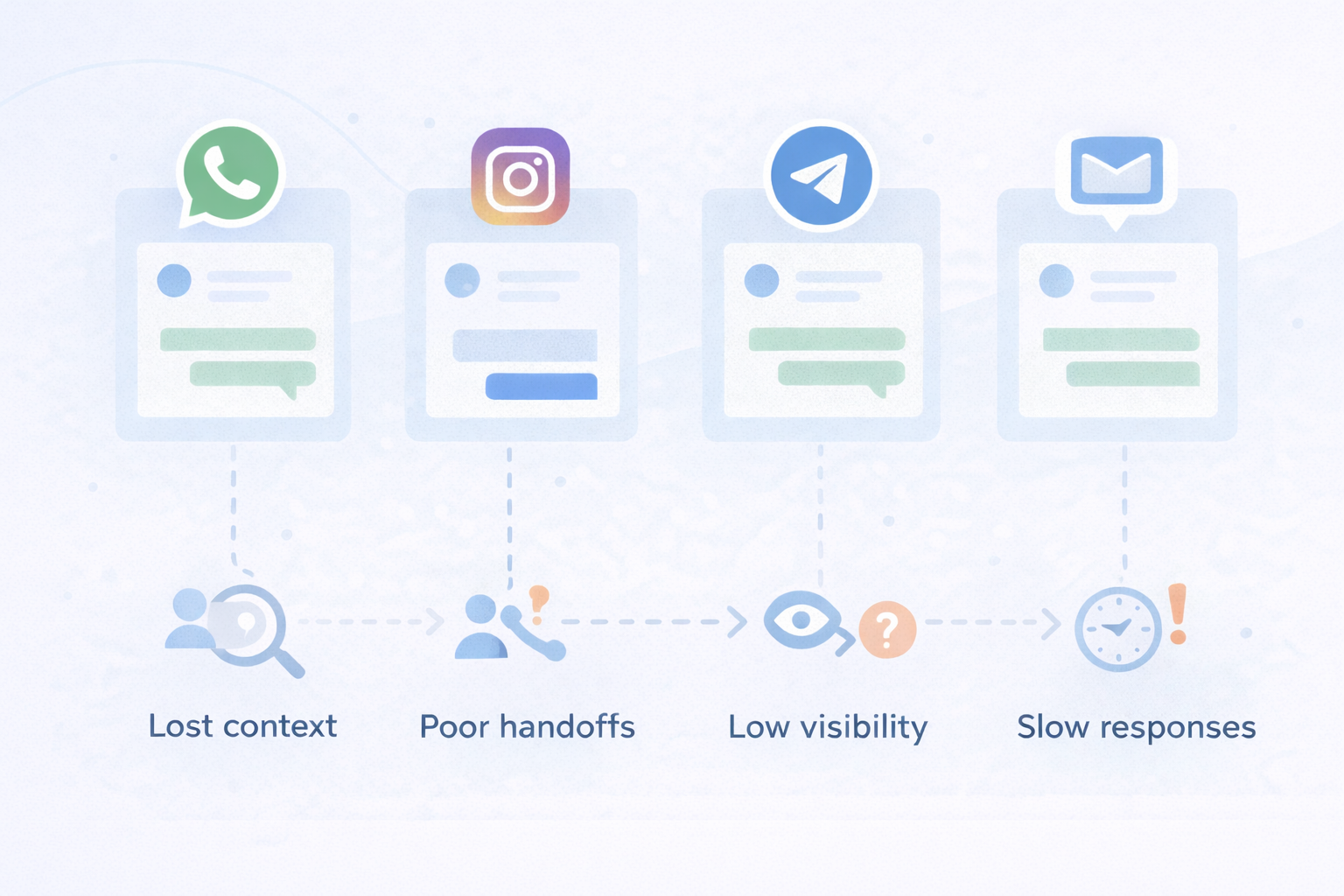
Managing multiple inboxes creates problems that grow over time. Some of these common issues include:
- Missed messages: Agents forget to check one inbox while working in another.
- Slow responses: Messages wait longer because attention is divided across the different apps.
- Lost context: Agents cannot see past conversations with the same user from other channels.
- Poor handoffs: Conversations move between teams without clear ownership.
- Low visibility for managers: It becomes hard to track response times, workload, and performance.
Even strong support teams struggle when messages are spread across too many places.
How to fix decentralized support on multiple channels
A common reaction to inbox chaos is adding more tools. To fix the issue, teams usually try:
- Shared inbox tools outside their main platform
- Channel-specific apps
- Manual forwarding of messages
These fixes usually make things worse, because each new tool ends being another inbox. Instead of centralizing support, teams create more silos.
The problem is not the number of channels. The problem is how conversations are organized and how these channels connect together.
The key shift is simple. Support teams need one system for conversations, not one inbox per channel. Channels should be treated as conversation entry points, not destinations.
In a good, centralized customer service setup:
- All messages flow into one central inbox
- Agents work from one place
- Customers keep one conversation history, even across channels
- Teams do not need to switch tools to respond
Platforms like Intercom or HubSpot Service Hub are often used as the central inbox, while messaging channels can easily connect into these platforms instead of creating new inboxes elsewhere.
Explore how to connect your preferred messaging channels to the customer platform you're using
Real examples of teams using one inbox for multi-channel support
Here are a few common scenarios.
SaaS companies
SaaS businesses often support customers through live chat, email, and WhatsApp at the same time. When all conversations flow into one inbox, support agents can respond faster and keep full context from onboarding to renewal.
This setup also helps SaaS teams connect support conversations with customer data like plans, usage, and account status.
Marketplaces and on-demand platforms
Marketplaces and on-demand services rely heavily on real-time messaging.
Customers and partners often reach out through Telegram or Instagram for urgent issues.
By centralizing these channels in one inbox, teams can react quickly, avoid missed messages, and handle time-sensitive requests without switching tools.
Multi-region and international businesses
Businesses operating across regions receive messages from different countries and platforms.
Without a central inbox, conversations end up scattered across tools and teams.
With one inbox for all channels, these businesses can route messages by region, language, or priority while keeping everything visible in one place.
Common mistakes to avoid during setup
Even teams that try to centralize support can make mistakes. The most common ones are:
- Creating a new inbox for each channel
- Using tools that are not connected to the CRM
- Losing customer identity across channels
- Applying different rules for each channel
These setups look centralized but still behave like silos.
What to look for in a centralized customer service setup
A good centralized setup should have:
- One shared inbox for all channels
- Full conversation history per customer
- Clear ownership and assignment
- Support for automation and workflows
- The ability to scale across teams and regions
If a setup cannot meet these points, it will break as message volume grows.
Want help centralizing your customer service workflow?
Final thoughts
Multi-channel support does not fail because teams add too many channels.
It fails when conversations are spread across too many inboxes.
The most effective companies treat messaging channels as entry points and rely on one central system to manage conversations, context, and workflows.
This is why many businesses extend platforms like Intercom or HubSpot with a dedicated messaging integration layer. By connecting channels such as WhatsApp, Telegram, and Instagram into a single inbox, they keep support fast, organized, and scalable as volume grows.
Octopods exist to make this setup possible without forcing teams to replace their existing tools.
Frequently Asked Questions
What is multi-channel customer support?
Multi-channel customer support means helping customers across more than one communication channel, such as email, live chat, WhatsApp, Telegram, or Instagram. Each channel gives customers another way to reach support.
Is multi-channel support the same as omnichannel support?
Not exactly. Multi-channel support means being available on many channels. Omnichannel support means those channels are connected, so conversations, history, and context are shared in one system.
Can WhatsApp, Telegram, and Instagram messages be handled in one inbox?
Yes. When messaging channels are connected to a central support platform, messages from WhatsApp, Telegram, Instagram, and other apps can all appear in the same inbox with full context.
This is typically done by using a messaging integration layer like Octopods, which connects these channels directly to platforms such as Intercom or HubSpot.