
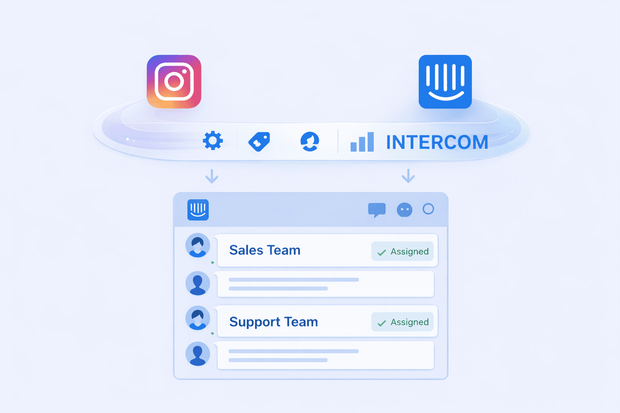
In addition to being a social media app, Instagram turned into a reliable business customer communication channel. Customers use it for product research, buying, and even support. But how do you offer reliable support through Instagram? You connect it to a support tool like Intercom.
Instead of messages landing in Instagram only, they land in Intercom inbox where live chat, email, and other messaging channels live. Teams stop switching tabs, and scaling becomes easier.
In this article, we’ll tell you everything you need to know about the Instagram Intercom integration:
- How to connect Instagram and Intercom
- Why you need to integrate Instagram to Intercom
- How to use Instagram Intercom integration for customer support
How teams use Instagram today
For businesses, Instagram is an important connection to customers.
Customers reply to stories, comment on posts, and that’s in all stages of the sales funnel. They ask sales questions as leads, then turn to support when they’re loyal customers.
Why? Because they already open Instagram multiple times per day. They can open your website for live chat. But since they’re already on Instagram, why open a separate tab?
Overall, Instagram provides an easy way to connect with customers. The visuals are there, customers can reply to stories, comment, or send a DM, and businesses can reply right away.
Why Instagram DMs don’t scale on their own
If Instagram is a great communication tool for businesses like we mentioned above, why do issues usually show? Because businesses scale.
It’s okay when you’re dealing with a manageable load of customers, but when there’s a high volume, it gets out of hand.
- Customer inquiries get scattered across comments, DMs, and story replies
- Instagram doesn’t have advanced conversation routing on its own, so there’s no ownership
- If one customer sends you a message and leaves you a comment, conversation history gets scattered. There’s no single source of truth for this customer.
- Instagram doesn’t give managers visibility into the performance of agents
Ultimately, these all result in poor team performance and unsatisfied customers.
Why Intercom must be the system of record
Intercom is one of the best customer service tools that cover email and live chat, but what if you could add Instagram to it? Receive Instagram comments and DMs inside Intercom and reply from one inbox.
Connecting Instagram to Intercom will give you the best of both worlds. You’ll retain your Instagram customers, and you’ll get access to all Intercom’s support features.
Intercom already provides the following for businesses:
- An AI inbox where teams reply and collaborate
- Customer contacts and profiles so that you have a reliable record
- Automatic workflows to help you scale
- Reporting features to help managers track performance
- AI that handles customer conversations from start to finish
If Instagram can live inside Intercom, you’ll get to use all these features to reply to Instagram customers. Instead of having customer context and records scattered across tools, they’ll all be inside Intercom.
Not to mention. Intercom allows integrations to all social media channels, so you can have Instagram, Facebook, WhatsApp, even Telegram, in one place.
Why you need Instagram Intercom integration
Integrating Instagram and Intercom gives you one place where you can manage your support. Meanwhile, your customers get to talk to you from their favorite social app. It’s a solid solution for both a business and its customers.
Here’s what an Instagram Intercom integration gives you:
- One shared inbox where your team can collaborate and reply to customers across messaging channels
- Solid customer context and history that’s tied to contacts and profiles
- Automatic assignment and routing so that there’s ownership in place and each agent knows what to handle
- Saved time that would otherwise be spent switching between tabs
It’s the ideal way for modern teams to work and retain customers.
How to connect Instagram and Intercom
There are two ways you can connect Instagram to Intercom, through Intercom’s native integration or through third-party integration tools.
Intercom native integration
Intercom’s native Instagram integration is available on the Intercom App Store, and it routes Instagram messages to Intercom. It’s an easy choice and doesn’t require any time-consuming steps. However, the native integration only routes messages, not comments.
For businesses with a high comment load, this might be an issue because agents will still have to switch tools to gain full context. No matter how hard they work, important comments will get dropped.
Third-party integration tools
Another solid option for integrating Instagram and Intercom is using third-party tools like Octopods. It connects 10+ messaging channels to Intercom, including Instagram.
The advantage here is that Octopods brings both Instagram DMs and comments to Intercom. Teams can have entire context and history inside Intercom without ever needing to open Instagram.
Want to see an Instagram Intercom integration in action?
Real Intercom use cases for Instagram
How do businesses use Instagram with Intercom? Like we mentioned, customers from all sales stages use Instagram to contact businesses.
Here are three use cases from different pipeline stages.
Instagram for sales conversations in Intercom
Sales teams can use Instagram inside Intercom because it’s where leads come first. They see stories and posts, send questions about prices and quality, and sales agents reply and qualify from there.
Using the Instagram Intercom integration for sales means customers get faster replies and agents only use one central tool for communication.
Instagram for onboarding and follow-ups
When Instagram and Intercom work as one, agents can get deal context in seconds to help them in onboarding customers. For instance, they can check chat history for a specific pain point this customer had during the buying process.
If the qualifying conversation takes place on Instagram, but onboarding takes place on Intercom, agents might not be able to get full context. Customers will have to repeat themselves, which wastes time for both sides.
Instagram for customer support in Intercom
Intercom is primarily a support tool, so it has all the advanced features a modern support team needs. Using Instagram inside it makes support much faster and easier.
Teams can put automated support workflows in place for assignment and escalation. Customers get their replies on Instagram, while the team operates inside Intercom. Managers can track performance using Intercom’s reporting features.
Overall, handling customer support on Instagram Intercom is a winning move.
Common mistakes to avoid with Intercom Instagram Integration
Integrating Instagram with Intercom might be challenging. Here are a few common issues and their fixes.
Connection issue
If Instagram refuses to connect to Intercom, you might have the wrong type of account. Only professional Instagram accounts can connect to Intercom, not personal ones. So if you’re using a personal account, you need to switch it.
You also need admin access with full control in Facebook permissions to be able to connect Instagram and Intercom. If you don’t have full access, the connection won’t work.
Message syncing problem
If the Instagram Intercom connection succeeds but messages don’t sync, it might be a couple of issues. Here’s what to do:
- Check access tokens: These expire yearly or when credentials change. Reconnect Instagram annually to refresh.
- Verify permissions: Double check all necessary permissions in Facebook and Intercom to see if you dropped anything
- Clear old connections: Disconnect any previous tools that might be controlling messages.
Permission problems
If you face permission issues while connecting Instagram and Intercom, try the following steps:
- Check Facebook Page roles: Go to Page Settings > Page Roles. Make sure you’re an admin before going on.
- Review Intercom permissions: In Facebook, go to Settings & Privacy > Settings > Business Integrations. Find Intercom, click "View and Edit". Mark check all relevant pages.
- Reauthorize if needed: If nothing works, remove Intercom from Business Integrations, then reconnect with correct permissions.
Setting up your Instagram Intercom integration?
Frequently asked questions
Can Instagram DMs appear inside Intercom?
Yes, you can receive Instagram DMs inside Intercom if you connect both tools. An Instagram Intercom integration means customer can message you from Instagram as usual, but your team can reply from inside Intercom to avoid switching tools and wasting time.
Can teams reply to Instagram from Intercom?
Yes, teams can reply to Instagram DMs, story replies, and even comments from inside Intercom if both tools are integrated. Teams can integrate Instagram and Intercom through the native Intercom integration or through a third-party tool like Octopods.
How do story replies work in Instagram Intercom integration?
When Instagram and Intercom are connected, story replies land in Intercom along with messages from all other messaging channels that are integrated to Intercom. Teams can reply to multiple channels from one tool, Intercom.
Can multiple Instagram accounts connect to Intercom?
Yes, you can connect multiple Instagram accounts and Facebook pages to Intercom. This is available through Intercom’s native integration and third-party integration tools like Octopods.
How does integrating Instagram and Intercom affect team response times?
Managing Instagram inside Intercom means your team’s response times will improve by a mile. They’ll rely on only one tool to receive messages, reply, track performance, and automate workflows. They won’t have to switch tools or search for lost context, which are huge time wasters for sales and support teams.