
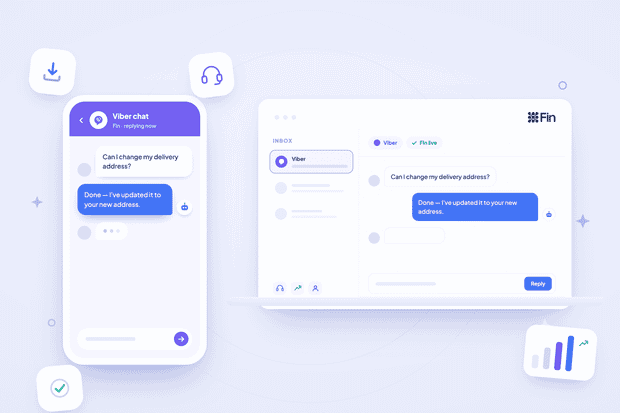
Fin AI Agent currently works across Intercom Messenger, Email, WhatsApp, SMS, Facebook, and Instagram, but Viber isn’t on the list of Fin’s supported channels. So what do you do if you want Fin to handle your Viber messages?
While Fin might not natively support Viber, it can work with it if both tools are connected through an integration. Integration tools like Octopods provide connection between Intercom and different channels.
In this guide, we walk you through how to set Fin up on Viber and tune its behavior.
Does Intercom Fin support Viber?
Intercom doesn’t support Viber natively, only through third-party integrations. The same goes for Fin Telegram integration.
If you connect Viber to Intercom through Octopods, you solve your issue. Fin starts treating Viber conversations like Intercom conversations and handles them from start to end.
The reason Intercom hasn't built Viber in natively comes down to market coverage, plain and simple. Intercom prioritizes native integrations around its largest global markets, and Viber's strength sits in a narrower set of regions.
That said, there are two separate Viber products, Bots and Viber Business Messages, and Fin behaves differently depending on which one your team runs.
How Fin works across Bots vs. VBM
Fin works differently across Viber bots and VBM. iber Bots are subscriber-based and identify users by a Viber ID. Viber Business Messages (VBM) run on phone numbers and support broadcast and templated sends at real volume.
Here's what changes for Fin:
- On VBM, transactional content is limited to text. No rich media gets through. So if your help center content leans on screenshots or step-by-step visuals, Fin can still reference that content when forming an answer, but it’ll send it in plain text.
- On Bots, Fin has Viber's full rich media range to work with. Answers can carry images, files, and richer formatting, since Bots don't have that same transactional restriction.
- Identity works differently too. A Bot subscriber shows up as a Viber ID with no phone number or email attached by default, so Fin has nothing to match against your customer records.
What you need before you connect Fin to Viber
Here’s what you need on both Intercom and Viber before connecting them.
On the Intercom side
- An Intercom workspace with Fin enabled
- Support content in your Knowledge Hub that's good enough for Fin to use. Fin only performs as well as what you give it to read.
- Access to Workflows, since that's where you'll point Fin at your Viber conversations
- Fin's 14-day trial active, if you haven't started it yet. It gives you unlimited resolutions with no card required, and it starts the moment you set Fin live.
On the Viber side
- A Viber account on the mobile app, with a verified number
- A bot created in the Viber Admin Panel, or a VBM account set up through an official Viber partner if that's the product you're running
- The auth token Viber issues on bot creation
- Admin access to the Octopods workspace
Worth noting: the single free welcome message a Viber bot sends before a user subscribes gets configured on Viber, not inside Fin.
How to connect Viber to Fin using Octopods
First, you connect Viber to Intercom, then create Workflow triggers for Fin to handle the conversations. The Viber Intercom integration guide and Octopods' Viber setup docs cover exactly what you need to do.
Here's how the process looks like and where Fin comes in.
- Create the bot, or set up VBM through a partner.
- Connect it to Intercom through Octopods. Paste the auth token into Octopods, which sets the webhook so Viber messages start flowing into Intercom as standard conversations.
- Confirm the round trip manually, before Fin touches anything. Message your own bot, check the conversation lands in Intercom, reply as a human, confirm it arrives back on Viber. Do this before you turn Fin on.
- Point Fin at your Viber conversations. Go to Fin AI Agent > Workflows, use the "When customer sends their first message" trigger (this is the trigger built for channels like WhatsApp, Instagram, and SMS), and select Viber in that trigger's channel settings.
How much it costs to use Fin on Viber
Viber and Intercom bill you separately, and both charges can apply to the same conversation.
On the Viber side, messages inside the 24-hour session window are free. Messages sent outside that window get billed as chatbot-initiated messages.
On the Intercom side, Fin charges $0.99 per outcome (a resolution, a Procedure handoff, or a disqualification), no matter which channel the conversation came from.
So a single Viber conversation can rack up a Viber charge and an Intercom charge at the same time.
So you've got two billing layers stacking independently, and your total cost depends on whether Fin is responding inside an open session or reaching out proactively:
- Fin resolves a customer's message inside an open session: free at the Viber layer, one Fin resolution at the Intercom layer
- Fin sends a proactive follow-up outside a session: billed as a chatbot-initiated message at the Viber layer, and billed again at the Intercom layer if it counts as a resolution
How to customize Fin's behavior for Viber
Fin's defaults were built for chat and email. Viber is neither, and tuning it properly makes a real difference in how natural your answers feel.
Message length
Fin's default answers are sized for a Messenger window or an email thread. On Viber, especially inside a bot conversation where users expect quick back-and-forth, that reads as a wall of text. Use Guidance to constrain answer length specifically for this audience.
Formatting and links
Fin currently can't present links in consistently formatted hyperlinks. Guidance can encourage it to hyperlink where possible, but the outcome still depends on which sources Fin retrieved when building the answer.
This shows up more on Viber than on channels with richer link previews, since a bare, unstyled URL looks rougher and customers are more likely to ignore or distrust it.
Tone
Viber conversations, especially through a self-serve bot, tend to run shorter and more informal than email ever does. Set that tone through Guidance, scoped specifically to this audience.
Audience rules
This is the mechanism that makes everything above actually work. Scope your Guidance so it applies to Viber conversations specifically, not your web chat or email, using the channel selection on your Workflow trigger.
Scheduling
Fin's involvement follows the schedule of the Workflow it sits inside. You can run Fin on Viber only outside your team's office hours, and hand everything to a human during the day, if that's the rollout you want. Most teams don't realize this is even an option.
Language
Fin currently supports Arabic, Bengali, Bosnian, Brazilian Portuguese, Bulgarian, Catalan, Croatian, Czech, Danish, Dutch, English, Estonian, Finnish, French, German, Greek, Hebrew, Hindi, Hungarian, Indonesian, Italian, Japanese, Korean, Latvian, Lithuanian, Malay, Mongolian, Norwegian, Persian, Polish, Portuguese, Romanian, Russian, Serbian, Slovenian, Simplified and Traditional Chinese, Spanish, Swahili, Swedish, Thai, Turkish, Ukrainian, Urdu, and Vietnamese.
Outside that list, its ability to answer reliably drops off, regardless of what language your support content is written in.
This is inconvenient for Viber. The Philippines is one of Viber's largest markets, and Filipino and Tagalog aren't on that list. Albanian and Macedonian are missing too, which matters if you carry Balkan Viber volume in those specific languages.
To fix this, you should turn on real-time translation. With it on, Fin translates your existing content into a customer's language when it can't find a direct match.
Fin handover to a human agent
Fin hands a Viber conversation off to a human agent when it can't find a confident answer, when the customer asks for a person directly, when you've set an escalation rule for that topic, or when a system error gets in the way.
Whatever triggers it, the agent picks up the conversation inside Intercom with full context, and Fin's job at that point is to make the handoff smooth.
Here's what that actually looks like in practice:
- Automatic handoff on uncertainty: if Fin can't find a confident answer, it gives context on what it found, expresses uncertainty, attempts an answer if one's possible, and asks the customer to clarify. This is deliberate, designed behavior, not a failure state.
- Automatic handoff on system errors: during a brief LLM outage, Fin sends "Oops, something went wrong. Could you repeat your question?" without escalating right away, since that's built to handle short, intermittent issues. For other errors, Fin sends "Oops, something went wrong. I'll route you to the team," and moves straight into handover.
- Escalation rules you set yourself: configure these in Fin > Train > Guidance, the same as on any other channel. Refunds, cancellations, anything touching sensitive data, whatever your team wants routed to a human automatically instead of left to Fin.
- Full context, every time: the conversation lands with the agent as a standard Intercom conversation, complete thread included, so they see everything Fin already tried.
How to test Fin on Viber
Here’s how to test Fin on Viber when you connect both tools through Octopods.
- Use the teammate preview in Fin AI Agent > Train > Content before anything goes live. This catches obvious problems while you're still the only one seeing them.
- Build a test script from ten real questions pulled from your actual Viber history, not invented ones. Include at least two you already know your help center doesn't answer, so you can watch the escalation path fire correctly.
- Check the essentials: answer quality, message length, whether links render acceptably on Viber, whether handover fires when it should, whether a handed-off conversation lands with the right team.
- Test in the actual languages your Viber customers use. Confirm real-time translation is switched on if your help center content is English-only. This catches the single most common silent failure on this channel.
- Know what to expect, so you don't panic over normal behavior. One-word messages get weaker answers. Long multi-part questions perform worse than short specific ones. If a customer fires off several messages in quick succession, Fin typically only answers the most recent one.