
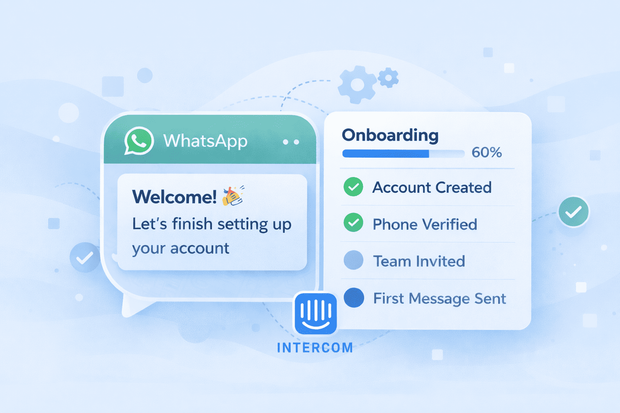
Onboarding is where customer relationships are shaped early. Small moments during setup can determine whether a customer becomes active or drops off.
When onboarding conversations happen on WhatsApp and are managed inside Intercom, teams can guide users faster, reduce confusion, and keep context across the entire lifecycle.
This is why many companies use WhatsApp Intercom integration for onboarding and account setup, connecting early conversations with sales and long-term support in one system.
Why is onboarding important for success
During onboarding, customers usually reach out on WhatsApp for very specific reasons. These interactions happen daily across multiple different industries including SaaS, fintech, marketplaces, and service platforms.
Common onboarding messages or issues include:
- “I just signed up, what should I do next?”
- “I’m stuck on this step”
- “Can you help me set this up?”
- “Is my account ready to use?”
These WhatsApp messages or conversations are short, but they are extremely important. A slow or unclear response here can lead to drop-off before the customer even starts using the product.
How onboarding affects sales & support
Customer onboarding is neither pure sales nor pure support. It comes after a deal is closed or a signup is completed and it happens before long-term support patterns are established.
This makes onboarding a bridge between sales conversations, where expectations are set and customer support conversations, where a customer needs and expects ongoing help.
When onboarding conversations from WhatsApp live inside Intercom, both teams can easily see:
- What was promised during sales
- What the customer is trying to achieve now
- Where they might need extra guidance
How teams use WhatsApp in Intercom for onboarding
Most teams do not use separate tools just for onboarding conversations.
Instead, they keep Intercom as the central inbox and connect WhatsApp into it so onboarding, sales, and support conversations all live in one place.
This is commonly done through a messaging integration layer such as Octopods, which connects WhatsApp Business API numbers to Intercom. This allows onboarding conversations on WhatsApp to appear alongside other customer interactions without changing how teams work.
1.Use WhatsApp welcome messages to guide new users
Many companies start onboarding on WhatsApp with a welcome message. When WhatsApp is handled inside Intercom, these welcome messages are not random replies. They are part of a consistent onboarding experience.
A WhatsApp welcome message can:
- Confirm that the signup was successful
- Set expectations for next steps
- Direct users to the right starting point
- Invite them to ask questions
Teams often rely on WhatsApp message templates for these situations, so onboarding messages stay clear, compliant and consistent.
2.First-time setup guidance over WhatsApp
Another common reason teams use WhatsApp in Intercom is to handle onboarding conversations that involve step-by-step setup guidance.
Examples include:
- Connecting an account
- Completing initial configuration
- Verifying details
- Understanding basic features
WhatsApp works well here because:
- Customers can ask follow-up questions easily
- Support agents can clarify steps in simple language
- Conversations stay focused on one task
When these conversations happen inside Intercom, agents can see the customer’s context and continue the discussion without restarting or guessing.
This is especially helpful when onboarding spans multiple sessions or days.
3.Handle early onboarding questions without support teams
Not every onboarding question needs a human response. Many companies use WhatsApp during onboarding to handle common questions, repeated setup issues or just offer basic product guidance.
In these cases, WhatsApp chatbots are often used as a first step. A chatbot can answer common onboarding questions or collect information before handing off to a human agent.
When WhatsApp chatbots are used inside Intercom:
- Conversations stay in the same inbox
- Escalations are seamless
- Customer and conversation context is preserved
4. Transition from onboarding into customer support
Onboarding does not always go smoothly. Sometimes a setup issue becomes a support ticket, a configuration problem needs deeper investigation, or the customer needs ongoing help after activation.
When WhatsApp onboarding conversations live inside Intercom inbox, the transition from an onboarding ticket to a customer support ticket is easy. The conversation does not need to move to another tool or channel. Support teams can continue helping the customer directly from the Intercom inbox with full context.
Common WhatsApp onboarding mistakes
Onboarding often feels simple at first. A few welcome messages, a few setup questions, and everything seems manageable. The problems usually appear as volume grows. Teams often struggle with WhatsApp onboarding when they:
- Send inconsistent welcome messages
- Handle onboarding chats on personal phones or separate tools
- Lose conversation history after handoff
- Treat onboarding questions as low priority compared to support tickets
These issues rarely look serious on day one. But over time, they create friction during one of the most sensitive stages of the customer journey.
When WhatsApp onboarding conversations are managed inside Intercom, the structure changes. Welcome messages stay consistent, conversations remain visible, support handoffs are seamless, and every onboarding conversation stays connected to the customer’s broader history.
This is what turns WhatsApp from a simple messaging channel into a reliable onboarding tool that supports customer activation and not just general communication.
Frequently Asked Questions
Can WhatsApp be used for customer onboarding in Intercom?
Yes. Many companies use WhatsApp onboarding in Intercom to guide new users through account setup, first steps, and early questions. When WhatsApp is integrated into Intercom, onboarding conversations appear in the same inbox as sales and support interactions.
How does WhatsApp Intercom integration improve onboarding?
WhatsApp Intercom integration improves onboarding by making setup conversations faster and more personal, while keeping them visible to the team. Customers get quick help on WhatsApp, and teams manage onboarding inside Intercom without switching tools.
Do onboarding teams need WhatsApp message templates in Intercom?
Yes, in most cases. WhatsApp message templates in Intercom are commonly used for welcome messages, onboarding reminders, and proactive guidance during account setup. Templates help teams stay consistent and compliant.
Can WhatsApp chatbots be used for onboarding inside Intercom?
Yes. Many teams use WhatsApp chatbots in Intercom to handle common onboarding questions and guide users through early steps. When needed, conversations can seamlessly escalate to a human agent without losing context.