
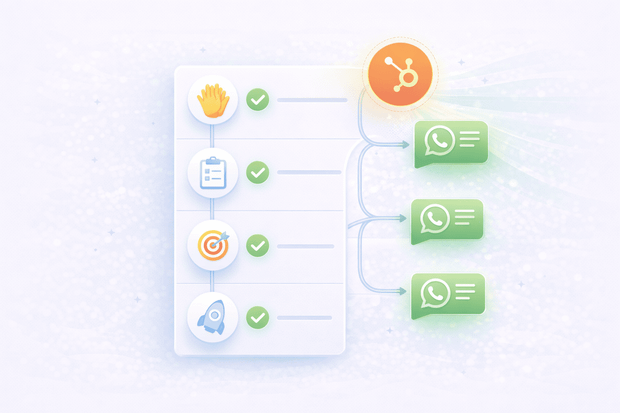
Most customer onboarding workflows run on email. Welcome sequences, setup reminders, and milestone check-ins all go to the inbox.
The problem is that email open rates during the onboarding period are inconsistent, and customers who don't hear from the team in the first few days after purchase likely churn.
When WhatsApp is connected to HubSpot, the entire customer onboarding workflow can move to a channel customers actually read within minutes.
This guide covers exactly how to set up customer onboarding in WhatsApp HubSpot integration, what messages to send, and how to automate the process so nothing slips through.
To start with how WhatsApp connects to HubSpot, see our WhatsApp HubSpot integration overview.
Why WhatsApp outperforms email for customer onboarding
WhatsApp outperforms email for customer onboarding because messages are read within minutes, replies come faster, and customers feel attended to rather than dropped into an automated sequence they barely notice.
The first days after a purchase or signup are the highest-risk period in the customer lifecycle. Customers who don't complete setup or don't understand the product are far more likely to churn before they ever see value.
WhatsApp closes that gap:
- Onboarding instructions get acted on faster than email equivalents
- Check-in messages receive replies instead of being ignored
- Customers feel supported throughout the process
For B2B teams especially, where onboarding involves multiple steps, multiple stakeholders, and a longer timeline, WhatsApp keeps the relationship alive between formal touchpoints.
The difference: Email onboarding feels like a support ticket queue. WhatsApp onboarding feels like a product experience.
For a broader look at how WhatsApp supports the full post-purchase customer journey, check out this guide on how to design a customer service funnel on WhatsApp.
What WhatsApp onboarding workflows look like in HubSpot
When WhatsApp is connected to HubSpot through Octopods, automated customer onboarding runs entirely inside your CRM.
Here's how it works:
- A deal is marked Closed/Won in HubSpot
- A workflow triggers automatically and sends a WhatsApp welcome message using an approved template
- As the customer progresses, additional WhatsApp messages fire at each milestone
- Customer replies land in the HubSpot inbox, linked to their contact record and visible to the entire customer success team
- Every WhatsApp interaction is logged on the contact timeline, so anyone on the team knows exactly where each customer is in the onboarding process
What is the benefit of connecting WhatsApp to HubSpot for customer onboarding? The onboarding workflow runs in the background. The CRM and the messaging channel work as one system. Your team steps in only when a customer needs human attention, and when they do, full context is already there.
How to build a WhatsApp onboarding workflow in HubSpot
Building a WhatsApp onboarding workflow in HubSpot requires three things: a clear map of your onboarding milestones, approved WhatsApp message templates for each step, and Octopods connected to your HubSpot account to send and receive WhatsApp messages automatically.
Here's how to set it up.
Step 1: Map your onboarding milestones
Before building any automation, define the key stages of your onboarding process. Each milestone becomes a trigger point for a WhatsApp message .
- SaaS: Account creation → first login → first key action → seven-day check-in
- E-commerce: Order confirmation → shipping update → delivery confirmation → post-purchase check-in
Step 2: Create approved WhatsApp Templates for each milestone
Automated WhatsApp messages sent outside the 24-hour window must use pre-approved message templates.
Create one template per milestone: a welcome message, a setup reminder, a milestone acknowledgment, a check-in, and a post-onboarding wrap-up.
Keep each one short, personal in tone, and focused on a single action.
Step 3: Set the HubSpot workflow trigger
In HubSpot, create a workflow triggered by the deal stage changing to Closed Won or a lifecycle stage updating to Customer.
Enroll the contact and set the first action as sending the WhatsApp welcome template through Octopods. This is the moment automated onboarding begins.
Step 4: Add time-based delays and milestone branches
Onboarding is a sequence, not a single message. Space messages out with time delays and add if-then branches so customers who complete steps early skip reminders and receive milestone acknowledgments instead:
- Welcome message — immediately
- Setup reminder — after 24 hours if setup is incomplete
- Milestone check-in — after three days
- Progress nudge — after seven days
Step 5: Build in a human handoff trigger
Add a workflow branch that flags a contact for a personal check-in if a key action hasn't been completed after a set number of days.
The customer success agent is notified in HubSpot and can send a direct WhatsApp message from the contact record.
5 WhatsApp onboarding messages every team should have
These are the core messages that cover the full onboarding sequence. Each one is a practical starting point that can be adapted to any business type.
1. The welcome message
Sent immediately when onboarding begins. Short, warm, and sets clear expectations for what happens next.
Example: "Hi [Name], welcome to [Company]. We are excited to have you. Here is what to expect over the next few days and how to reach us if you need anything."
2. The setup reminder
Sent 24 hours after welcome if the customer has not completed initial setup. A friendly nudge with a clear next step.
Example: "Hi [Name], just checking in — have you had a chance to start your setup? Here is the link to get going. We are here if you get stuck."
3. The first milestone acknowledgment
Sent when the customer completes a key step. Acknowledges their progress and points to what comes next.
Example: "Great work, [Name]. You have completed [step]. Here is what to focus on next to get the most out of [product]."
4. The 7-day check-in
Sent at the one-week mark. Opens the door for questions and signals that the team is paying attention.
Example: "Hi [Name], it has been a week since you joined us. How is everything going? Let us know if you have questions or need help with anything at all."
5. The post-onboarding wrap-up
Sent when onboarding is complete. Marks the transition from onboarding to ongoing relationship.
Example: "You are all set, [Name]. Your onboarding is complete. We are always available here on WhatsApp if you ever need anything."
How WhatsApp onboarding keeps everything tracked in HubSpot
The key difference between a WhatsApp onboarding CRM workflow and a standalone messaging tool is simple: the automation runs on WhatsApp, but the data lives in HubSpot.
Here's what that looks like in practice:
- Every WhatsApp message sent and received during onboarding is automatically logged on the contact's HubSpot timeline
- Customer success managers can see exactly where each customer is in the onboarding process
- When a customer replies to an automated message, it appears in the HubSpot inbox and can be assigned to the right team member immediately
- The full onboarding conversation becomes part of the contact record, visible to every team member across support, sales, and success
Why does this matter for customer onboarding tracking? Because visibility is what turns a good onboarding workflow into a scalable one. When every interaction is tied to the CRM, nothing falls through the cracks, and the whole team stays aligned without extra effort.
B2B customer onboarding on WhatsApp in HubSpot
B2B onboarding involves multiple stakeholders, longer timelines, and more setup steps. WhatsApp handles this better than email because it creates a direct, personal line between the customer success manager and the key contact, even when much of it is automated.
How B2B teams typically structure it:
- CSM sends a personal WhatsApp welcome immediately after deal close
- Onboarding milestones are tracked as deal or contact properties in HubSpot
- Automated reminders fire when key steps are overdue
- The full conversation history is visible to the entire account team in HubSpot — so anyone can step in with full context
For teams looking to take this further with chatbot-driven onboarding flows, this guide to WhatsApp chatbot use cases covers how automated onboarding sequences can run entirely within WhatsApp using chatbot logic.
Getting started with WhatsApp onboarding in HubSpot
Once WhatsApp is connected to HubSpot through Octopods, your onboarding workflows are built directly inside HubSpot's existing workflow builder. No extra tools or complex setup. Most teams have their first workflow live the same day.
Set up your WhatsApp HubSpot integration and your onboarding workflow can be live the same day. For context on how HubSpot's workflow automation works, visit the HubSpot workflow automation page.
Ready to bring WhatsApp into your HubSpot onboarding workflow?
Frequently asked questions
Can HubSpot automate WhatsApp messages for customer onboarding?
Yes. When WhatsApp is connected to HubSpot through Octopods, HubSpot workflows can trigger automated WhatsApp messages based on deal stage changes, contact property updates, or time-based triggers. The full onboarding sequence can run automatically from the moment a deal closes.
What WhatsApp messages can be part of a customer onboarding workflow?
A solid onboarding sequence includes a welcome message sent immediately after purchase, a setup reminder after 24 hours, a milestone acknowledgment when key steps are completed, a seven-day check-in, and a post-onboarding wrap-up. Each message should be short, personal in tone, and tied to a specific onboarding milestone.
How does WhatsApp onboarding activity get tracked in HubSpot?
Every WhatsApp message sent and received through Octopods is automatically logged on the contact's HubSpot timeline. Customer success managers can see exactly where each customer is in the onboarding process without manual updates, and any replies flow directly into the HubSpot inbox.
Can I use WhatsApp for B2B customer onboarding inside HubSpot?
Yes. WhatsApp works particularly well for B2B onboarding because it creates a direct, personal line between the customer success manager and the key contact. Milestones are tracked as HubSpot properties, automated reminders are sent when steps are overdue, and the full conversation history is available to the entire account team.
What triggers a WhatsApp onboarding message in HubSpot?
Any HubSpot workflow trigger can kick off a WhatsApp onboarding message. The most common triggers are a deal stage changing to "Closed Won," a lifecycle stage updating to "Customer," or a specific date-based trigger. From there, time delays and if-then branches control the rest of the sequence.