
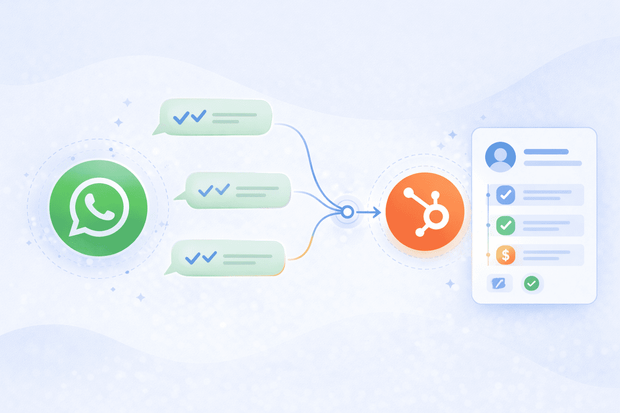
Your customers are on WhatsApp. Your team lives in HubSpot.
When those two aren't connected, you end up with a frustrating gap.
- Conversations happening in one place
- Contact records sitting in another
- Nobody has full visibility to conversations & deal info.
A WhatsApp HubSpot CRM integration fixes that by bringing both worlds together, so messages don't slip and leads don't go cold while someone's copy-pasting chat logs into a deal record.
So what does a WhatsApp HubSpot integration actually do? It connects your WhatsApp account to HubSpot so your team can send, receive, and manage WhatsApp conversations directly inside the platform.
For sales and support teams, this changes how you work day to day. You get the speed and reach of WhatsApp with the structure and visibility of HubSpot.
In this guide, we’ll show you how integrating WhatsApp and HubSpot can change the way you work.
Why teams connect WhatsApp to HubSpot
Teams connect WhatsApp to HubSpot because managing WhatsApp conversations outside your CRM means losing context, slowing down response times, and making it nearly impossible to track what's happening with your leads and customers at scale.
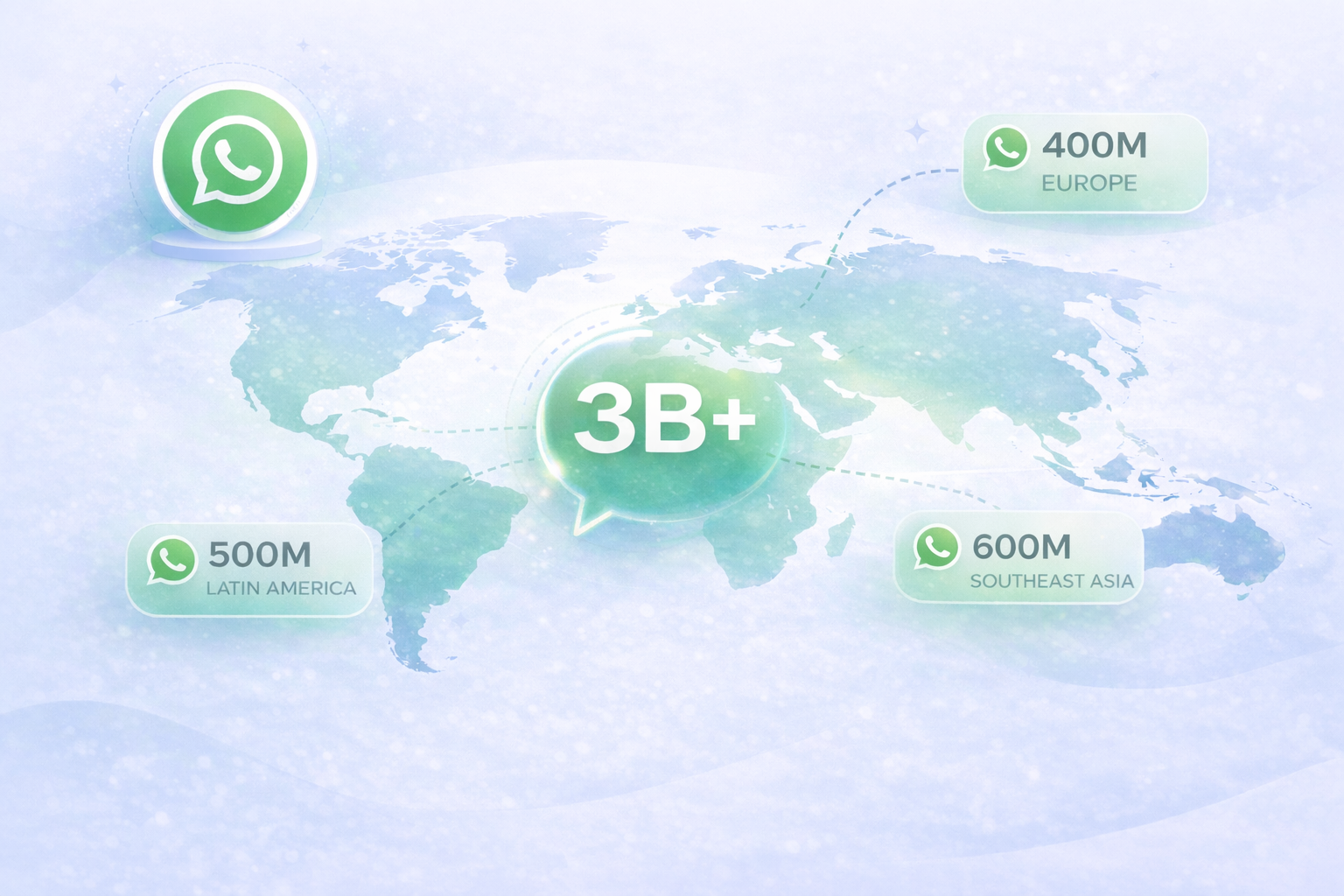
WhatsApp has over 3 billion active users, and in many markets across the Middle East, Latin America, Southeast Asia, and Europe, it's the default way people communicate
Customers expect fast replies on WhatsApp the same way they'd expect them on a live chat widget. When your team has to jump between WhatsApp on a phone or browser and HubSpot on a desktop, that speed evaporates. You lose time, you lose context, and you lose deals.
The business case looks a little different depending on whether you're in sales or support, but the underlying problem is the same: WhatsApp data needs to live in HubSpot to be useful.
Without a WhatsApp HubSpot integration, both teams are working with incomplete information. Sales reps are guessing what stage a lead is at. Support agents are starting every conversation cold.
What does a WhatsApp HubSpot integration actually do?
A WhatsApp HubSpot integration creates a two-way connection between your WhatsApp Business account and HubSpot, so every conversation flows into your CRM automatically.
The easiest way to understand it is to look at what changes before and after you connect WhatsApp to HubSpot.
| Before the integration | After the integration | |
|---|---|---|
| Incoming messages | Arrive on a phone or WhatsApp Web, visible only to whoever holds the device | Appear directly in the HubSpot inbox, visible to your whole team |
| Contact matching | Someone has to manually find the contact in HubSpot and update their record | Messages are automatically linked to the matching contact record |
| Replying | Reps switch to WhatsApp to reply, then log the conversation manually | Replies are sent from HubSpot and delivered to the customer on WhatsApp |
| Conversation history | Scattered across devices and personal accounts | Every message is logged on the contact and deal timeline in HubSpot |
| Multiple accounts | Each account managed separately with no central visibility | Multiple WhatsApp Business Accounts connected and managed from one place |
One tool that does all of this inside HubSpot is Octopods. It connects WhatsApp, along with other messaging channels, directly to HubSpot, so your team can manage conversations, automate workflows, and keep contact records updated without leaving the CRM.
What can you do with WhatsApp inside HubSpot?
Once your WhatsApp HubSpot integration is live, here's what your team can actually do with it and why each capability matters for how you work day to day.
Two-way messaging in the HubSpot inbox
Your team sends and receives WhatsApp messages, including text, images, documents, and media, without ever leaving HubSpot.
For your customers, nothing changes; they're still chatting on WhatsApp as normal.
For your team, the conversation lives where everything else does, alongside emails, calls, and tickets, so no one has to chase down a thread on a shared phone or a separate browser tab.
WhatsApp message templates
WhatsApp's 24-hour messaging window means that once a conversation goes quiet, you can't send a free-form message to restart it. You need a pre-approved template.
With a WhatsApp HubSpot integration, your team can send those approved templates directly from HubSpot to re-engage cold leads or send proactive notifications like order updates or appointment reminders.
Proactive outbound messaging from HubSpot workflows
This is one of the most powerful things a WhatsApp CRM integration unlocks. You can trigger outbound WhatsApp messages from HubSpot workflows based on contact behavior or deal activity.
Proactive WhatsApp messaging through workflows means your team reaches out at exactly the right moment, automatically.
Automatic contact creation and matching
Every incoming WhatsApp message is automatically matched to an existing HubSpot contact using the sender's phone number.
If no match exists, the integration tool you use, like Octopods, creates a new contact on the spot. Your team never has to manually enter contact details or search for a record.
Full conversation history on the contact timeline
Every WhatsApp message sent and received is logged automatically on the contact's HubSpot timeline, right alongside emails, calls, and notes.
When a sales rep is about to call a lead, or a support agent picks up a ticket, they have the full WhatsApp conversation history in front of them without asking anyone for a summary. Full context, every time, for every conversation.
Multiple WhatsApp business accounts
You can connect as many WhatsApp Business Accounts as your business needs and route each one to the correct HubSpot inbox and team.
Whether you're running separate accounts for different regions, brands, or departments, everything flows into HubSpot so the right people always see the right conversations.
See exactly how the WhatsApp HubSpot integration works in practice in this demo video:
Watch how Octopods connects WhatsApp to HubSpot, with two-way messaging, automatic contact creation, and workflow automation in one place
How sales teams use WhatsApp in HubSpot
Here's how sales teams put the WhatsApp HubSpot integration to work day to day.
- Send the first WhatsApp message directly from a contact or deal record
- Re-engage cold leads using approved WhatsApp message templates
- Automate follow-ups with HubSpot workflows
- Keep deal timelines updated automatically with no manual logging
- Give sales managers full visibility across all WhatsApp conversations in the pipeline
How support teams use WhatsApp in HubSpot
Support teams use WhatsApp in HubSpot to handle every customer conversation in one place, with full context and without switching between tools.
- Incoming WhatsApp messages automatically create tickets in the HubSpot help desk
- Agents reply from HubSpot with full customer history visible in the same view
- Route conversations to the right team or agent using HubSpot's assignment rules
- Send post-resolution follow-ups via WhatsApp using automated workflows
- Track response times and team performance across all WhatsApp conversations in HubSpot
Got questions about connecting WhatsApp to HubSpot?
Chat with us and we'll help you figure out if Octopods is the right fit for your sales or support workflow.
WhatsApp HubSpot Integration: Native vs Octopods
HubSpot does offer a native WhatsApp integration, but it's built for basic inbox messaging, and for most sales and support teams, that's not enough. Here's how it compares to what Octopods delivers:
| Feature | HubSpot Native | Octopods |
|---|---|---|
| Two-way messaging in HubSpot inbox | ✅ | ✅ |
| Sync direction | One-way (WhatsApp → HubSpot) | Two-way sync |
| Automatic contact matching & creation | Basic association | Auto-match or create by phone number |
| WhatsApp message templates | Via workflows | From HubSpot inbox + proactive sending |
| Proactive outbound messaging | Via workflows & automation | Operational + proactive messaging |
| Multiple WhatsApp Business Accounts | One account per inbox | Multiple accounts, multiple inboxes |
| CRM object coverage | Conversations + contacts | Conversations, tickets, contacts, media, users |
| Setup experience | Standard setup | No separate sign-in, auto-provisioned |
How WhatsApp and HubSpot work together: A real example
Here's what a typical journey looks like when WhatsApp is connected to HubSpot through Octopods.
- A lead sees an ad and sends a message to your WhatsApp number.
- Octopods automatically creates a contact in HubSpot and the message appears in the inbox.
- A sales rep picks it up, qualifies the lead in the conversation, and creates a deal, all without leaving HubSpot.
- Two days later, a workflow automatically sends a WhatsApp template follow-up to keep the lead warm.
- The lead converts.
- A few weeks later, they message the same WhatsApp number with a support issue.
- The support agent who picks it up can see everything on the contact timeline, the original inquiry, the full sales conversation, the closed deal.
- They resolve the issue in one reply because they already have the full picture.
The sales manager, meanwhile, sees the entire journey on a single contact record. No gaps, no missing context, no "can you forward me that WhatsApp thread.
Getting started with WhatsApp and HubSpot
Octopods is available on the HubSpot marketplace, so you can install it from inside HubSpot in minutes and start managing WhatsApp conversations right away.
If you want to try it before committing, there's a 7-day free trial so your team can see exactly how it fits into your workflow before making a decision.
FAQs
Can I receive and reply to WhatsApp messages directly from HubSpot?
Yes, with Octopods, incoming WhatsApp messages appear in your HubSpot inbox and you can reply directly from there. Your customers receive your replies on WhatsApp as normal, and every message is logged on the contact timeline automatically.
Does the WhatsApp HubSpot integration create contacts automatically?
Yes, every incoming WhatsApp message is matched to an existing HubSpot contact using the sender's phone number. If no contact exists, Octopods creates one automatically so no lead goes unrecorded.
Can I send WhatsApp messages from HubSpot workflows?
Yes. Octopods supports proactive outbound messaging through HubSpot workflows, so you can trigger WhatsApp messages based on deal stage, form submissions, ticket status, and more.
Can I connect more than one WhatsApp Business Account to HubSpot?
Yes, Octopods lets you connect multiple WhatsApp Business Accounts and route each one to the correct HubSpot inbox and team, which is useful for businesses managing multiple regions, brands, or departments.
What is the difference between HubSpot's native WhatsApp integration and Octopods?
HubSpot's native integration focuses on workflow-based automation and basic contact association, and is typically limited to one WhatsApp Business account per inbox. Octopods offers two-way sync, automatic contact creation by phone number, rich messaging including media and buttons, multiple account support, and broader CRM coverage across tickets, contacts, media, and users.