
SMS has one of the highest open rates of any marketing or support channel, yet most HubSpot teams aren't using it at all.
Why? Because there's no built-in way to manage SMS conversations inside HubSpot. Texts end up scattered across personal phones or separate tools, completely disconnected from your CRM.
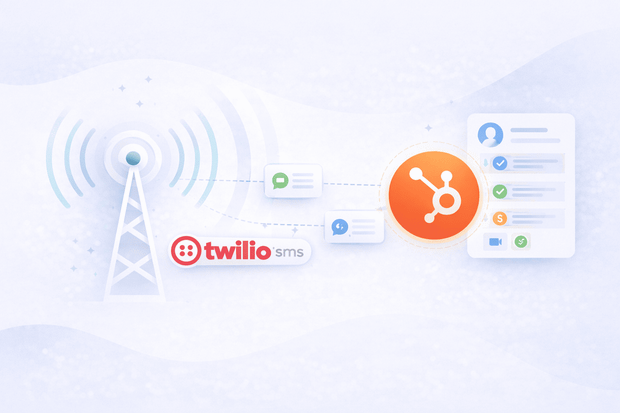
A Twilio SMS HubSpot integration solves this.
It makes SMS a fully functional channel inside HubSpot, so your team can send and receive texts from the inbox they already work in, trigger automated SMS outreach from workflows, and keep every conversation linked to the right contact.
If you're exploring HubSpot messaging integrations, connecting Twilio SMS is one of the highest-impact moves your team can make.
In this guide, we’ll tell you why you need it and how to set it up in minutes.
Why SMS is one of the most effective channels for HubSpot teams
If your team relies only on email to reach customers, you're likely missing a lot of potential. SMS consistently outperforms email on the metrics that matter most to sales and support teams.
- Open rates: SMS open rates sit around 98%, compared to roughly 20–30% for email.
- Response time: Most text messages get read within three minutes of being received.
- Reach: Unlike WhatsApp or other messaging apps, SMS works on every mobile phone in every market without requiring customers to download anything.
So why aren't more HubSpot teams using SMS?
SMS has always been awkward to manage inside a CRM. Twilio is the most widely used SMS infrastructure provider for businesses, and it's incredibly powerful, but it doesn't come with a native HubSpot connection out of the box.
Without a dedicated SMS HubSpot integration, your team ends up managing text conversations in one place and customer data in another, which isn't convenient.
That's why connecting Twilio to HubSpot through an integration tool makes such a practical difference. It brings SMS into the same workspace your team already uses, with contacts synced and conversations tracked automatically.
What does a Twilio SMS HubSpot integration do?
Connecting Twilio SMS to HubSpot means your team stops managing two separate tools and starts handling everything from one place. Here's what that looks like in practice.
Before the integration:
- Your team is juggling Twilio on one side and HubSpot on the other.
- Incoming texts sit in Twilio, contacts live in HubSpot.
- Someone has to manually update contact records, copy conversation notes across.
It's slow, inconsistent, and hard to scale.
After you connect Twilio SMS to HubSpot, here's what changes:
- Incoming messages land in your HubSpot inbox.
- Contacts are matched automatically across HubSpot and Twilio.
- Every conversation is logged on the contact timeline.
- Outbound SMS runs through HubSpot workflows.
The result is that SMS goes from being a disconnected tool your team barely uses to a fully managed channel inside your CRM, with the same visibility, automation, and contact tracking you already rely on for email and chat.
How to connect HubSpot to Twilio SMS
HubSpot doesn't have a native Twilio SMS integration, so if you want to manage SMS inside your CRM, you need a third-party solution. Most teams either piece together a workaround or use a standalone SMS platform
However, both options usually mean manual logging, a separate dashboard to manage, and context your team has to chase down across tools.
Other SMS integrations for HubSpot do exist, but they often come with their own contact databases and workflows that sit outside HubSpot rather than inside it. That defeats much of the purpose.
Octopods takes a different approach by connecting Twilio directly to HubSpot.
- Contacts sync automatically
- Conversations log to the timeline
- Outbound SMS runs through your existing HubSpot workflows.
Your team doesn't need to learn a new platform or maintain a separate login.
Curious about the full setup?
See everything the Twilio SMS HubSpot integration does before you get started.
What can you do with Twilio SMS inside HubSpot?
Connecting Twilio SMS to HubSpot turns SMS into a fully operational channel your team can send, receive, automate, and track, all without leaving HubSpot.
Here's what that covers in practice.
Two-way SMS messaging in HubSpot inbox
Your team sends and receives SMS messages directly from the HubSpot inbox or help desk. Customers get a normal text message on their phone ; they don't need an app or an account.
Your team never has to touch a separate SMS platform.
Proactive outbound SMS from HubSpot workflows
This is where managing SMS in HubSpot really pays off. You can trigger outbound text messages automatically based on the following:
- Contact behavior
- Deal stage changes
- Form submissions
- Ticket updates
- Time-based conditions.
Automatic contact matching and creation
A Twilio SMS HubSpot integration means every message sender gets gets matched to an existing HubSpot contact, using their phone number as an identifier.
If there's no match, a new contact is created automatically. Your CRM stays up to date without anyone doing manual data entry.
Full conversation history on the contact timeline
Every text message is logged directly on the contact's HubSpot timeline, right alongside emails, calls, and other interactions.
Sales reps get full context before a follow-up. Support agents see the whole history before they respond. Nothing gets lost between channels.
Multiple Twilio phone numbers
You can connect as many Twilio numbers as your business uses and route each one to the right HubSpot inbox or team. This works well for businesses with separate numbers for different regions, departments, or customer segments.
How sales teams use Twilio SMS in HubSpot
For sales teams, the Twilio SMS HubSpot integration fits directly into the workflows they're already running. Here's how reps and managers actually use it day to day.
- Send the first SMS directly from inside HubSpot without switching to another tool or using a personal phone.
- Set up automated SMS outreach through HubSpot workflows
- Re-engage cold leads with a short proactive text.
- Keep deal records updated automatically.
- Give managers full visibility into SMS activity directly on contact timelines
How support teams use Twilio SMS in HubSpot
Not every customer wants to send an email or wait on live chat. Here's how support teams use the Twilio SMS HubSpot integration day to day.
- Receive SMS support requests automatically.
- See the customer's full interaction history right alongside the conversation they're responding to.
- Trigger SMS notifications from HubSpot automatically when a ticket status changes or gets resolved.
- Use SMS for proactive appointment reminders, service confirmations, and post-resolution follow-ups.
Real example: Twilio SMS and HubSpot working together
Here's what a typical sales-to-support handoff looks like when Twilio SMS is connected to HubSpot.
- Sales rep finishes a demo call and enrolls the lead in a HubSpot workflow.
- Two days later, the workflow automatically sends a follow-up SMS through Twilio.
- Lead replies with a question and the reply lands in the HubSpot inbox, linked to their contact record.
- Rep responds from HubSpot, moves the deal forward, and the lead converts.
- A week later, a support workflow automatically sends an SMS checking in on the customer's experience.
- Customer replies with a question.
- Support agent sees the full sales and SMS history on the contact record and resolves it in one message.
Every person on your team has the context they need, at exactly the right moment, without having to ask anyone for it.
Want to see how Twilio SMS fits into your specific HubSpot setup?
Book a quick demo and we'll walk you through it.
Getting started with Twilio SMS and HubSpot
If you already have a Twilio account and at least one Twilio phone number, you have everything you need to get started.
The Twilio SMS HubSpot integration by Octopods is available directly on the HubSpot marketplace. Once you install it, your Octopods account is created automatically using your HubSpot email — no separate signup, no extra login.
Have a question about connecting your Twilio numbers or setting up your HubSpot inbox? Our team can help.
FAQs
Can I send and receive SMS messages directly from HubSpot?
Yes, once you connect Twilio SMS to HubSpot through Octopods, your team can send and receive text messages directly from the HubSpot inbox or help desk without touching any other platform.
Can HubSpot send automated SMS messages through Twilio?
Yes, you can trigger outbound SMS messages through HubSpot workflows based on deal stage changes, contact behavior, form submissions, ticket updates, or time-based conditions.
Does the Twilio SMS integration create HubSpot contacts automatically?
Yes, every incoming SMS is matched to an existing HubSpot contact using the sender's phone number. If no match is found, a new contact is created automatically.
Can I connect more than one Twilio phone number to HubSpot?
Yes, you can connect as many Twilio phone numbers as you need and route each one to the right HubSpot inbox or team.
Do I need a separate Twilio account to use the Twilio SMS HubSpot integration?
You need an existing Twilio account and at least one Twilio phone number to use the integration. On the Octopods side, no separate account setup is needed — your account is created automatically when you install the integration from the HubSpot marketplace.