

Can HubSpot send text messages? Yes, but there are two different ways to do it.
HubSpot has a native SMS feature built for marketing messages, and it also supports two-way SMS conversations and automated notifications through third-party integrations like Twilio.
In this guide, we break down everything you need to know about SMS two-way texting in HubSpot, what the native feature covers, where it falls short, and when you need Twilio SMS HubSpot integration.
What does HubSpot's native SMS do
HubSpot's native SMS feature is a marketing broadcast tool. It's designed for sending promotional messages, campaign texts, and announcements to contact lists, not for one-to-one conversations.
Here's what HubSpot’s native SMS covers:
- Available on Marketing Hub Professional and Enterprise plans
- Works through a marketing composer, similar to HubSpot's email campaign builder
- Sends to contact lists segmented by HubSpot properties
- Uses a HubSpot-issued SMS number, it doesn't connect to your existing phone number or Twilio account
- Customer replies create a new conversation in HubSpot, but the experience is limited compared to a full conversational inbox
HubSpot also has an AI agent called Breeze. So can HubSpot Breeze Customer Agent answer SMS messages and hand conversations to a person?
Yes, if you manage SMS inside HubSpot inbox, Breeze can manage text messages like any other conversations in the inbox.
It's a solid option if your team runs SMS marketing campaigns and wants everything managed inside HubSpot. You can read more about how it works on HubSpot's SMS marketing page.
What it's not designed for is two-way conversational SMS, automated transactional notifications, or teams that already have a Twilio number they want to use.
For those use cases, the native feature isn't the right tool.
Limitations of HubSpot's native SMS integration
HubSpot's built-in SMS does what it's designed to do reasonably well, but it’s limited for teams that need more than a marketing broadcast tool.
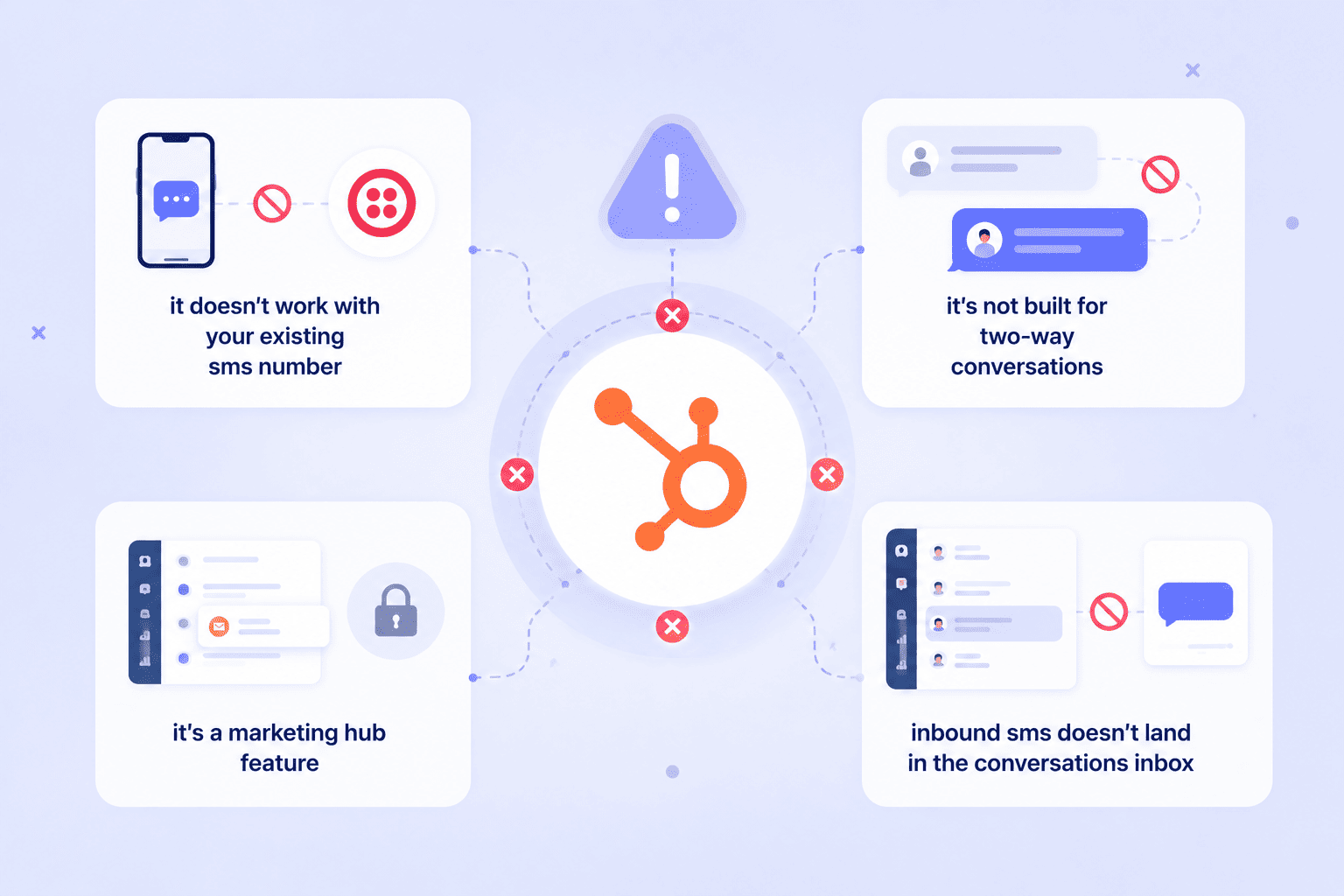
These are the gaps that send most teams looking for alternatives.
- It doesn't work with your existing SMS number: If your team already uses Twilio or another SMS provider, HubSpot's native feature won't connect to it.
- It's not built for two-way conversations: Sending SMS from HubSpot at scale is straightforward with the native tool, but managing replies isn't. The experience on the inbound side is limited.
- It's a Marketing Hub feature: Teams on Sales Hub or Service Hub don't get the same native SMS capabilities.
- Inbound SMS doesn't land in the conversations inbox: Native SMS replies don't integrate cleanly into HubSpot’s conversation inbox, which creates a fragmented experience.
How two-way SMS in HubSpot works (Twilio)
If your team needs two-way SMS in HubSpot, you can connect Twilio to HubSpot through Octopods. It’s a smart solution that covers the gaps of HubSpot’s native feature.

Here’s how the HubSpot Twilio SMS integration works:
- Rather than switching to a HubSpot-issued number, Octopods connects the number your team already uses and routes everything through HubSpot.
- Incoming SMS messages appear directly in HubSpot's conversations inbox, sitting alongside email, chat, and other channels.
- Agents read and reply from HubSpot, and the customer receives the response as a text from your Twilio number.
- Contact matching happens automatically. When an inbound SMS arrives, HubSpot matches it to the existing contact record by phone number, so the conversation is always in context. If the number isn't recognized, a new contact gets created.
A few other things worth knowing about HubSpot SMS:
- Works across HubSpot Starter, Professional, and Enterprise
- Outbound SMS can be triggered from HubSpot workflows
- Full SMS history is logged on the contact timeline
If you want to understand how the connection itself is set up, the Twilio HubSpot integration guide covers the full process step by step.
You can use this setup with HubSpot's native SMS. If your marketing team is already using HubSpot's broadcast SMS for campaigns, that can stay exactly as it is. Twilio through Octopods adds the conversational and operational layer on top, giving your sales and support teams a proper two-way SMS channel inside the same CRM.
Which HubSpot SMS option is right for your team?
Both options let you send SMS from HubSpot, but they're built for different teams and different use cases. If you're still deciding which direction to go, here’s a breakdown of the difference between HubSpot native SMS and Twilio SMS integration by Octopods.
| HubSpot native SMS | Twilio SMS via Octopods | |
|---|---|---|
| Best for | Marketing campaigns | Sales and support teams |
| HubSpot plan | Marketing Hub Pro/Enterprise | Starter, Pro, or Enterprise |
| Uses your Twilio number | No | Yes |
| Two-way conversations | Limited | Full inbox experience |
| Workflow-triggered SMS | Marketing workflows only | Any HubSpot workflow |
| Inbound SMS in conversations inbox | No | Yes |
| Contact timeline logging | Limited | Full history logged |
Use HubSpot's native SMS if you're sending bulk campaigns to marketing lists, you're on Marketing Hub Professional or Enterprise, and SMS is purely a marketing channel for your team.
Use Twilio SMS through Octopods if you already have a Twilio account and phone number, your sales or support team needs to send and receive texts inside HubSpot, or you want to trigger SMS from HubSpot workflows using your own number.
Most teams end up using both. Marketing runs campaigns through HubSpot's native SMS tool, while sales and support handle conversations and automated notifications through Twilio.
What SMS in HubSpot enables across different teams
HubSpot SMS touches different parts of the business. Once SMS is connected and running inside HubSpot, here's what each team actually gains.
Sales teams
For sales, SMS in HubSpot removes the manual follow-up work that slips through the cracks.
Outbound texts can be triggered automatically from workflows, like re-engagement sequences, meeting reminders, proposal follow-ups. All sent from the team's Twilio number and logged directly on the contact and deal record.
The rep has full context every time, and nothing gets missed because someone forgot to send a text.
Support teams
For support, having inbound SMS land inside HubSpot's help desk changes how the team operates.
- Customer texts come in as conversations
- Tickets get created automatically
- Agent handling the request can see the full contact history before they type a single word.
Operations teams
For operations, the value of SMS HubSpot integration is in automation.
SMS customer notifications from HubSpot, like order confirmations, appointment reminders, delivery updates, ticket status changes. All can be triggered by HubSpot workflow logic without anyone manually sending a thing.
Customers stay informed at every stage, and the team stays focused on higher-value work.
Examples of two teams using SMS in HubSpot differently
Here's what it looks like when both SMS options run inside the same HubSpot account:
The marketing team on Black Friday:
The marketing team uses HubSpot's native SMS to send a promotional campaign to 5,000 contacts.
The message goes out in one send, segmented by contact lists built inside HubSpot. Customers who reply are captured in HubSpot automatically.
The team tracks engagement, monitors replies, and follows up on responses.
The sales and support team, every day
Meanwhile, the sales and support team is using Twilio SMS through Octopods for something entirely different.
Inbound texts from leads and customers land directly in HubSpot's conversations inbox. Agents reply from HubSpot and the customer receives it as a text from the team's Twilio number.
New leads get added as contacts automatically.
Outbound follow-ups fire from HubSpot workflows without anyone manually sending a thing. Every message is logged on the contact record, so whoever picks up the conversation next has full context.
Choose the HubSpot integration that works best for your team
If your team runs marketing campaigns and needs a straightforward way to send bulk SMS to contact lists inside HubSpot, the native HubSpot SMS feature is built exactly for that. You can explore it on HubSpot's SMS marketing page.
If your sales or support team needs two-way SMS conversations inside HubSpot, Twilio through Octopods is the right path. Octopods connects Twilio to HubSpot in minutes, and your team can start handling SMS from the conversations inbox straight away.
Not sure which option fits your setup?
We're happy to help you figure it out.
FAQs
Does HubSpot have built-in SMS?
Yes, HubSpot has a native SMS feature available on Marketing Hub Professional and Enterprise plans. It's designed for outbound marketing campaigns and bulk messaging to contact lists. For two-way conversational SMS or workflow-triggered notifications using your own number, you'll need a third-party integration like Twilio connected through Octopods.
Can I use my existing Twilio number with HubSpot?
Yes, but not through HubSpot's native SMS feature. To send and receive SMS from HubSpot using your existing Twilio number, you need to connect Twilio to HubSpot through Octopods.
What is the difference between HubSpot native SMS and Twilio SMS in HubSpot?
HubSpot's native SMS is a marketing broadcast tool. It sends bulk campaign messages to contact lists and is limited to Marketing Hub. Twilio SMS through Octopods is a two-way conversational channel that works across Sales, Support, and Operations teams on any HubSpot plan.
Can HubSpot receive incoming SMS messages?
Yes, but only with a Twilio integration. HubSpot's native SMS feature has limited support for inbound messages. If you connect Twilio through Octopods, incoming SMS messages land directly in HubSpot's conversations inbox and get matched to the existing contact record automatically.
Does HubSpot SMS work with workflows?
Both options support workflow-triggered SMS, but in different ways. HubSpot's native SMS works within marketing workflows on Professional and Enterprise plans. Twilio SMS through Octopods works across any HubSpot workflow, which means your sales, support, and operations teams can trigger automated text messages from HubSpot based on deal stages, ticket updates, contact properties, or any other workflow logic.
How can I match incoming text messages to existing HubSpot contacts and avoid duplicates?
Octopods matches every incoming text message to an existing HubSpot contact by phone number automatically. If the number is already in your CRM, the message attaches to that contact's record; if not, Octopods creates a new contact using that number. No manual lookup, no merging duplicates after the fact.
How do I keep SMS conversation history visible on HubSpot contact and deal records?
Every SMS conversation logs automatically to the contact's timeline, so replies, sent messages, and full context sit alongside emails and calls. To see that same history on a deal record, make sure the contact is associated with the deal. HubSpot surfaces linked contact activity there once the association exists.
How do I send a text message directly from a HubSpot contact record?
HubSpot's native SMS doesn't have a one-off "send" button on the contact record, it's built for list-based campaigns and workflow steps. If you want to text a specific contact directly from their record, you need a two-way SMS integration. With Twilio through Octopods, that shows up as a proactive SMS card right on the contact record: write the message, send it, and it goes out from your connected Twilio number and logs to the contact like any other conversation.