
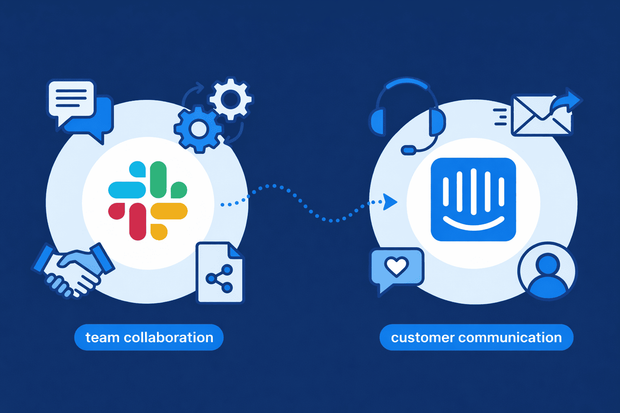
Teams that use Slack for internal communication usually use it to talk to customers too. It’s easy and fast, but when it’s not your main support tool, it becomes an issue.
Your customers talk to you on Slack, but your team talks to all other customers on Intercom. Too many tools to manage, which affects performance.
To fix this, you can connect Slack to Intercom. Slack threads will show up in Intercom, and your team can reply without leaving their main support channel. Not to mention, all customer info and history stay in one place.
In this guide, we’ll show you:
- Why using Slack as your customer inbox isn’t ideal
- Why you need to manage Slack inside Intercom
- How Slack Intercom integration works
- How teams use Slack Intercom integration
Key problems in handling customer conversations in Slack
If you’re already using Slack to talk to customers, why not make it your main customer inbox? Because Slack wasn’t built for that, so it doesn’t have advanced customer communication features.
Here’s an overview of Slack’s limitations as a customer inbox:
- No structured customer profiles: Slack doesn’t create real customer profiles with structured data like contact details and history. You can attach notes or use integrations to pull in some data, but it’s manual and limited.
- Limited automation: Unlike dedicated support inboxes, Slack doesn’t provide built-in tools for auto-responders, SLA tracking, or assigning conversations. You’ll need integrations for any of these features.
- No advanced reporting: Slack has very limited reporting compared to a customer inbox. You can see basic activity metrics like message counts, channel activity, and app usage, but there’s no built-in reporting on customer conversations, response times, or team performance.
- No shared customer history: Slack threads are chaotic and not structured to keep a complete conversation history with each customer.
- Integration gaps: While you can connect Slack to some CRMs or support tools, it’s usually a workaround, not a fully integrated system.
Why bring Slack messages into Intercom
Because of all the limitations we discussed above, integrating Slack with Intercom is the right move here. You’ll get Slack’s ease and convenience, along with Intercom’s customer communication features.
Here’s what Slack Intercom integration gives you:
- Customer profiles: Intercom customer profiles are far more structured, each profile automatically collects and organizes all customer data like contact info, past conversations, purchase history, app activity, and custom attributes.
- Conversation history: All customer messages are recorded in Intercom and history is easy to access through search. You can also see who owned each conversation and any past internal notes.
- Team assignment: Intercom lets you build automated workflows that assigns conversations automatically based on rules that you choose.
- Workflows: Using Intercom’s workflow builder, you can automate many support processes, like conversation assignment, after-hour replies, handing off from AI to agents, and more.
- Reporting: Intercom has built-in AI-powered reporting that’s provides real-time dashboards showing metrics like response times, conversation volume, team performance, and resolution rates.
How Slack Intercom integration works
So how exactly does a Slack Intercom integration works? Well, integrating Slack and Intercom means you two-way sync between both tools. Replies on Slack will automatically sync to Intercom, and comments from Intercom will appear in the corresponding Slack thread.
Here’s how this works out:
- You connect a Slack channel to your Intercom workspace
- You sync a specific Slack thread to Intercom conversations
- A new conversation opens in Intercom for this thread
- Any reply a customer posts in Slack shows up in the Intercom conversation
- You reply in Intercom, your customer gets the response in Intercom
Intercom has a native Slack integration, but it was deprecated. To connect both tools, you'll to use third-party integration tools like Octopods. Octopods is an integration layer that connects messaging channels to Intercom.
Want to know how Slack Intercom integration works through Octopods?
What you can do with Slack & Intercom connected
If you connect Slack and Intercom, you can build workflows that improve your team’s performance across both tools. Here are a few examples of Slack Intercom workflows you can build.
1. Sync Slack threads to Intercom conversations
Integrating Intercom and Slack means you can sync specific Slack threads to your Intercom inbox.
You can support your customers faster, and your team doesn’t have to waste time switching between tools.
2. Reply to customers from Slack without losing Intercom history
When you connect Slack and Intercom, you can reply to customers directly from Slack while keeping the full conversation stored in Intercom.
You stay in Slack for internal collaboration, but Intercom remains your source of truth. You don’t lose conversation history, reporting accuracy, or customer context. Your team moves faster without breaking your support workflow.
3. Map Intercom teammates to Slack accounts
You can map each Intercom teammate to their corresponding Slack account. This ensures the right person receives notifications, mentions, and assignment updates in Slack.
When someone assigns a conversation in Intercom, the mapped teammate gets notified in Slack immediately. They can jump into the conversation without checking multiple dashboards.
4. Use Intercom workflows while collaborating in Slack
Even when your team collaborates in Slack, you can still trigger and use Intercom workflows.
For example, you can assign conversations, add tags, trigger automations, or update conversation statuses while discussing the issue internally in Slack. Those actions sync back to Intercom in real time.
5. Escalate conversations from Slack to Intercom
If a Slack thread turns into a customer issue, you can escalate it to Intercom with full context.
Instead of copying and pasting messages, you can push the thread into Intercom as a conversation. Your support team can then manage it like any other ticket, assign it, track it, automate it, and report on it.
Real use cases for Slack and Intercom
Here’s how teams use the Slack Intercom integration in their everyday tasks.
Internal escalations from Slack to Intercom
Your support team often spots issues in Slack before they ever reach Intercom.
For example, a customer posts a complaint in a shared Slack channel or a CSM flags a risky account in an internal thread. Instead of letting that conversation disappear in Slack, you escalate it to Intercom immediately, assign an owner, and apply the right tags or SLAs.
Sales & support collaboration in Slack
When you connect Slack and Intercom, your sales agents can loop in support directly from Slack when a prospect asks a technical question. Support can review the Intercom history, respond with accurate details, and help move the deal forward.
Engineering handoffs from Intercom to Slack
When a customer reports a bug in Intercom, your support team shouldn’t copy and paste details into Slack manually.
Instead, you send the conversation to a dedicated engineering Slack channel with full context like customer details, screenshots, and conversation history included. Engineers can ask clarifying questions in Slack while support keeps the customer updated in Intercom.
Managing Slack-based customer communities
If you run a customer community in Slack, important feedback often lives there. Feature requests, complaints, and product ideas appear in threads that move quickly.
With the Slack Intercom integration, you can push meaningful conversations into Intercom. You create a lead, log a support issue, or tag product feedback properly.
Common mistakes teams make with Slack customer messaging
Even after integrating Slack with Intercom, some teams make mistakes that affect how they benefit from the integration.
Here are some common mistakes team make with Slack customer communication:
- No solid assignment workflows: Assignment workflows save a lot of time and make ownership and accountability clear. Without them, your team will drop conversations, and you'll lose customers.
- Poor monitoring of Intercom's reports: Intercom's reporting tools give you important insights, and you need to monitor them to spot gaps in performance and improve.
- Treating Slack like email: Using Slack in Intercom doesn’t mean it’s like email. Customers expect fast replies on it, so you need to set up automatic replies and AI bots to keep your response times fast.
See a Slack Intercom integration in action
FAQs about Slack Intercom integration
Can I connect Slack to Intercom?
Yes, you can connect Slack to Intercom using a third-party integration tool like Octopods. When you connect Slack and Intercom, you can sync Slack threads to Intercom inbox, collaborate internally, and improve how your team handles customer messages across both tools.
Is there a Slack integration for Intercom?
Yes, but not a native one. Intercom’s native integration for Slack is deprecated, so to integrate both tools, you need to use external integration tools like Octopods.
Can Slack messages sync to Intercom automatically?
Slack messages can sync to Intercom automatically if you integrate both tools. For example, you can push Slack threads into Intercom as conversations or sync updates between both tools. This helps you track customer issues in Intercom instead of losing them in Slack threads.
Does Slack replace Intercom?
No, Slack doesn’t replace Intercom. Slack works best for internal team communication, while Intercom manages customer conversations, automation, and reporting. Even with a Slack and Intercom integration, you should use Slack for collaboration and Intercom as your system of record.
Can multiple Slack channels connect to Intercom?
Yes, you can connect multiple Slack channels to Intercom. Many Slack Intercom integrations allow you to route different types of conversations, such as support, sales, or engineering issues, to separate Slack channels. This way, each team receives the right Intercom notifications and updates.