
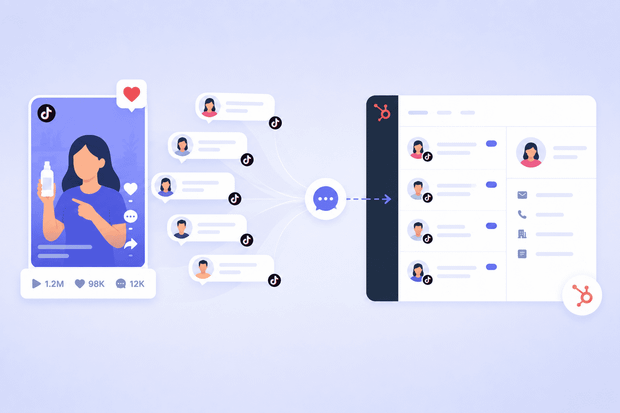
A lot of customer conversations happen on TikTok DMs, and most support teams are handling them straight from the TikTok app, completely disconnected from their CRM.
While it gets the job done, it’s slower and much less efficient than managing everything in one place.
When you connect TikTok to HubSpot through Octopods, an integration tool that links messaging channels to HubSpot, incoming TikTok Business DMs show up in your HubSpot inbox automatically
This way, all messages show with the right contact record, and you can assign them to the right agent.
In this article, we show you how to manage TikTok DMs in HubSpot.
HubSpot TikTok messaging vs. the TikTok HubSpot ad integration
If you searched "HubSpot TikTok integration" and got a wall of articles about lead gen ads, this is the article you were actually looking for.
The TikTok HubSpot ad integration is a separate setup entirely. It captures leads from TikTok Lead Generation ad forms and syncs them into HubSpot as contacts. Useful, but nothing to do with direct messages.
This article covers the TikTok DM HubSpot connection, which is linking your TikTok Business Account's inbox to HubSpot's Conversations tool so your team can read, respond to, and manage TikTok direct messages from inside HubSpot, the same way they handle email, WhatsApp, or Instagram.
If your customers are messaging you on TikTok after watching your content, this is the integration you need.
What teams need the TikTok HubSpot integration
The TikTok HubSpot integration is important for brands that have a lot of customer activity on TikTok.
If any of the following describes your team, managing TikTok DMs in HubSpot is what you need:
- You run a TikTok Business Account and your DMs are a real customer touchpoint
- Your support team is handling TikTok messages manually, switching between the TikTok app and HubSpot with no way to log conversations
- You operate in LATAM, Southeast Asia, the Middle East, or other markets where TikTok is one of the primary customer channels
- Your social media team is managing conversations across multiple platforms and needs everything centralized in one inbox.
One important limitation to flag upfront: TikTok Business Accounts based in the US or EU aren’t currently supported, due to TikTok's regional API policies. If your account falls under either of those regions, this integration isn't available for you yet.
Think your team fits this criteria?
We can help you confirm your account is supported and get everything connected in minutes.
What the TikTok HubSpot integration via Octopods does
Once your TikTok Business Account is connected to HubSpot through Octopods, your team stops managing TikTok DMs from the app and starts managing them the same way they handle every other support channel.
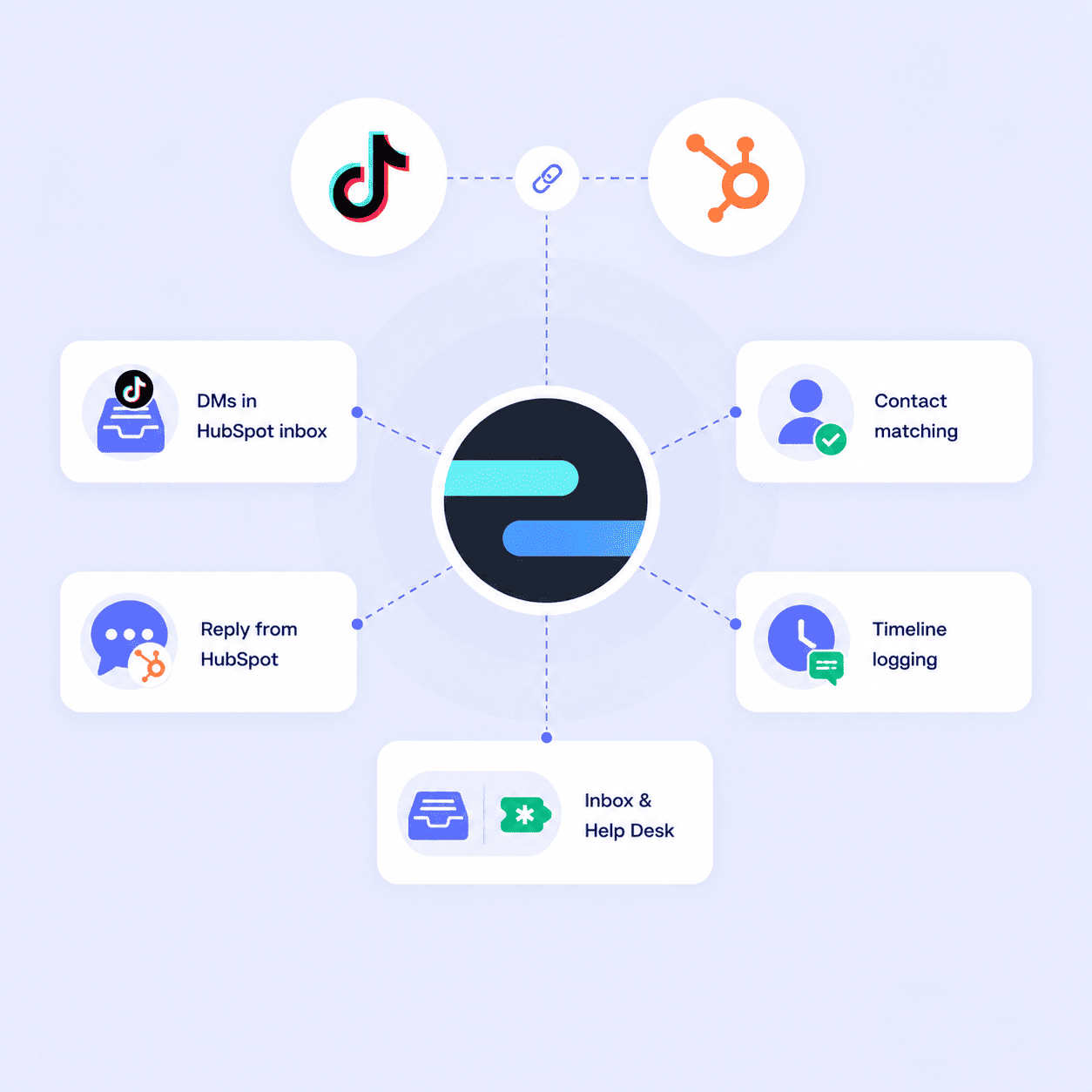
Here's what the HubSpot TikTok integration does:
- TikTok DMs land in your HubSpot inbox automatically.
- Creates or matches contact automatically so that you have an accurate customer records.
- Your agents reply from inside HubSpot.
- Logs all conversations on the customer contact timeline
- Works with both HubSpot Inbox and HubSpot Help Desk.
A few things this integration doesn’t do:
- Doesn’t pull in TikTok comments on your videos, only direct messages.
- Doesn’t support proactive outbound messaging to TikTok users.
- Doesn’t trigger automated workflow messages to TikTok.
- Doesn’t work with TikTok personal accounts
How TikTok DMs work in HubSpot
Once the TikTok HubSpot inbox connection is live, your team's day-to-day workflow changes.
Here's exactly what happens from the moment a customer sends your brand a DM on TikTok.
Conversations appear in the HubSpot inbox automatically
When a TikTok user sends your business a direct message, it shows up in your HubSpot inbox within seconds, alongside messages from your other connected channels.
Automatic contact creation and matching
Every time a new TikTok user messages you, Octopods automatically creates a HubSpot contact for them or matches them to an existing one.
That means TikTok users stop being anonymous handles with no CRM history. From the very first message, the conversation is tied to a contact record, and your team has context to work with.
Two-way messaging from HubSpot
Your agents reply directly from the HubSpot inbox, and the response lands in the customer's TikTok DMs as a normal message. The customer gets a standard TikTok conversation experience.
Full conversation history on the contact record
The integration logs every TikTok DM automatically on the contact's HubSpot timeline.
So if a customer messages you on TikTok today and emails you next week, whoever picks up that email can see the full TikTok conversation history.
Team assignment and routing
TikTok conversations are assigned to the right agent or team based on your existing HubSpot routing rules, the same way your other channels work.
In no time, you’ll have no messages sitting unassigned in a shared inbox.
Common ways to manage TikTok DMs in HubSpot
Teams use TikTok inside HubSpot for different use cases that are all important for customer support.
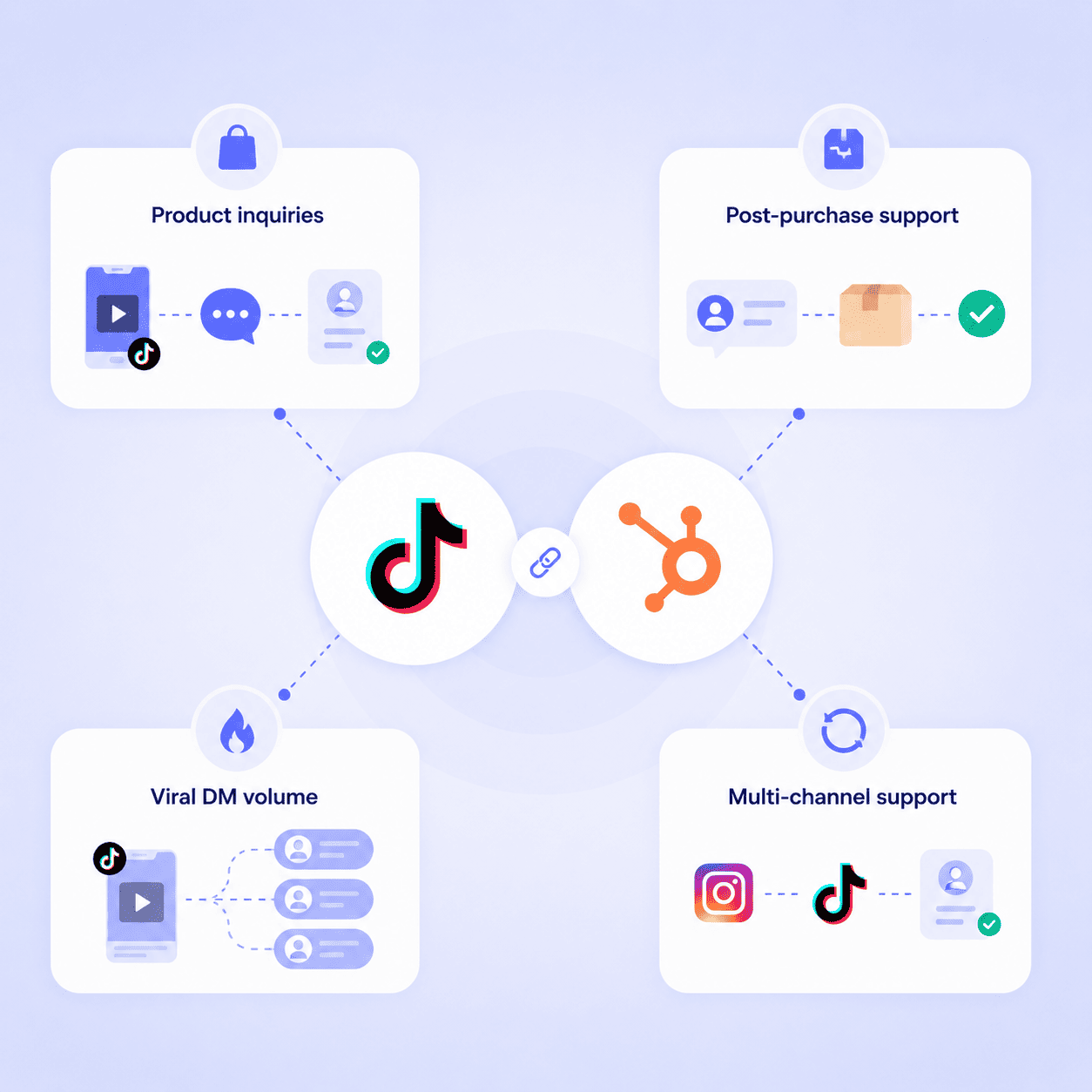
Here are the most common scenarios how teams use TikTok HubSpot connection.
Handling product inquiry DMs from video content
A customer watches one of your TikTok videos and sends a DM asking about a product.
- Message appears in HubSpot immediately
- Integrated creates a contact automatically
- Agent replies with the right information without leaving the CRM
If that customer later converts, the sales team can see the full exchange on the contact record. The conversation that started with a TikTok DM becomes part of the customer's history in HubSpot from the very first touchpoint.
Managing post-purchase support through TikTok
A customer who bought through TikTok Shop sends a DM asking about a return or a delayed order.
- Your agent opens the conversation in HubSpot
- Sees the customer's full interaction history
- Resolves the issue in a single reply
Handling high-volume DMs after viral content
Your brand's TikTok video goes viral, and DMs come in faster than anyone can manage from the TikTok app.
- Every message lands in HubSpot as a conversation
- Your team assigns based on capacity and prioritize by urgency
- No messages drop because they arrived outside business hours or during a volume spike
Multi-channel customer support continuity
A customer messages your brand on Instagram first, then follows up a few days later via TikTok DM.
- Because both channels are connected to HubSpot through Octopods, both conversations appear on the same contact record
- Agent handling the TikTok message sees the full context from the Instagram exchange
- Agent picks up exactly where things left off
How to set up the HubSpot TikTok integration through Octopods
Setting up the TikTok HubSpot connection through Octopods takes just a few minutes. Before you start, make sure you have the following in place:
- An Octopods account with an active omnichannel subscription
- A TikTok Business Account
- A HubSpot account with at least one inbox already created. If you don't have one yet, create an inbox in HubSpot first
- A TikTok Business Account based outside the US and EU
Step 1: Connect your TikTok Business Account
In Octopods:
- Navigate to your workspace Channels page
- Locate the TikTok option
- Click Connect TikTok Business Account.
You'll be redirected to TikTok's authorization page. Log in with your TikTok Business Account credentials and grant the requested permissions. Once that's done, Octopods brings you back to the channel setup screen automatically.
Step 2: Select your HubSpot inbox
After authorization completes, you're taken to the Select HubSpot Inbox screen.
- Open the dropdown
- Choose the inbox where you want TikTok DMs to appear
- Click Activate.
The channel goes live immediately. From that point forward, incoming TikTok DMs will appear in your selected HubSpot inbox as conversations.
If the dropdown is empty, you'll need to create a HubSpot inbox first.
Examples of how TikTok DM support in HubSpot works
Here's what managing TikTok inbox messages in HubSpot looks like for a real consumer brand.
A fashion brand in Southeast Asia posts a TikTok video showcasing their new collection. Within hours, 40 DMs arrive asking about sizing, availability, and shipping. Here's what happens:
- Every DM lands in HubSpot automatically and a contact is created for each new customer without anyone lifting a finger.
- The support team works through all 40 conversations from HubSpot, with each reply delivered directly to the customer on TikTok.
- One customer had messaged the brand on Instagram two days earlier, the agent sees both conversations on the same contact record and responds with full context.
- Response times are tracked, conversations are logged, and nothing slips through.
- That evening, the brand manager reviews TikTok support performance in HubSpot
Connect TikTok to your HubSpot inbox today
Managing TikTok DMs from the app while running support out of HubSpot isn’t the ideal setup for your team.
Connecting TikTok to HubSpot through Octopods means your team handles TikTok DMs the same way they handle every other channel: from one inbox and with full contact history.
Ready to bring your TikTok DMs into HubSpot?
Octopods connects your TikTok Business Account to your HubSpot inbox in minutes, so your team can start managing TikTok messages where they manage everything else.
FAQs
Can I manage TikTok DMs inside HubSpot?
Yes, when your TikTok Business Account is connected to HubSpot through Octopods, incoming TikTok DMs appear in your HubSpot inbox automatically and your team can reply from inside HubSpot without touching the TikTok app.
Does the HubSpot TikTok integration support TikTok DMs or only ad leads?
The native HubSpot TikTok integration covers ad leads only, it syncs TikTok Lead Generation form submissions into HubSpot contacts. Connecting TikTok DMs to HubSpot requires Octopods, which routes incoming direct messages into your HubSpot Conversations inbox.
Does HubSpot automatically create contacts from TikTok DMs?
Yes. When a TikTok user messages your business for the first time, Octopods automatically creates a HubSpot contact for them or matches them to an existing contact where possible. Every conversation is tied to a contact record from the very first message.
Is the TikTok HubSpot integration available for US and EU accounts?
Not currently. Due to TikTok's regional API policies, TikTok Business Accounts based in the US or EU are not supported at this time. The integration is available for accounts in LATAM, Southeast Asia, the Middle East, and other supported regions.
What types of TikTok messages sync to HubSpot?
Only direct messages from TikTok Business Accounts sync to HubSpot. TikTok comments on videos, automated workflow-triggered messages, and outbound proactive messages are not supported.