
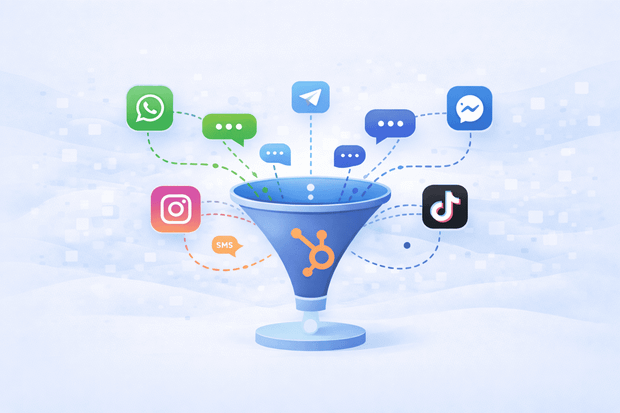
If your team is handling customer conversations across WhatsApp, Instagram, Telegram, SMS and Facebook Messenger, chances are those conversations are scattered across different apps, different phones and different people.
HubSpot already has everything your team needs to manage customer relationships: the contacts, the deals, the tickets, the history. The missing piece is bringing all those messaging channels into it. When you do, every customer conversation lands in one place, tied to the right record, visible to the right people.
This guide covers why fragmented messaging hurts your team, what a unified HubSpot inbox actually looks like, and how to get there.
To understand how HubSpot handles customer communication more broadly, read our HubSpot Service Hub guide.
Why managing messages across multiple apps doesn't work
Managing customer conversations across multiple messaging apps creates visibility gaps, accountability problems, and a fragmented customer experience.
Most teams start out managing messaging the way it happens naturally, WhatsApp on someone's phone, Instagram DMs on the marketing manager's laptop, Facebook Messenger checked whenever someone remembers. It works at low volume. It falls apart as the business grows.
The visibility problem: When customer conversations live in separate apps, no one has a complete picture of any given customer. This leads to:
- A support agent handling a WhatsApp complaint without knowing the customer also sent an Instagram DM two days earlier
- A sales rep following up on a lead without seeing that a colleague already spoke to them on SMS
- Customers repeating themselves across channels
- Teams duplicating effort and making avoidable mistakes
The accountability problem: When messages live on personal devices or standalone apps, managers lose all oversight. There is:
- No visibility into response times or conversation quality
- No record of who handled what
- No audit trail to review or act on
- No way to measure — or improve — team performance
What is the best way to manage customer messages across multiple channels? The answer isn't a new messaging app. It's bringing every channel, WhatsApp, Instagram, Facebook Messenger, Telegram, SMS, into the customer service platform your team already lives in: HubSpot.
What a unified HubSpot inbox looks like
A unified inbox in HubSpot means that every incoming message, regardless of which channel it came from, appears in one place: your HubSpot inbox.
A WhatsApp message from a customer in Brazil, an Instagram DM from a lead who saw your story, a Telegram support request, an SMS reply - all these message automatically land in the HubSpot inbox, assigned to the right team member and linked to the right contact record.
Your team doesn't need to check five different messaging apps to maintain a good customer experience, they open HubSpot and everything is there.
For support agents, a unified inbox means:
- Full customer context before every reply
- No more asking customers to repeat themselves
- Faster, more personalized responses across WhatsApp, Instagram, Messenger, Telegram, and SMS
For managers, it means:
- Real-time visibility into response times and conversation volumes
- A clear record of who handled what and when
- Measurable team performance across every messaging channel — all in one system
So what is the difference between a regular HubSpot inbox and a unified messaging inbox? A standard HubSpot inbox handles email and live chat. A unified inbox extends that to every messaging channel your customers actually use, all connected to your HubSpot CRM and visible to your entire team.
Which channels can you connect to HubSpot
There are several messaging apps your team relies on for customer communication everyday. The channels that matter most for most businesses are already supported by an integration tool like Octopods. Here are some of the channels Octopods' HubSpot integration supports:
- WhatsApp - the highest priority for most teams given its global reach and the volume of business conversations happening on it every day.
- Instagram - connects both DMs and comments to your HubSpot inbox, which are some of the most common ways customers reach out after seeing your content.
- Telegram - an essential channel for teams serving customers across LATAM, EMEA and CIS regions.
- Twilio SMS - handles text messaging for markets where SMS is still the primary outreach channel.
- Facebook Messenger - captures leads and conversations coming from your Facebook business page.
- Slack - brings in B2B customer communities and internal escalation workflows.
- TikTok DMs - covers the growing volume of customer messages coming through short-form video content.
Each of these messaging channels connects to your HubSpot inbox through Octopods, which is built specifically to bring messaging channels into HubSpot without replacing how your team already works.
Explore each channel: WhatsApp, Instagram, Telegram, Twilio SMS, Facebook Messenger, Slack, TikTok.
Want to see Octopods HubSpot integrations in action?
Learn how Octopods connects messaging channels to HubSpot CRM, enabling two-way messaging and more.
How Octopods brings every channel into HubSpot
Octopods is an official HubSpot app partner that connects WhatsApp, Instagram, Telegram, Twilio SMS, Facebook Messenger, Slack and TikTok directly into your HubSpot inbox. It works natively inside HubSpot, which means no separate platform to learn, no additional inbox to check and no disruption to how your team already works.
Automatic contact matching
When a message comes in from a new number or profile, Octopods automatically creates a HubSpot contact and links the conversation to it. If the contact already exists, the incoming message is matched to their record instantly. Your team always knows who they are talking to.
Full conversation history on every record
Every message sent and received through Octopods is logged on the contact's HubSpot timeline. Support agents see the full history before replying. Sales reps see every touchpoint before a follow-up call. Managers see everything without asking anyone for an update.
Multiple accounts, one inbox
If your business runs multiple WhatsApp numbers, several Instagram accounts, or channels across different regions, all of them connect to HubSpot through Octopods. Every account feeds into the same inbox, routed to the right team.
No extra login required
When you install Octopods from the HubSpot marketplace, an account is created automatically using the same email address you use for HubSpot. There is nothing extra to set up.
To see how the full integration works, visit the Octopods HubSpot page.
Example of how teams use HubSpot messaging apps integration
A customer messages on WhatsApp asking about a return. The message appears instantly in the HubSpot inbox, linked to the customer's contact record. The support agent can see that the same customer sent an Instagram DM three days ago asking about the same order, which was a conversation that was handled by a colleague. With that context, the agent resolves the issue in one reply instead of starting from scratch.
Meanwhile, a sales rep is working a deal with a new lead. The lead reached out on Instagram, then followed up on WhatsApp. Both conversations appear on the same contact record in HubSpot. The rep sees the full thread, picks up exactly where the last interaction left off, and moves the deal forward without the lead ever feeling like they are talking to a different person.
The manager reviews the team's performance at the end of the day. Response times, open conversations, resolved tickets, which are all visible in HubSpot without chasing anyone for updates.
This is what managing all your customer messages in one HubSpot inbox actually looks like in practice.
Getting started
Octopods connects to HubSpot in minutes and works immediately after installation. You can start with one channel and add more as your team grows. Most teams start with WhatsApp since it drives the highest message volume, then add Instagram and SMS from there.
For a deeper look at how each channel works inside HubSpot, explore the guides below:
WhatsApp and HubSpot | Instagram and HubSpot | Twilio SMS and HubSpot
Want to manage all your messaging apps within the HubSpot inbox?
Frequently asked questions
Can you manage WhatsApp, Instagram, and SMS all in one HubSpot inbox?
Yes. With a tool like Octopods, all seven major messaging channels — WhatsApp, Instagram, Telegram, Twilio SMS, Facebook Messenger, Slack, and TikTok — connect directly to your HubSpot inbox so your team manages everything from one place.
Do messages from different channels get linked to the same HubSpot contact?
Yes. Octopods automatically matches incoming messages to existing HubSpot contacts based on phone number or profile data. If a customer messages on WhatsApp and then follows up on Instagram, both conversations appear on the same contact record.
Does connecting messaging channels to HubSpot require technical setup?
No. Octopods installs directly from the HubSpot marketplace and creates your account automatically. Most channels are connected within minutes with no developer support needed.
Can multiple team members manage messages from the same HubSpot inbox?
Yes. Conversations can be assigned to specific team members, tracked, and handed off through the shared HubSpot inbox without losing context or conversation history.
Can you connect more than one WhatsApp or Instagram account to HubSpot?
Yes. Octopods supports multiple accounts per channel, all routed into your HubSpot inbox and assigned to the relevant team or inbox.