
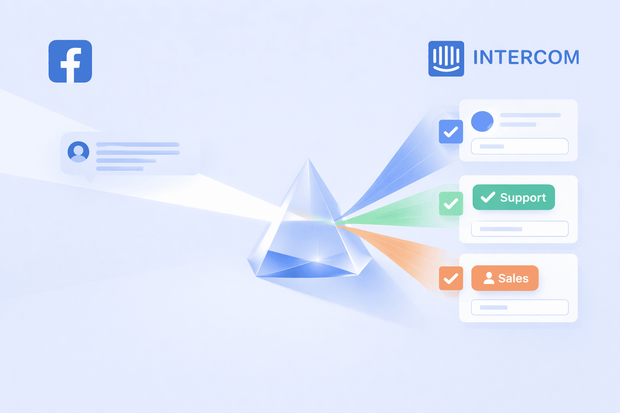
Every time you post on Facebook, comments start coming in, questions, complaints, and everything in between. They scatter across posts and pages, and there's no shared view for your team.
Intercom's native Facebook integration doesn't cover Page comments. To manage Facebook comments inside Intercom, you need an integration layer like Octopods which automatically turns every relevant Facebook Page comment into an Intercom conversation alongside your DMs, emails, and live chats.
Here's what you get when you connect Facebook comments to Intercom:
- No more missed comments
- Full team visibility
- One inbox for all channels
This article shows you how to manage Facebook page comments in Intercom and what limitations to consider.
How to automate Facebook comments in Intercom inbox
When you connect your Facebook Pages to Intercom through Octopods, every comment on every post comes in automatically.
As soon as someone comments on any post on your connected Facebook Pages, it appears as a new conversation in your Intercom inbox.
A question a lot of teams ask at this point is: will I actually see Facebook comments in Intercom, or do I have to go looking for them?
The answer is you'll receive them as Intercom messages. Octopods converts each incoming Facebook comment into an Intercom conversation the moment it lands, and your whole team has visibility from that point on.
How Octopods organizes comment threads into tickets
The way Octopods organizes comment threads into tickets is that each relevant Facebook comment becomes its own Intercom conversation. Any replies to it get added to that same conversation.
So if a post gets 50 comments, your team gets 50 conversations in the Intercom inbox—one per comment, each with its own full reply thread inside it.
A few points worth knowing about Facebook comments Intercom integration:
- Comments on different posts are always separate conversations
- If someone comments on a post and also sends your page a DM, those show up as two separate, unlinked conversations
- Comments from different Facebook Pages are kept separate too, even if they come from the same person
How Octopods manages user’s Facebook profile in inbox
One of the most practical parts of managing Facebook comments in Intercom is the context your team gets before they start replying.
So, how much does your agent know about the Facebook commenter they're responding to?
Your agent has enough context on the customer messaging them on Facebook. Every comment conversation in Intercom shows:
- Commenter's display name
- A direct link to their Facebook profile
- Which Facebook Page the comment came from
That information sits on the conversation and on the contact record in Intercom. So if the same person reaches out again, your team already knows who they are and where they've interacted before.
How to reply to Facebook comments in Intercom
Agents handle Facebook comment replies entirely from Intercom. No need to go back to Facebook, open Business Suite, or switch tabs.
Octopods delivers the reply to Facebook automatically the moment the agent sends it from the inbox.
How customers receive your Intercom replies in Facebook:
- A comment comes in on one of your connected Facebook Pages and appears as a conversation in your Intercom inbox
- Your agent replies in Intercom
- Octopods routes the reply to Facebook automatically in the background
- The response appears publicly on the post as a reply to the original comment
- If the conversation continues, follow-up comments come back into the same Intercom conversation
Get a demo or explore our help center to see how it works before you commit.
How to manage multiple Facebook comments inside inbox
When you manage Facebook Page comments in Intercom through Octopods, a back-and-forth exchange on a post doesn't create a flood of separate tickets. Here's how it works:
- The first comment on a post opens a new conversation in your Intercom inbox
- Every follow-up reply in that same thread gets added to the same conversation
- Your agent sees the full exchange in one place
The only time a new Intercom conversation opens is when someone leaves a new comment on the post.
Do comments from multiple Facebook pages appear in the same inbox?
If you manage more than one Facebook Page in Intercom, comments from all your connected pages flow into the same Intercom inbox.
Here's how it works across multiple Facebook Pages in Intercom:
- All connected pages feed into one shared inbox
- Every conversation is tagged with its source page
- Routing works the same way across all pages
- Each page's conversations stay distinct
Everything stays organized inside one Intercom workspace without any extra configuration per page.
Facebook comments vs Facebook Messenger DMs
When you connect Facebook Page comments and Messenger DMs to Intercom, you're handling two distinct conversation types, and they're never merged, even if they come from the same person.
Here's an overview of how Facebook comments and Facebook DMs work in Intercom.
| Feature | Page comments | Messenger DMs |
|---|---|---|
| Visibility | Public — visible to everyone | Private — only sender and page see it |
| Where it lives | Attached to a specific post or ad | Direct thread between user and page |
| Media support | Text + max 1 image per reply | Text, images, video, audio, documents |
| AI filtering | Available — surfaces important comments only | Not needed — all DMs are relevant |
| Volume | Higher — needs triage and filtering | Lower — all need a response |
| Conversation thread | One ticket per top-level comment + its replies | One ticket per DM conversation |
Limitations of Facebook comments with Octopods integration
Before your team relies on the Facebook comments and Intercom integration day-to-day, there are a few limitations worth knowing about.
- Limited media in replies. Agents can reply with text or attach a single image per comment reply. Files, videos, audio, and documents aren't supported in comment replies.
- Reactions and stickers don't create conversations. If someone reacts to a post or uses a sticker, that won't show up in Intercom. Only text comments trigger a conversation.
- You can't initiate outreach through comments. Your team can only respond to comments that come in. There's no way to reach out to someone who hasn't commented first.
- Comments are not the same as DMs. A comment conversation and a Messenger DM are two separate things with different capabilities.
Want to see how Facebook comments work in Intercom through Octopods?
FAQs
Can Intercom manage Facebook Page comments natively?
Not fully. Intercom's native Facebook integration only covers Messenger DMs. To manage Facebook Page comments inside Intercom, you need a third-party integration like Octopods.
Will my team get notified when a new Facebook comment comes in?
Yes. Because every Facebook Page comment becomes an Intercom conversation, your team gets notified through Intercom's standard notification system—the same way they'd be notified about any new conversation.
Can I automatically assign Facebook comment conversations to specific agents or teams in Intercom?
Yes. Since Facebook comments come into Intercom as standard conversations, Intercom's assignment rules apply in full. You can route comments from specific pages to specific teams, assign based on keywords, or use any other assignment logic you already have set up.
What happens to Facebook comments on older posts, do those come into Intercom too?
Facebook comments on older posts come in Intercom only if they're new. Any comment a customer leaves after you connect Facebook and Intercom will reach your inbox. Any comment left before that won't show in your Intercom inbox.
Can I use Intercom's AI features to handle Facebook comment conversations?
Yes. Because Facebook comments are treated as standard Intercom conversations, any AI features available in your Intercom plan—like suggested replies, summarization, or automated responses—apply to comment conversations the same way they apply to any other channel.