
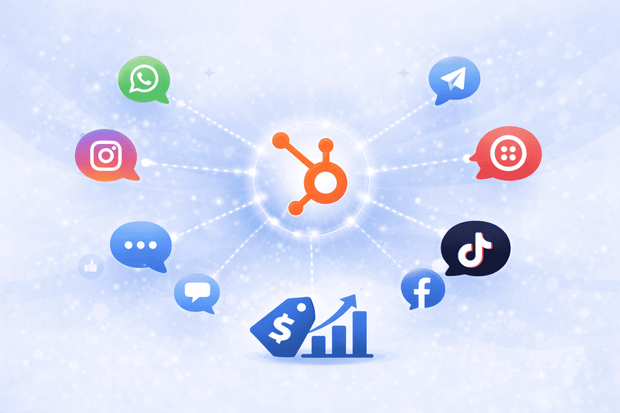
Your sales team is having conversations with real leads every day on WhatsApp, Instagram and SMS. But none of it shows up in HubSpot. No contact history. No deal updates. No visibility for managers.
Messaging integrations fix this by bringing every conversation directly into your HubSpot pipeline, which is linked to the right contact and deal record, so your team can sell from one place without switching apps or losing context.
If you are using HubSpot as your CRM and your sales team is messaging customers outside of it, this guide is for you. For a broader look at how HubSpot handles customer communication, start with our HubSpot Service Hub overview.
Why do sales teams need messaging channels
Email open rates have been declining for years as more customers reply faster on WhatsApp and Instagram than they do on email. In fact, in many regions around the world, messaging apps have become the primary way people communicate with businesses.
The problem is not that sales teams are using the wrong channels. The problem is that those sales conversations are happening outside the CRM. Sales reps are replying from personal phones, leads are coming in through Instagram DMs with no follow-up system, and managers have no way to see what is being said.
Messaging works for sales. But it only works at scale when it is connected to the HubSpot inbox.
What happens when messaging is disconnected from HubSpot
When messages from WhatsApp, Instagram or SMS live outside the HubSpot inbox, a few things happen consistently:
- Contact records are incomplete because the CRM shows emails and calls but nothing from messaging channels.
- Reps start every follow-up from scratch with no conversation history to reference before a call.
- Leads that come in through Instagram DMs or WhatsApp messages never officially enter the pipeline.
- Managers can't see what is being discussed, which makes coaching and forecasting harder.
This is not a people problem. It is a systems problem and messaging integrations solve it.
How do messaging integrations work with HubSpot
A messaging integration like Octopods, connects messaging channels like WhatsApp or Instagram to your HubSpot inbox. Once connected, incoming messages appear directly in HubSpot as conversations, linked automatically to the matching contact record.
Here is what happens in practice.
- A customer sends a WhatsApp message to your business number.
- The message appears in your HubSpot inbox in seconds, matched to an existing contact or used to create a new one.
- Your rep replies from HubSpot and the customer receives the reply on WhatsApp.
- The full conversation is logged on the contact timeline and linked to the relevant deal.
To see which channels are available for HubSpot, read our guide to HubSpot messaging integrations.
Which messaging apps sales teams use in HubSpot
The right channel depends on where your leads are. Most sales teams start with WhatsApp since it is the highest-volume messaging channel globally and supports two-way conversations, proactive outreach, and message templates for re-engaging leads after a period of silence.
If your team does social selling or handles inbound leads from content, Instagram DMs, story replies & post shares all sync to HubSpot through the integration.
For teams that rely on outbound sequences, Twilio SMS is a strong option. It supports outbound messaging triggered directly by HubSpot workflows, which means follow-up SMS messages can be automated without anyone having to remember to send them.
Telegram is worth considering for teams with customers in LATAM, EMEA, or CIS regions where it is widely used. And for businesses running lead generation through Facebook ads, Facebook Messenger brings those conversations into HubSpot so they are handled like any other inbound lead.
The most widely used channel for sales teams connecting messaging to HubSpot. Supports two-way conversations, proactive outreach, and message templates. Learn more about the WhatsApp and HubSpot integration.
Ideal for social selling and inbound leads. DMs, story replies, and post shares all sync to HubSpot automatically. Learn more about the Instagram and HubSpot integration.
- Twilio SMS
Strong for automated follow-up sequences triggered by HubSpot workflows. Learn more about the Twilio SMS and HubSpot integration.
- Telegram
The go-to channel for sales teams working with customers across LATAM, EMEA, and CIS. Learn more about the Telegram and HubSpot integration.
- Facebook Messenger
Useful for capturing leads from Facebook ads directly into HubSpot. Learn more about the Facebook Messenger and HubSpot integration.
How messaging integrations help sales teams close deals
The biggest immediate impact that sales teams feel when connecting messaging channel with HubSpot, is customer context.
When a sales rep opens a contact record before a call and can see every WhatsApp exchange, every Instagram DM and SMS, the conversation is a lot more informed and more personal.
The rep does not need to ask the customer to repeat themselves. They already know what was discussed, what was promised, and where the deal stands. That kind of context is what separates a warm follow-up from a cold one.
Full conversation history on every contact record
Beyond context, messaging integrations remove manual work from the sales process. Every message sent or received through a connected channel is automatically logged on the contact timeline and associated with the relevant deal.
Sales reps do not need to update the CRM after every conversation. Deal stages reflect reality, managers can see what is happening without asking, and nothing gets missed when a rep hands off an account.
Proactive HubSpot sales outreach
WhatsApp and SMS both support outbound messaging triggered by HubSpot workflows. A sales rep can send the first WhatsApp message directly from a contact or deal record, or set up a workflow that automatically sends a follow-up when a deal has been inactive for a set number of days.
This turns HubSpot from a passive record-keeper into an active part of the sales process.
One contact record across every channel
When leads come in across multiple channels, everything stays unified. A lead that DMs on Instagram and then follows up on WhatsApp is one contact in HubSpot, not two.
The full conversation history across both channels appears on the same record, giving managers a complete picture of the relationship without reconciling data from multiple tools.
What to look for in a HubSpot messaging integration
Not all messaging integrations work the same way. The ones worth using work natively inside HubSpot with no extra platforms to manage, automatically create and match contacts using phone numbers or profile data, support multiple accounts and multiple team members from the same inbox & connect with HubSpot workflows so outreach can be automated.
It is also worth looking for a tool that handles more than one channel. Installing a separate integration for each messaging app creates the same fragmentation problem you are trying to solve.
For context on what HubSpot's Sales Hub supports natively, visit the HubSpot Sales Hub page.
Example on how sales teams use messaging in HubSpot
A lead finds a company on Instagram and sends a DM asking about pricing. The message syncs to HubSpot automatically and a contact is created.
The sales rep sees the inquiry in the HubSpot inbox and replies directly without touching their phone. The rep converts the contact into a deal and sets the stage to "Contacted."
Two days later, a HubSpot workflow triggers an automatic WhatsApp follow-up asking if the lead has any questions. The lead replies on WhatsApp. That reply appears in HubSpot, linked to the same contact and deal.
The sales manager reviews the pipeline that afternoon and sees the full timeline: the Instagram DM, the initial reply, the deal creation, and the WhatsApp follow-up. No one had to update anything manually.
This is what a connected messaging workflow looks like in practice, and it is replicable across every channel your team uses.
To sum up
To bring messaging channels into HubSpot, sales teams use integration tools like Octopods, which connects WhatsApp, Instagram, Telegram, Twilio SMS, Slack, TikTok and Facebook Messenger directly into the HubSpot inbox. Contacts are created automatically, conversations are linked to deals, and workflows handle the follow-up.
Start with the channel your leads use most. Each integration takes minutes to set up and works inside your existing HubSpot workspace.
Frequently Asked Questions
Can sales teams use WhatsApp inside HubSpot?
Yes. With a messaging integration, WhatsApp conversations appear directly in the HubSpot inbox, linked to contact and deal records. Sales reps can send and receive messages without leaving HubSpot.
How do messaging integrations help with HubSpot deal tracking?
Every message sent or received through a connected channel is automatically logged on the contact timeline and linked to the relevant deal. Sales managers get full visibility into conversations without relying on manual updates from reps.
Can HubSpot send WhatsApp messages automatically?
Yes, with the right integration. WhatsApp and SMS outbound messages can be triggered by HubSpot workflows, for example sending a follow-up automatically when a deal reaches a certain stage or has been inactive for a set period.
What messaging channels work with HubSpot for sales teams?
WhatsApp, Instagram, Telegram, Twilio SMS, Facebook Messenger, Slack, and TikTok can all be connected to HubSpot through third-party integrations.
Do HubSpot messaging integrations work with Sales Hub?
Yes. Messaging integrations work across HubSpot Sales Hub, Service Hub, and the shared inbox, giving sales and support teams a unified view of every customer conversation.
What happens to HubSpot contacts when someone messages on WhatsApp?
A good messaging integration automatically matches the incoming WhatsApp message to an existing HubSpot contact using the phone number, or creates a new contact if one does not exist yet.
Can multiple sales reps manage WhatsApp messages in HubSpot?
Yes. Conversations are managed through the shared HubSpot inbox where messages can be assigned to specific reps, tracked, and handed off without losing context or conversation history.