
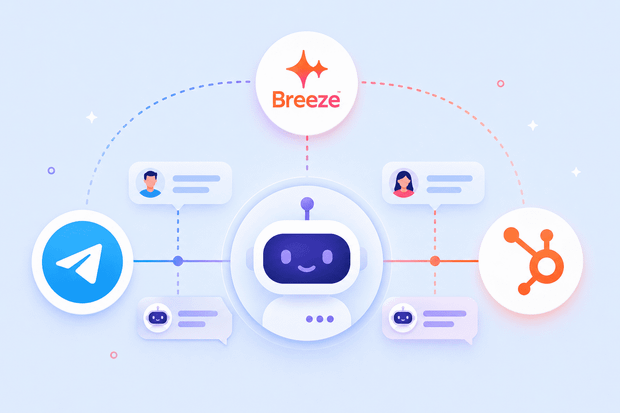
Managing Telegram support alongside other channels your team handles adds up fast. And when message volume grows, keeping up manually is sustainable.
HubSpot's Breeze AI Customer Agent solves this.
Can HubSpot Breeze Customer Agent answer incoming Telegram support messages?
Yes, when you connect Telegram to HubSpot through an integration tool like Octopods, Breeze AI can handle incoming Telegram messages automatically. It does the following:
- Answers common questions
- Routes conversations to the right agent
- Escalates to a human when real judgment is needed.
In this guide, we show you what Breeze AI does on Telegram, how to deploy it through HubSpot, and what your support team can realistically expect once it's live.
Why Telegram support is different from other channels
Telegram is different from other support channels because it carries a culture of immediacy that most other channels don't. Users expect fast replies, and when they don't get them, they move on.
- The expectation of speed is built into the platform. Telegram users are conditioned to near-instant responses. A reply that would feel acceptable on email feels slow on Telegram, and that gap shows up in customer satisfaction.
- For teams serving LATAM, EMEA, and CIS markets, Telegram is often the highest-volume channel. In many of these regions, Telegram is the default messaging platform. That means support teams in these markets can't treat it as an overflow channel.
- Without automation, Telegram support means constant manual monitoring. Someone has to be watching the inbox, all the time. As volume grows, that becomes a staffing problem as much as a support problem.
- Breeze AI changes the dynamic entirely. When Breeze AI handles the repetitive, high-frequency portion of Telegram inquiries automatically. your team starts focusing on the conversations that actually need them.
How HubSpot Breeze AI works on Telegram through Octopods
Breeze AI lives inside HubSpot. Octopods helps you manage your Telegram messages inside HubSpot, and once they're there, Breeze takes over completely.
Octopods connects Telegram to HubSpot using HubSpot's Custom Channels API. Once that connection is live, Telegram becomes a first-class conversation channel inside HubSpot. sitting alongside live chat, email, and every other channel your team manages from the inbox.
The flow works like this:
- A customer messages your Telegram bot. Octopods receives the message and delivers it into your HubSpot Conversations inbox as a standard conversation thread.
- HubSpot treats it like any other conversation. Breeze AI operates at the HubSpot conversation layer; it doesn't distinguish between channels. It handles a Telegram message the same way it handles a live chat or email inquiry.
- Breeze Customer Agent responds automatically, using your knowledge base, product documentation, and predefined conversation flows to reply directly to the customer through Telegram.
- If the conversation needs a human, Breeze escalates it and passes the full conversation history to the right agent inside HubSpot.
Here's a quick demo of how Octopods connects Telegram to HubSpot inbox:
Everything related to how Breeze responds, what it knows, and when it escalates is configured and deployed entirely inside HubSpot. Your team selects which channels to activate Breeze on directly from HubSpot's channel deployment settings.
How Breeze AI works for Telegram in HubSpot: Step by Step
Here are the steps you need to take to get Breeze AI working for Telegram inside HubSpot.
Step 1: Connect Telegram to HubSpot through Octopods
In your Octopods workspace settings, add Telegram as a channel by pasting in your Telegram Bot Token. This way, you get custom channel inbox inside HubSpot linked to your Telegram bot.
From that point, incoming Telegram messages flow into your HubSpot Conversations inbox automatically.
Step 2: Configure Breeze Customer Agent inside HubSpot
Inside HubSpot, navigate to the Breeze Customer Agent settings and build out your agent. Connect your knowledge base content, upload product documentation, and define your conversation flows and escalation rules.
This is where Breeze learns what to say, how to handle different inquiry types, and when to hand off to a human agent.
Step 3: Deploy Breeze to your Telegram channel
In HubSpot's channel deployment settings, select your Telegram inbox as one of the channels where Breeze Customer Agent should be active.
Once deployed, incoming Telegram messages are handled by Breeze automatically.
What Breeze AI can handle on Telegram
Once your Telegram customer service bot is live in HubSpot, here's what it does.
Answer common questions automatically
Breeze AI pulls answers straight from your HubSpot knowledge base and responds instantly. It handles product questions, pricing queries, availability requests, business hours, and account information without a single agent needing to step in.
Route conversations to the right team automatically
When your HubSpot AI chatbot for Telegram is active, Breeze reads the nature of each inquiry and routes it to the right inbox or agent automatically.
A billing question goes to the billing team. A technical issue goes to technical support. You don’t need any manual sorting, and you won’t have messages sitting in a generic queue while someone figures out where they belong.
Handle Telegram group message inquiries
If your Telegram integration includes group chats, Breeze AI can handle messages coming from group conversations too, responding to the group directly while knowing exactly which team or queue to escalate to if the conversation needs a human.
This way, your Telegram chatbot customer service coverage extends beyond one-to-one conversations.
Scale Telegram support across time zones
If your customers are spread across a dozen time zones, it becomes an issue to reply to them in suitable times. Breeze AI fixes this by being available 24/7.
The AI handles the first response automatically, keeps the conversation moving, and when your agents come back online, every escalated conversation is waiting for them with the full Breeze exchange visible.
Hand off to human agents without losing the thread
When a conversation goes beyond what your Telegram auto reply HubSpot setup can handle automatically, Breeze escalates it cleanly. The agent who picks it up sees the full conversation history right there in HubSpot.
What support teams gain from Breeze AI on Telegram
Once your Telegram CRM automation is live, you can feel the difference in operations immediately.
- Instant responses at any hour, without 24/7 staffing.
- Fewer repetitive queries for agents to deal with.
- Consistent reply quality across every Telegram conversation.
- Full conversation context on every escalation.
- Response times improve across all hours, not just during business hours.
- Telegram support scales without scaling the team.
What Breeze AI on Telegram is not
Before you deploy, it's worth being clear about what your AI Telegram bot in HubSpot actually is and what it isn't.
- It's not a fully custom chatbot built from scratch. Breeze AI operates within HubSpot's own Breeze framework. You're working within HubSpot's structure, not building a custom bot from the ground up.
- It's not available on all HubSpot plans. Breeze Customer Agent requires HubSpot Service Hub Professional or Enterprise. If you're on a Starter plan, you'll need to upgrade before you can deploy it on Telegram or any other channel.
- It doesn't replace your human agents. Breeze handles the repetitive, high-volume layer so your agents can focus on the work that actually needs a human. It's a first line of support, not a full replacement.
- Configuration happens inside HubSpot, not inside Octopods. Octopods connects Telegram to HubSpot and gets your messages flowing into the inbox. Everything about how Breeze responds, what it knows, and how it escalates is set up and managed entirely inside HubSpot.
- Edited Telegram messages don’t sync to HubSpot. If a customer edits a message after sending it, only the original version is processed. It's a small but important limitation to factor into how you set customer expectations on the channel.
Example of how Breeze AI handles Telegram support at scale
A business in Eastern Europe runs Telegram as its primary support channel. Over the weekend, they run a promotion. By Monday morning, 150 Telegram messages are waiting in the inbox.
Without a Telegram customer service bot, that's 150 conversations for the team to work through from scratch.
With Breeze AI running through HubSpot, here’s what happens:
- Breeze AI handles order status, return policy, product availability, account questions automatically
- Support team have 12 conversations waiting for them: complex shipping issues and two complaints that needed a human. Every one of them has the full Breeze exchange attached inside HubSpot.
- Agents step in mid-conversation with complete context, not at the beginning with none.
- Handle time drops significantly because nobody is gathering information that Breeze already collected.
How to get started with Breeze AI on Telegram
If your team is managing Telegram support manually right now, the path to automating it is shorter than you might expect.
Breeze AI is already inside your HubSpot account. What you need is a reliable way to get your Telegram messages in there too. Once you connect Telegram to HubSpot through Octopods, your messages start flowing into HubSpot's Conversations inbox automatically and Breeze AI takes it from there.
If you want to understand everything the Telegram and HubSpot connection makes possible beyond Breeze AI, the Telegram HubSpot integration guide covers it end to end.
And if you want to go deeper on Breeze AI itself before getting started, HubSpot's Breeze AI Customer Agent page is the best place to start.
Ready to automate your Telegram support?
Octopods connects Telegram to HubSpot in minutes, and once it's live, Breeze AI does the rest.
FAQs
Can HubSpot Breeze AI respond to Telegram messages automatically?
Yes, once Telegram is connected to HubSpot through Octopods, Breeze AI responds to incoming messages automatically using your knowledge base and predefined conversation flows, and escalates to a human agent when needed.
Does deploying Breeze AI on Telegram require any setup inside Octopods?
No, Octopods connects Telegram to HubSpot and gets your messages flowing into the inbox. Everything related to Breeze AI is configured entirely inside HubSpot. Octopods forwards Breeze AI replies back to the customer on Telegram automatically.
What HubSpot plan is needed to use Breeze AI on Telegram?
Breeze AI Customer Agent is available on HubSpot's Service Hub Professional and Enterprise plans. If you're on a Starter plan, you'll need to upgrade before you can deploy it on Telegram or any other channel.
What happens when Breeze AI cannot answer a Telegram message?
When Breeze AI reaches the limits of what it can handle, it hands the conversation off to a human agent inside HubSpot with the full conversation history intact. The agent steps in with complete context and no repetition needed from the customer.