
If your team handles high Messenger volume, you already know the pattern. The same questions come in every day, and someone has to stop what they're doing and type a response.
It's not complicated work, but it's constant, and it pulls your team away from the conversations that actually need a human.
Traditional chatbot solutions exist, but most of them sit outside HubSpot and don't connect to your CRM. HubSpot's Breeze AI Customer Agent changes that.
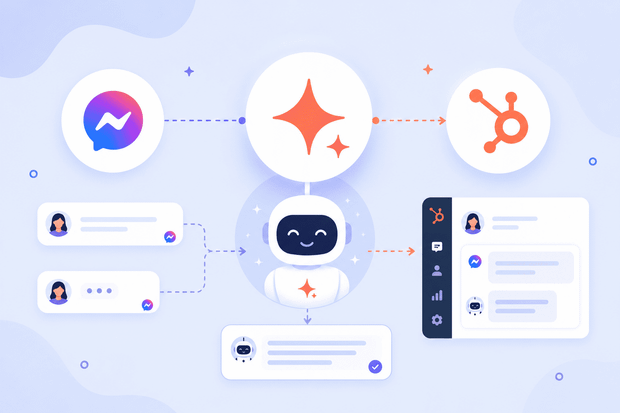
When Facebook Messenger is connected to HubSpot through Octopods, a tool that brings messaging channels into HubSpot, Breeze AI can handle incoming Messenger conversations automatically.
It uses your team's knowledge base to answer questions, qualify leads, and route conversations to human agents.
This guide covers what Breeze AI does on Facebook Messenger, how to deploy it, and what your team actually gains from automating Messenger support inside HubSpot.
Why teams need Facebook Messenger automation in HubSpot
Teams need Facebook Messenger automation in HubSpot because managing high message volume manually isn't scalable or efficient.
Most Facebook Messenger chatbot solutions are independent platforms. They come with their own knowledge bases, inboxes, and reporting dashboards, none of which talk to HubSpot.
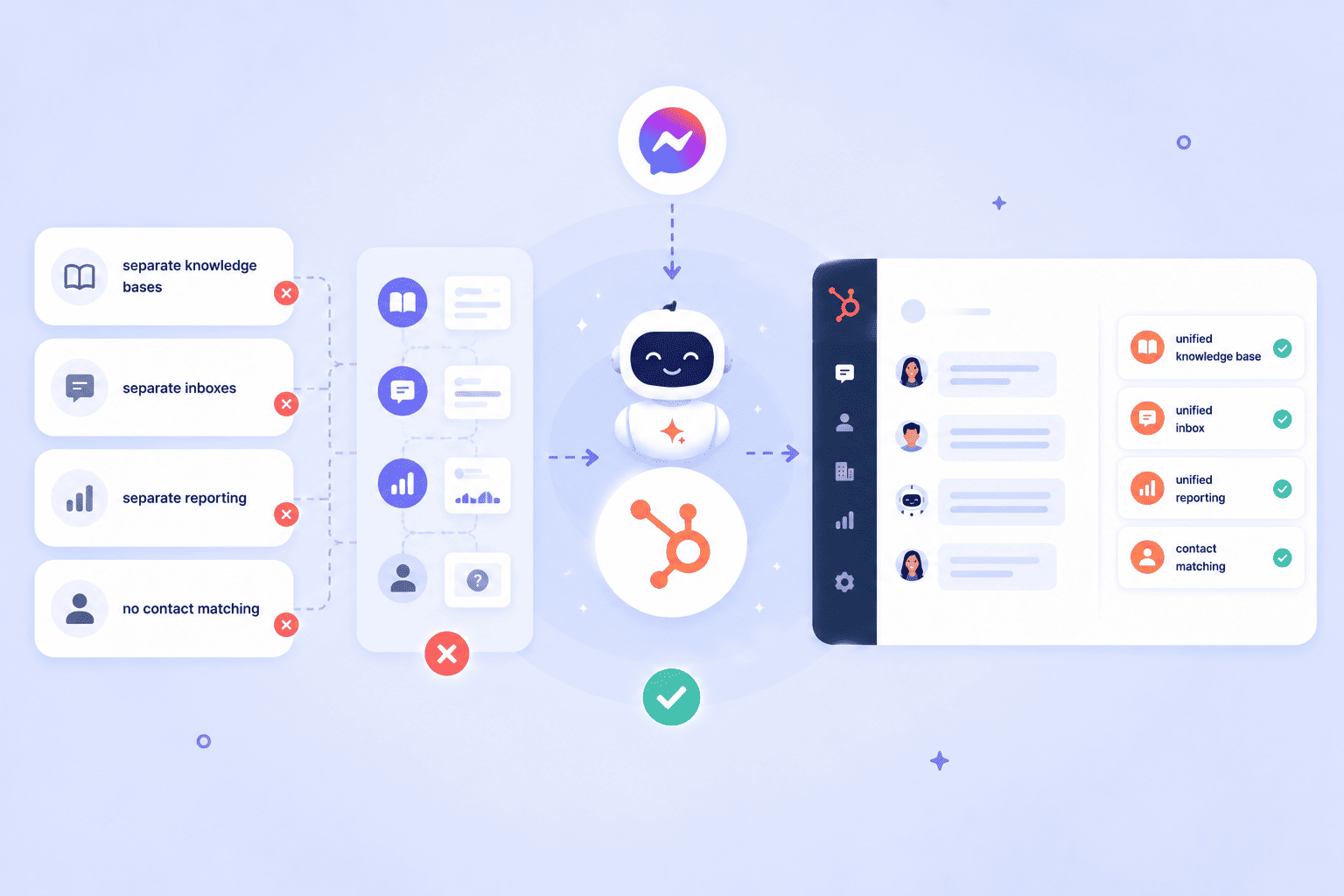
For a team that already runs support and sales through HubSpot, that means maintaining two separate systems:
- Separate knowledge bases: updates made in HubSpot don't reflect in the chatbot, and vice versa
- Separate inboxes: agents switch between platforms to handle conversations, breaking the workflow
- Separate reporting: Messenger automation metrics live in one tool, CRM data lives in another, and no one has a complete picture
- No contact matching: automated conversations aren't linked to HubSpot contact records, so the context disappears the moment a human takes over
Facebook Messenger automation in HubSpot through Breeze AI cancels all of that. Breeze AI operates natively inside HubSpot, which means you don’t need to learn any new platform or maintain a separate configuration.
Everything happens inside your CRM, connected to the contact records, knowledge base, and reporting that are already there.
For teams evaluating automated Messenger responses or looking for a FB messenger chatbot that actually integrates with their help desk, Breeze AI is the HubSpot-native answer.
How Breeze AI works on Facebook Messenger through Octopods
Getting HubSpot Breeze AI running on Facebook Messenger comes down to two things working together: Octopods connecting the channel, and Breeze AI handling the conversations.
Octopods connects Facebook Messenger to HubSpot using HubSpot's Custom Channels API, making Messenger a native channel inside HubSpot.
When a customer sends a Messenger DM, the message arrives in HubSpot as a structured conversation, ready to be handled by a human agent or, once deployed, by Breeze AI.
Breeze AI operates across HubSpot and doesn't distinguish between channels. It handles a Facebook Messenger conversation exactly the same way it handles a live chat or an email.
To get Facebook Messenger AI automation running in HubSpot, here's what the setup looks like:
- Connect Facebook Messenger to HubSpot through Octopods: this brings Messenger into HubSpot as a conversation channel via the Custom Channels API
- Configure Breeze AI Customer Agent inside HubSpot: connect your knowledge base, set your agent's behavior, and define escalation rules
- Deploy Breeze to the Facebook Messenger channel: from HubSpot's channel deployment settings, select Messenger as an active channel for Breeze AI
Once those steps are done, automated Messenger responses are live on Breeze AI.
What Breeze AI can handle on Facebook Messenger
Breeze AI can handle a lot of Facebook Messenger automation in HubSpot, from answering common FAQs to qualifying leads.
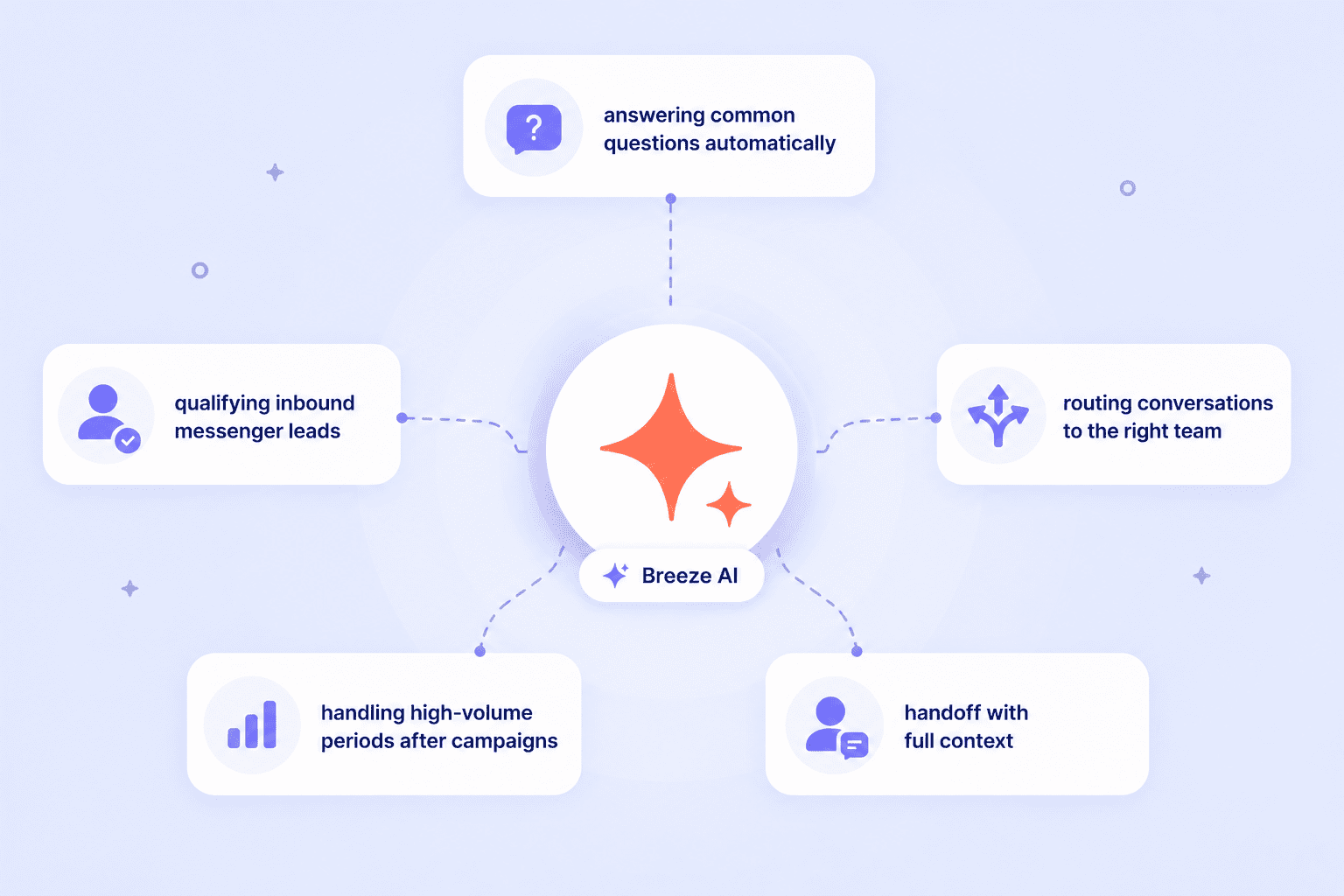
Answering common questions automatically
Product questions, pricing, availability, business hours, return policies, Breeze AI pulls answers from your HubSpot knowledge base and responds instantly.
Customers get accurate answers at any hour without a human agent needing to get involved.
Qualifying inbound Messenger leads
For sales teams, Breeze AI gathers key qualification information before a rep enters the conversation: what the customer is looking for, their budget, their timeline.
By the time the conversation reaches a human, the rep has everything they need to move fast.
Routing conversations to the right team
Breeze AI identifies the nature of each inquiry and routes it to the correct HubSpot inbox automatically. A support question goes to the service team, while a sales inquiry goes to the sales inbox.
Handling high-volume periods after campaigns
When a Facebook ad or campaign post generates a spike in Messenger DMs, Breeze AI absorbs the repetitive volume automatically.
FAQs and product queries get answered without any manual effort, and human agents focus on the conversations that need them, which is exactly what Facebook Messenger automation in HubSpot is built for.
Handoff with full context
When a conversation needs human judgment, Breeze AI hands it off to the right agent with the full conversation history attached.
The agent sees everything Breeze said before stepping in, so the customer never has to repeat themselves.
How to deploy Breeze AI on Facebook Messenger: Step by step
Setting up Facebook Messenger automation in HubSpot is more straightforward than most teams expect, especially compared to configuring a standalone chatbot platform.
Here’s how to deploy Breeze AI on HubSpot Facebook integration.
Step 1: Connect Facebook Messenger to HubSpot through Octopods
Install Octopods from the HubSpot marketplace and connect your Facebook Business Page. Once connected, Messenger DMs start appearing in the HubSpot inbox automatically as structured conversations.
This is the step that makes the Facebook Messenger HubSpot integration live and the foundation everything else runs on.
Step 2: Configure Breeze AI Customer Agent in HubSpot
Inside HubSpot, navigate to the Breeze AI Customer Agent settings. Build out the agent using your knowledge base, product documentation, and predefined conversation flows.
Step 3: Deploy Breeze to your Facebook Messenger channel\
In HubSpot's channel deployment settings, select Facebook Messenger as one of the channels where Breeze AI should be active. That's the entire configuration needed on the channel side.
After that, Octopods handles forwarding automated Messenger responses to customers automatically.
Step 4: Set escalation and handoff rules
Define exactly when Breeze AI should hand a conversation to a human agent, specific keywords, unresolved conversations after a set number of turns, VIP contacts, or any condition HubSpot's workflow logic supports.
This is what keeps your fb messenger chatbot from getting stuck on conversations it shouldn't be handling alone.
Once all steps are done, your HubSpot Breeze AI Messenger automation is live.
Need help setting up the Facebook HubSpot integration via Octopods?
We can help you do it in minutes.
What support and sales teams get from Breeze AI on Messenger
The business case for Facebook Messenger AI automation in HubSpot looks different depending on which team you're on, but both sides gain something significant.
Customer service teams
- Instant responses to common Messenger DMs at any hour
- Reduced repetitive workload for agents
- Consistent reply quality every time
- Full Breeze conversation history attached to every escalation
Sales teams
- Inbound Messenger leads qualified before they ever reach a rep
- No lead ignored because it arrived outside business hours or during a campaign spike
- Reps spend their time on qualified, context-rich conversations instead of cold, unscreened DMs
- Faster first response.
How Breeze AI handles Facebook Messenger in practice
A business runs a Facebook ad campaign over the weekend.
- Monday morning, 180 Messenger DMs have come in asking about the promoted product, pricing, shipping, availability, return policy.
- Breeze AI handles all of it automatically.
- By the time the team logs in Monday morning, 160 conversations are resolved. 20 have been escalated: 17 high-intent purchase inquiries sitting in the sales inbox, fully qualified and loaded with Breeze conversation context, and three complaints routed to support with the full exchange already attached.
The business responded to 180 Messenger DMs over the weekend without a single human working.
Ready to use Breeze AI on Facebook Messenger?
HubSpot Breeze AI on Facebook Messenger means your team stops manually responding to every inbound DM and starts focusing on the conversations that actually need a human.
Octopods connects Facebook Messenger to HubSpot in minutes, and once the channel is live, activating Breeze AI requires no additional setup on the Octopods side. Everything runs from inside HubSpot.
Want to see it working on your Messenger channel?
Octopods gets Facebook Messenger into HubSpot fast, and from there, Breeze AI does the rest.
FAQs
Can HubSpot Breeze AI respond to Facebook Messenger messages automatically?
Yes, once Facebook Messenger is connected to HubSpot through Octopods and Breeze AI Customer Agent is deployed to the Messenger channel, Breeze handles incoming DMs automatically using your HubSpot knowledge base.
Does deploying Breeze AI on Messenger require any setup inside Octopods?
No, all configuration happens inside HubSpot. Octopods connects Messenger to HubSpot and forwards Breeze AI replies to customers on Messenger automatically. Once the channel is connected, your team never needs to touch Octopods to deploy or manage Breeze.
What HubSpot plan is needed to use Breeze AI on Facebook Messenger?
Breeze AI Customer Agent is available on HubSpot Service Hub Professional and Enterprise plans. You'll need an active Octopods connection to bring Facebook Messenger into HubSpot as a channel before deploying Breeze to it.
Is HubSpot Breeze AI better than a standalone Facebook Messenger chatbot?
For teams already using HubSpot, yes, Breeze AI operates natively inside the CRM, draws from your existing knowledge base, matches conversations to contact records, and hands off to human agents with full context. A standalone FB messenger chatbot requires a separate platform, separate configuration, and delivers none of that CRM connectivity.