
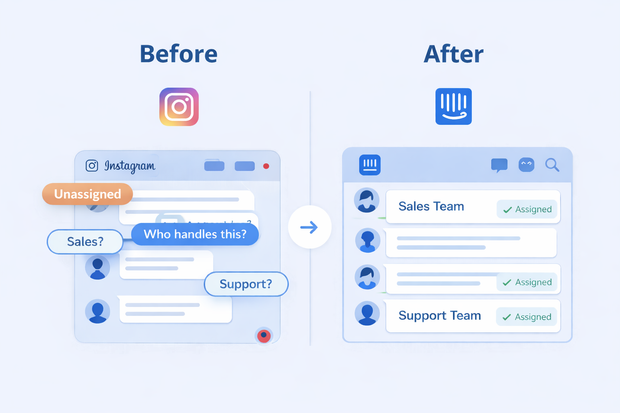
Customers sending you Instagram DMs are already attracted to your product. If you reply late or don’t reply at all, they move on to your competitor. It’s the natural sales cycle, but you can be one step ahead of it with a simple solution.
Your main problems are:
- Customers coming after work hours
- High conversation load at once
- Absence of advanced routing and assignment rules in Instagram
- Ease of jumping to your competitor through DMs.
All manageable if you integrate Instagram to a customer communication tool like Intercom.
You get automatic after-work replies, assignment rules to make sure nothing drops, and most importantly, scalability.
In this article, we’ll show you how to automate assignment of Instagram DMs using Intercom and how it can help you retain more customers.
Why manual Instagram assignment breaks at scale
Why do you need to automate Instagram DMs assignment? Because as your customers grow, gaps will start to show in your manual processes.
- Messages will keep flooding in and your team won’t know who is responsible for each conversation
- Sales and support agents will keep picking up each other’s conversations wrongly
- Agents will just start at the top with no real prioritization of urgent conversations
- Compliance with Instagram’s 24 hour rule will be much harder as the conversation volume grows
What automated assignment means in Intercom
To be clear, Instagram doesn’t have advanced assignment on its own. If you want to assign conversations automatically, you’ll need to use it inside Intercom.
Intercom’s assignment rules let you:
- Manually assign conversations to a team and teammate.
- Automatically assign conversations to a team or teammate (including round robin style assignment to a specific team too).
- Assign all conversations to one team or teammate.
When Instagram integrates to Intercom, Instagram DMs arrive inside Intercom inbox alongside other native messages. So you can use automated assignment rules to manage your Instagram DMs. You can assign based on:
- Channel (Instagram or any other channel you have connected to Intercom)
- Tags
- Language
- Teams
- Intent
Want to see how an Instagram Intercom integration works?
Common Instagram assignment scenarios
Here are some common scenarios where you’ll need Intercom’s automatic assignment for Instagram.
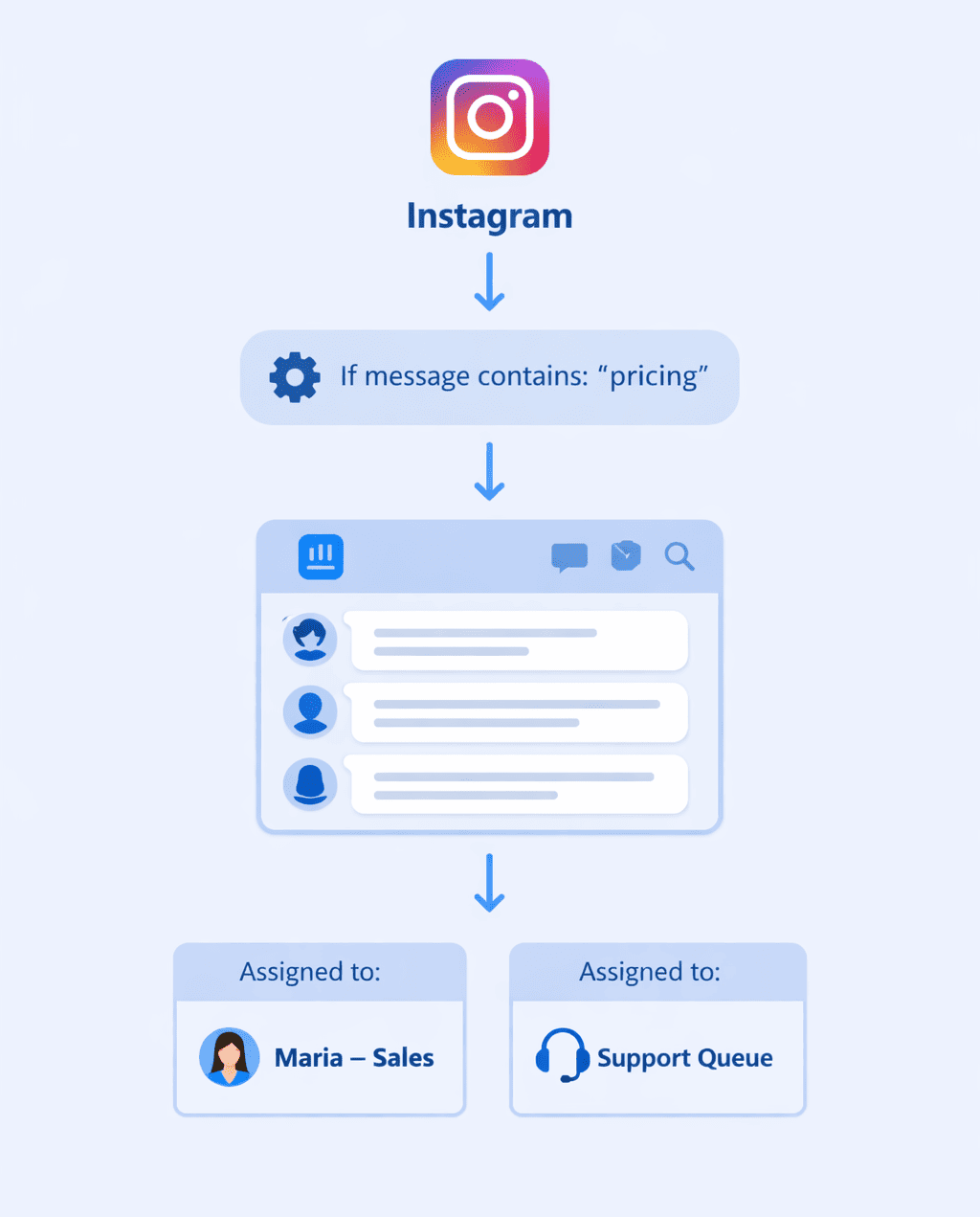
Assign Instagram sales inquiries to the sales teams
Instagram DMs are usually either sales or support inquiries. In Intercom, you can build automatic workflows based on triggers and specific keywords that sends sales conversations directly to the sales teams.
For instance, any conversation asking about pricing or quality can be assigned to sales automatically.
Route support questions to customer support
The same applies to customer support. You can build workflows that route any conversation with a support keyword or question inside to your support team. You can also flag urgent conversations so that your team prioritize them.
Assign off-hours Instagram DMs before 24 hours
Businesses usually lose customers coming in off-hours because of Instagram’s 24 hour rule. However, you can overcome that by setting up a workflow that assigns off-hours conversations immediately to an on-call agent.
Intercom’s assignment rules include hour-related rules, so you can do it easily.
Auto-assign story replies vs regular DMs differently
DMs on Instagram can come through stories, posts, or randomly. Story replies often have very specific inquiries related to that story, so you might prefer that an agent familiar with the story replies.
In this case, you can build a workflow that separates assignment of story replies and regular DMs.
How automated assignment works for Instagram DMs in Intercom
If you can’t imagine Intercom’s assignment working on Instagram DMs, here’s a quick clarification of the workflow that takes place:
- Customer send you an Instagram DM
- Instagram DM arrives in Intercom inbox where your teams are operating
- Intercom evaluates the assignment rules you put in place
- The automated workflow you build assigns the Instagram DM automatically
- The agent who gets the assignment replies from Intercom
Your team works from one inbox, your customers message you from wherever they want, no chance for manual mistakes.
Mistakes teams make when setting up Instagram integration
While setting up an Instagram Intercom integration with all its automatic workflows, teams sometimes make mistakes that affect performance.
Some of the most common Instagram Intercom integration mistakes include:
- Not putting fallback rules in place in case primary assignment rules don’t work. For instance, if the assigned agents is off, you should have a fallback rule that sends the conversation to another agent or the team inbox.
- Not considering time zones. After-hours is a flexible term in global teams. If your assignment rules consider only one time zone, agents might get assignments after work hours and they’ll reply late.
- Mixing sales and support assignment rules. If rules depend on keywords only and not intent, for example, a support billing issue might land with the sales team just because the message includes the word ‘price’ in it.
How automatic Intercom assignments connect
Automatic workflows are rarely isolated. They branch out to other workflows related to other tasks. For instance, a workflow you build for automatic assignment of Instagram DMs can overlap with any of these workflows.
Filtering & prioritizing Instagram messages
You can build an automatic workflow that filters Instagram messages. It’s especially important if you get a lot of spam or irrelevant messages.
Instead of them getting assigned and your agents having to go through them manually, an automated workflow can mark them as spam and remove them from inbox.
Filtering messages includes acknowledging whether they’re spam, story reactions, urgent inquiries. Prioritization determines if this message needs a reply urgently or can wait a while. Both make an assignment workflow more efficient.
Instagram lead capture workflows
Businesses build lead capture workflows to automate the following:
- Asking qualifying questions
- Collecting email or company info
- Identifying budget or intent
- Tagging lifecycle stage
All these can contribute to assignment rules.
For example, if a DM says “Interested” and you don’t capture context, your assignment rule can’t distinguish:
- Curious browser
- Ready-to-buy lead
- Existing customer
Lead capture reduces misassignments by clarifying buyer intent.
Collaboration workflows for Instagram
Collaboration workflows come after assignment. They include escalation, internal notes, tagging, and reassignment if needed.
If you don’t have collaboration workflows in place:
- Customer conversations bounce between teams
- SLAs break
- Accountability becomes unclear
Assignment decides who owns the conversation, and collaboration workflows make sure that ownership actually works in practice.
To reduce manual intervention and have a smooth assignment workflow, you need to put solid collaboration workflows in place.
Instagram data enrichment
Instagram data enrichment means adding extra contact information and business context to someone who messages you on Instagram.
Example of extra info include:
- Company
- CRM status
- Revenue tier
- Existing customer flag
Having this data improves your assignment rules because then they can be very specific. For instance, if a message comes from a paying customer, the messages goes to support team. If it comes from a new lead, it’ll go to sales team.
Without enrichment, routing relies only on message text, which is unreliable on Instagram.
Frequently asked questions
Can Instagram DMs be auto-assigned in Intercom?
Yes, you can auto-assign Instagram DMs in Intercom using Intercom’s assignment rules. You can build automated workflows that assign conversations based on intent, language, time, tags, or any of the rules available. When a conversation arrives in Intercom through Instagram, Intercom will evaluate these rules and assign it automatically.
Can I assign Instagram messages by team or tag?
Yes, you can. Intercom lets you use flexible assignment rules to auto-assign conversations. You can:
- Manually assign conversations to a team and teammate.
- Automatically assign conversations to a team or teammate
- Assign all conversations to one team or teammate.
What happens if no agent is available for Intercom assignment?
You should have a fallback rule in place that sends the conversation to a team inbox, gives it an unassigned tag, or assigns it whenever the agent is available. It all depends on the automated workflows you build when setting up your Instagram Intercom integration.
Do story replies follow the same assignment rules?
Yes, Instagram story replies, regular DMs, and even post comments follow the same assignment rules. That’s because they all arrive in the Intercom inbox, so the same automated workflows applies to them.